


Get Advanced Insights on Any Topic
Discover Trends 12+ Months Before Everyone Else
How We Find Trends Before They Take Off
Exploding Topics’ advanced algorithm monitors millions of unstructured data points to spot trends early on.
Keyword Research
Performance Tracking
Competitor Intelligence
Fix Your Site’s SEO Issues in 30 Seconds
Find technical issues blocking search visibility. Get prioritized, actionable fixes in seconds.
Powered by data from
Latest Blog Posts
Featured Case Studies
See what's trending before everyone else
Each week, we'll send you our best Exploding Topics. Plus, expert insight and analysis.
Using SEO MCP Servers: Complete Guide for Marketers

 Add Exploding Topics on GoogleAdd Exploding Topics as your preferred source to see more of our stories on Google.
SEO MCP servers offer a new way to understand your content performance data. Instead of trying to sort tables and charts to make sense of your metrics, you can just ask AI for insights.
Data is the backbone of a solid SEO strategy. I’ve spent a lot of time building reports and sifting through spreadsheets to understand content performance trends so I can make better marketing decisions.
But even with custom reports I built, I’ve often found myself squinting at my screen, trying to see the bigger picture.
Model Context Protocol (MCP) enables LLMs like Claude and ChatGPT to securely access and analyze your SEO data, then communicate the findings to you in simple, accessible language.
You can use the Semrush API and official MCP server to bring its massive database of SEO data on domains, keywords, and more right into your AI conversations.
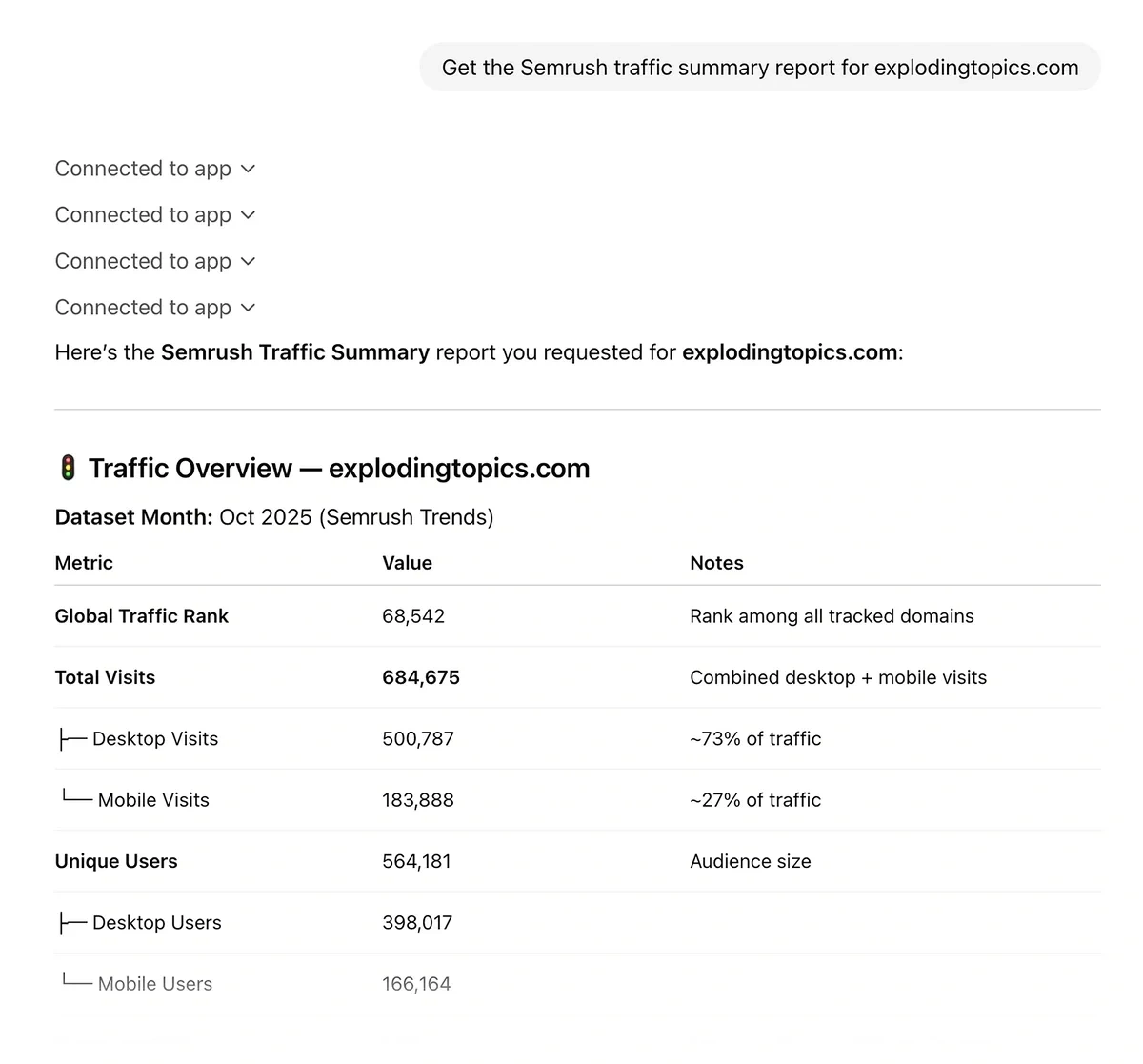
The Semrush MCP server is also available as an official access connector in ChatGPT. You can use it today if you have ChatGPT Enterprise, Edu, Business, Pro, or Plus.
Incorporating MCP into your tech stack could revolutionize your SEO data analysis workflow. I’m here to walk you through the basics of understanding MCP and how to prompt for the content insights you need.
What Is an MCP Server?
Put simply, an MCP server is a program that allows LLMs (like Claude or ChatGPT) and other AI applications to connect to third-party data sources.
For the technologically curious, here’s a more detailed breakdown.
Model Context Protocol (MCP) defines the standards and rules for communication between LLMs and other applications. It facilitates AI integrations by:
- Securing connections between AI applications and third-party tools
- Translating information from data sources into a standardized format AI models can understand
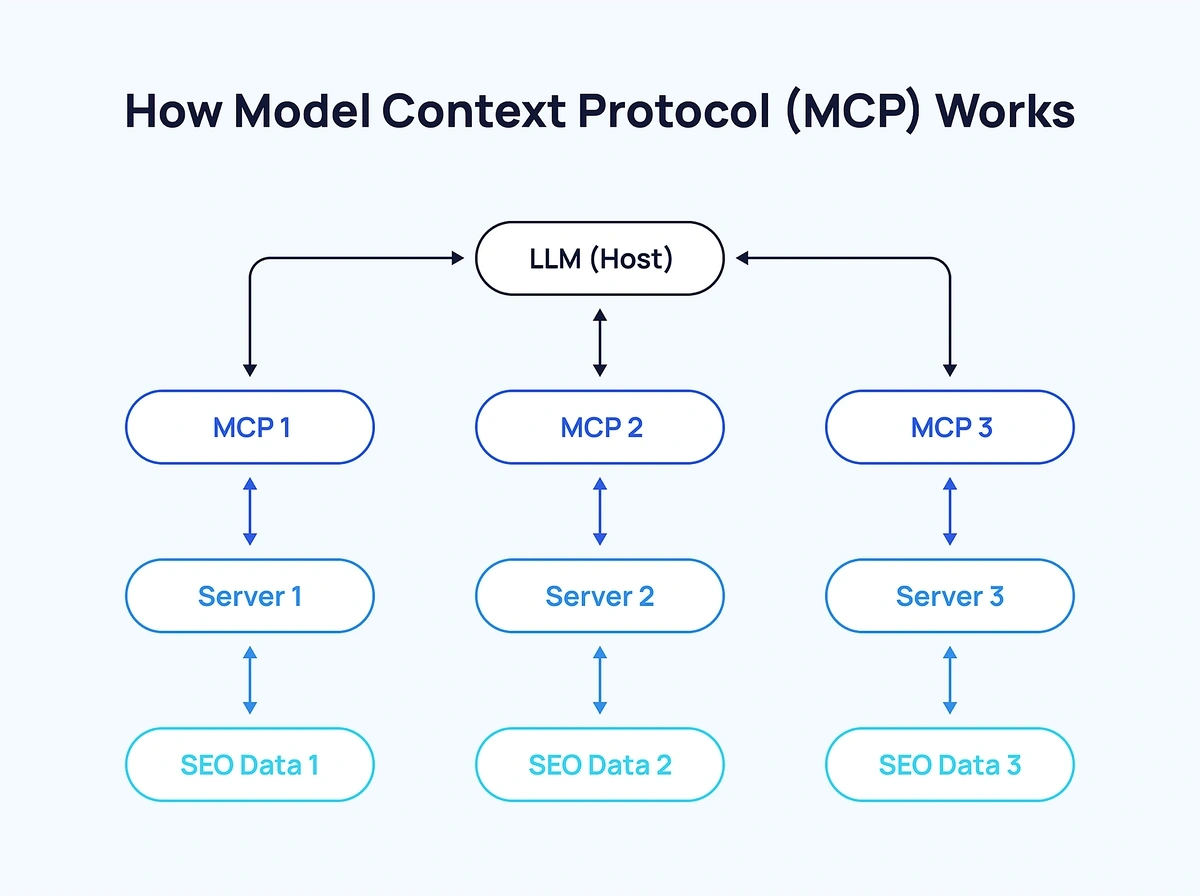
An MCP server is the program that connects to the third-party data source you want to integrate with your preferred LLM. It handles retrieving the data for the AI model, often through an API.
Put it all together and an MCP server SEO workflow looks something like this:
Another way to think of it is to imagine you’re eating at a restaurant, but you and the kitchen staff don’t speak the same language.
You know what’s on the menu, but to place your order, you have to give it to a waiter who speaks your language and the language of the kitchen staff.
The waiter takes your order to the kitchen and tells them what you want, then the kitchen staff fetches the ingredients for your meal and combines them on your plate. The waiter then brings the plate to you.
In this analogy, you represent the LLM. The waiter is Model Context Protocol, the kitchen staff is the MCP server, and the ingredients are the SEO data you want to analyze.
What Are the Benefits of MCP Servers for SEO?
MCP servers can be a huge efficiency booster for SEO data analysis. Even seasoned content marketers have to spend a lot of time combing through analytics reports to spot trends.
LLMs can help with this without an MCP server through context engineering, but this requires you to download your data and upload it to the LLM. Depending on the context window of the model you’re using, you might have to upload your data in multiple batches to process it all.
Integrating your preferred LLM with Semrush or other SEO data sources using MCP lets you prompt for real-time SEO data analysis whenever you like, without extra steps.
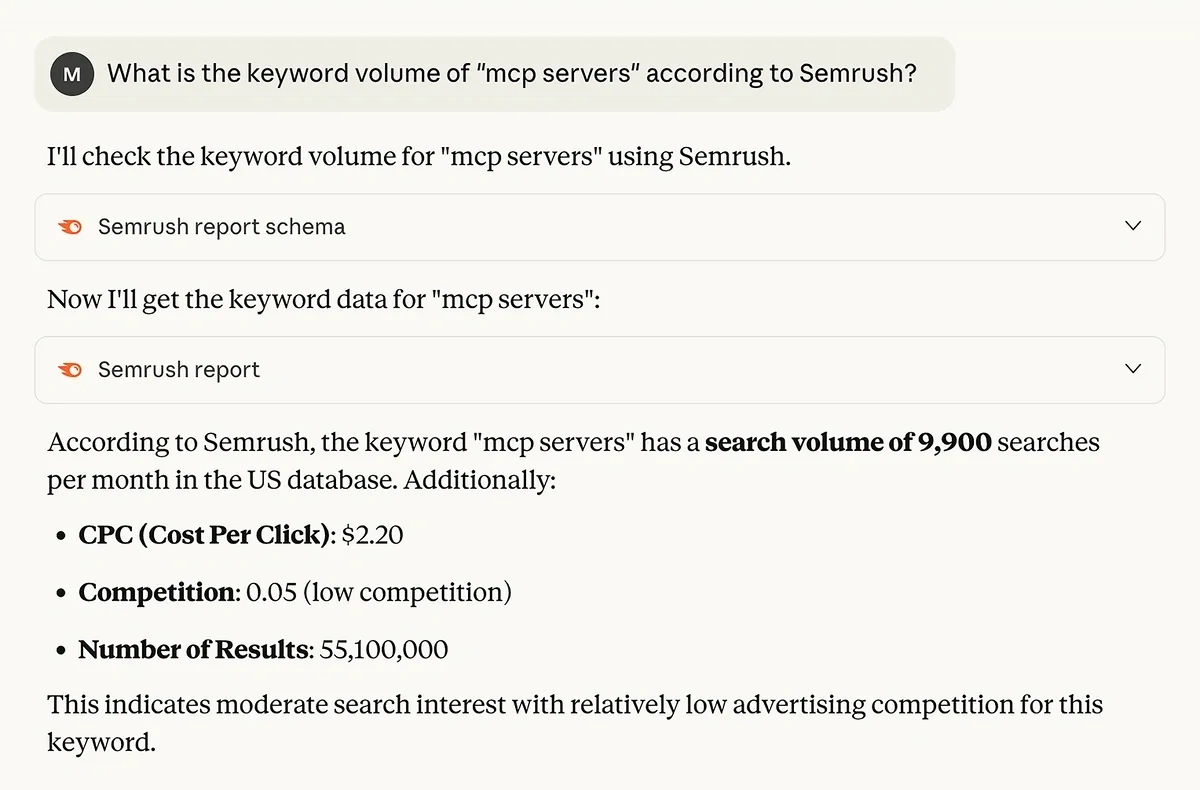
MCP also lets you interact with your SEO data using conversational language. This gives you the chance to ask follow up questions to discover new insights and easily assess complex data relationships.
Get More Search Traffic
Use trending keywords to create content your audience craves.
What Are the Drawbacks of MCP Servers for SEO?
The biggest potential pitfall of using MCP for SEO is the same problem that comes with using AI for anything — hallucination.
You can’t take everything an LLM tells you at face value, even when it has access to your SEO data. Verifying the LLM has access to the data it says it does is one sanity check that can help prevent mistakes.
For example, if you’ve connected Claude to Semrush and prompted for audience demographics you’ll know that any information Claude returns is hallucinated, because Semrush doesn’t provide audience demographics.
One other thing to keep in mind is that in most cases, your MCP server is accessing your SEO data using API calls.
Depending on the platform you’re connecting to, there may be costs associated with those API calls, and/or limits to API usage. Check the terms for your SEO tools before connecting to them with MCP to avoid unexpected expenses.
Finally, it’s best to be aware that using MCP carries the risk of prompt injection, a cybersecurity attack that uses malicious prompts to cause unintended responses in LLMs.
Following cybersecurity best practices and using tools like Microsoft’s Prompt Shields help mitigate this risk.
How to Set Up MCP for SEO (No Coding Required)
MCP servers can be local (installed on your personal computer) or remote (hosted by a third party and accessed over the internet). There are tons of local MCP servers available on marketplaces like MCP.so that you can explore.
Local MCP servers offer a lot of flexibility, but they require some technical know-how. It’s helpful to have some basic coding skills and experience with the command line. Otherwise, the installation process will feel pretty tedious.
Remote MCP servers like the one offered by Semrush make it super easy to connect your SEO tools with AI and start prompting for insights. Here’s how to connect the Semrush MCP server with Claude or ChatGPT.
Connect the Semrush MCP Server With Claude
The official Semrush MCP server is compatible with Claude Desktop or the web version. In order to use this setup, you’ll need:
- A Claude Pro account
- The Semrush SEO Business Plan
- Semrush Standard API credits
In addition to using the Standard API to analyze search metrics, you can also use MCP and the Semrush Trends API to do market research using AI.
Semrush’s MCP server is very beginner friendly. To connect it to Claude, log in to your account and click on your profile icon to open your Settings.
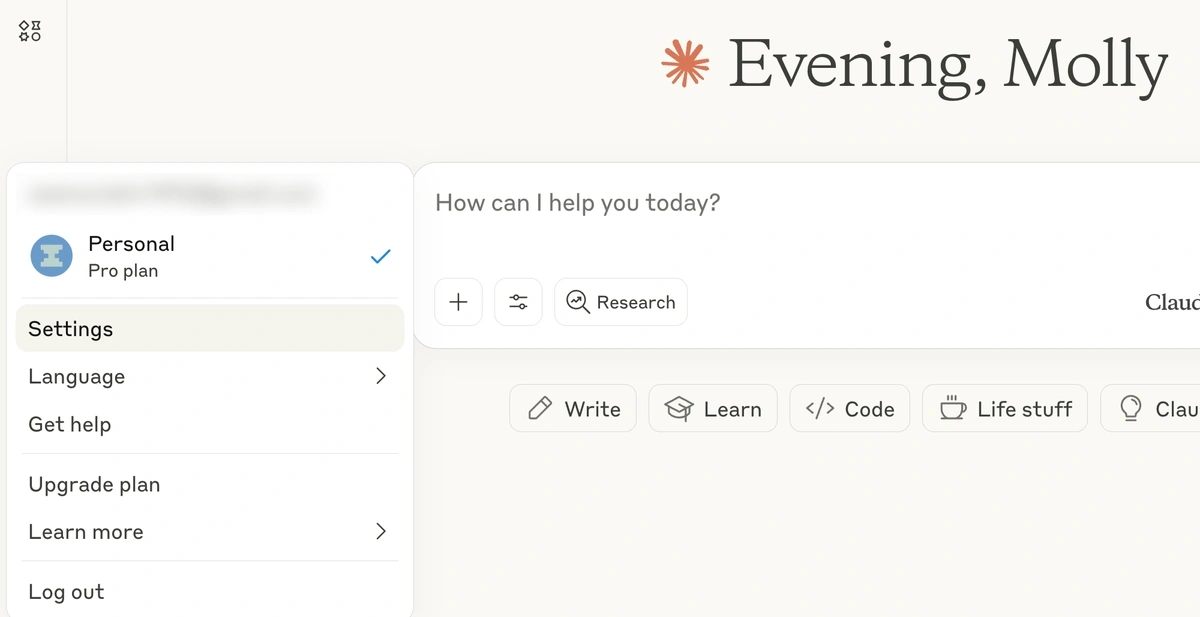
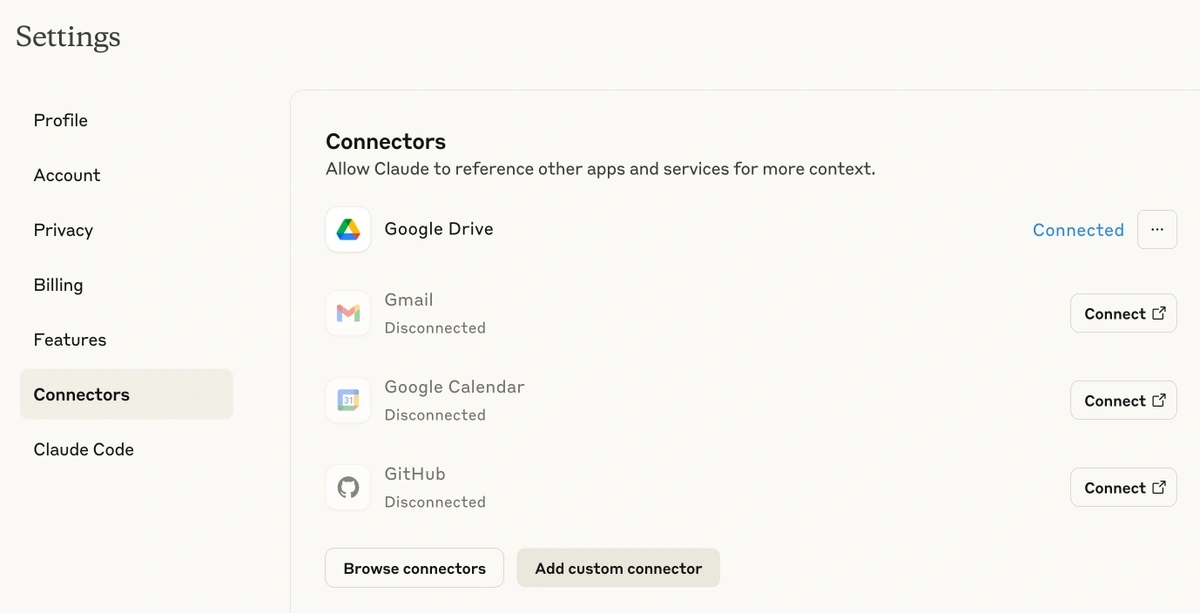
Next, click Connectors. Below the list of default connectors, click on the Add custom connector button.
This will open a window where you can add a name for your connection, like “Semrush MCP Server.”
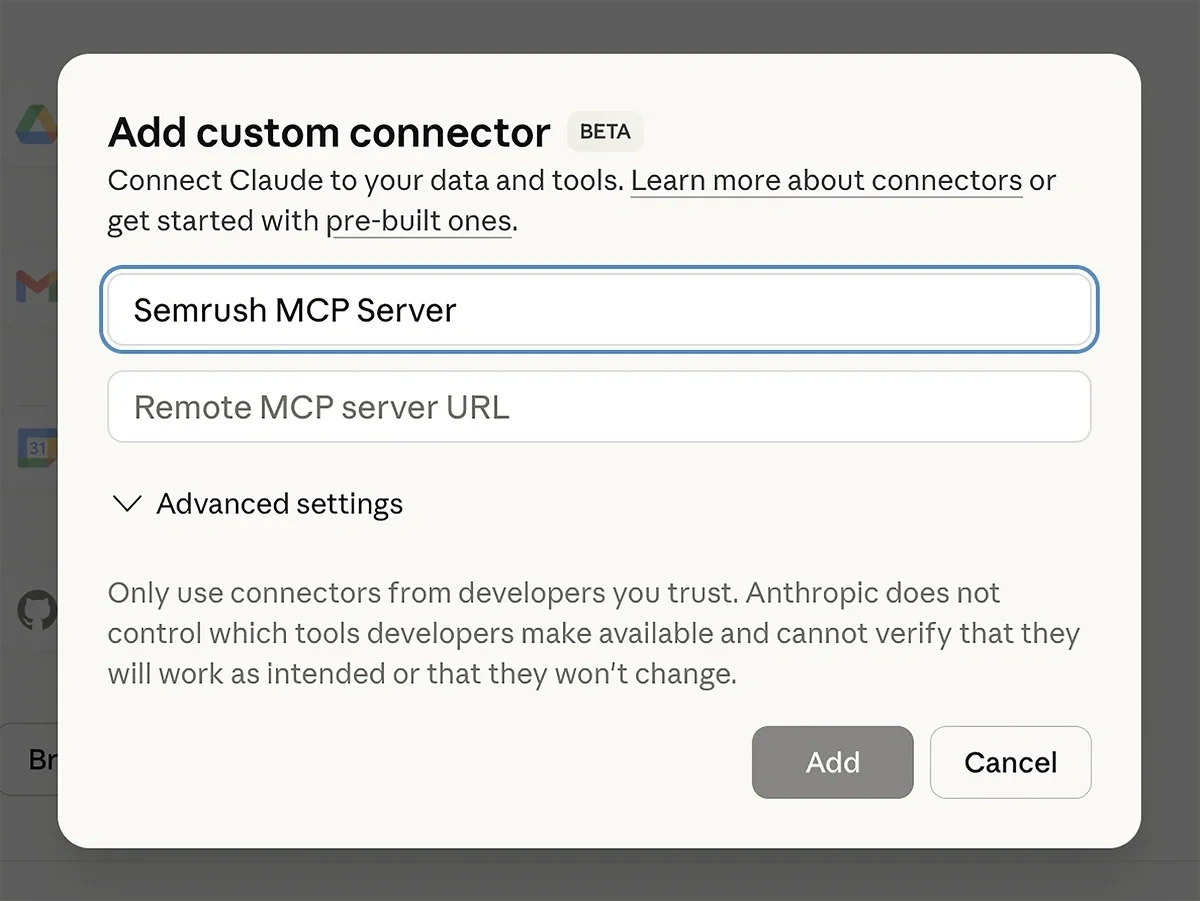
In the second field, add the URL for Semrush’s remote MCP server:
<pre>https://mcp.semrush.com/v1/mcp</pre>
Then click the Add button.
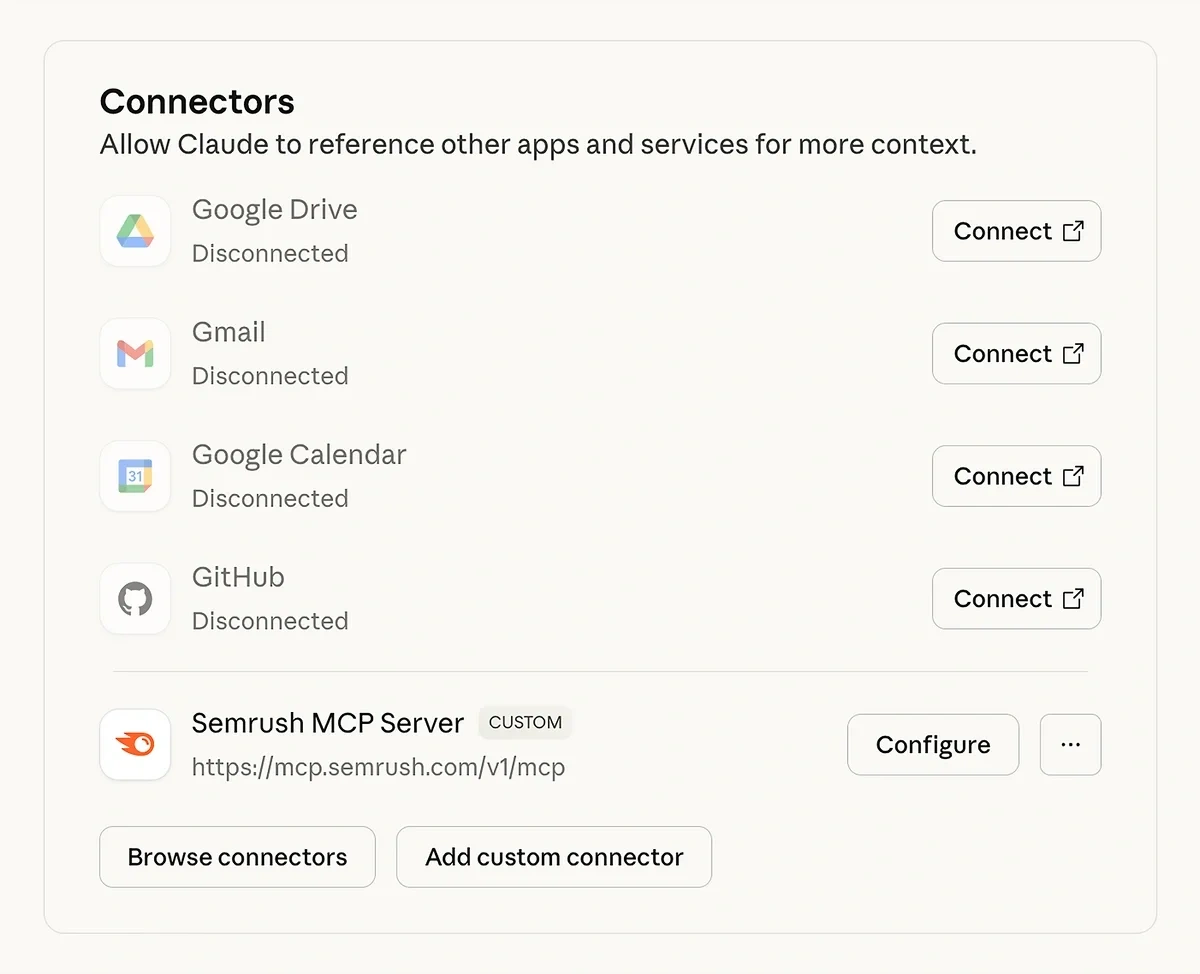
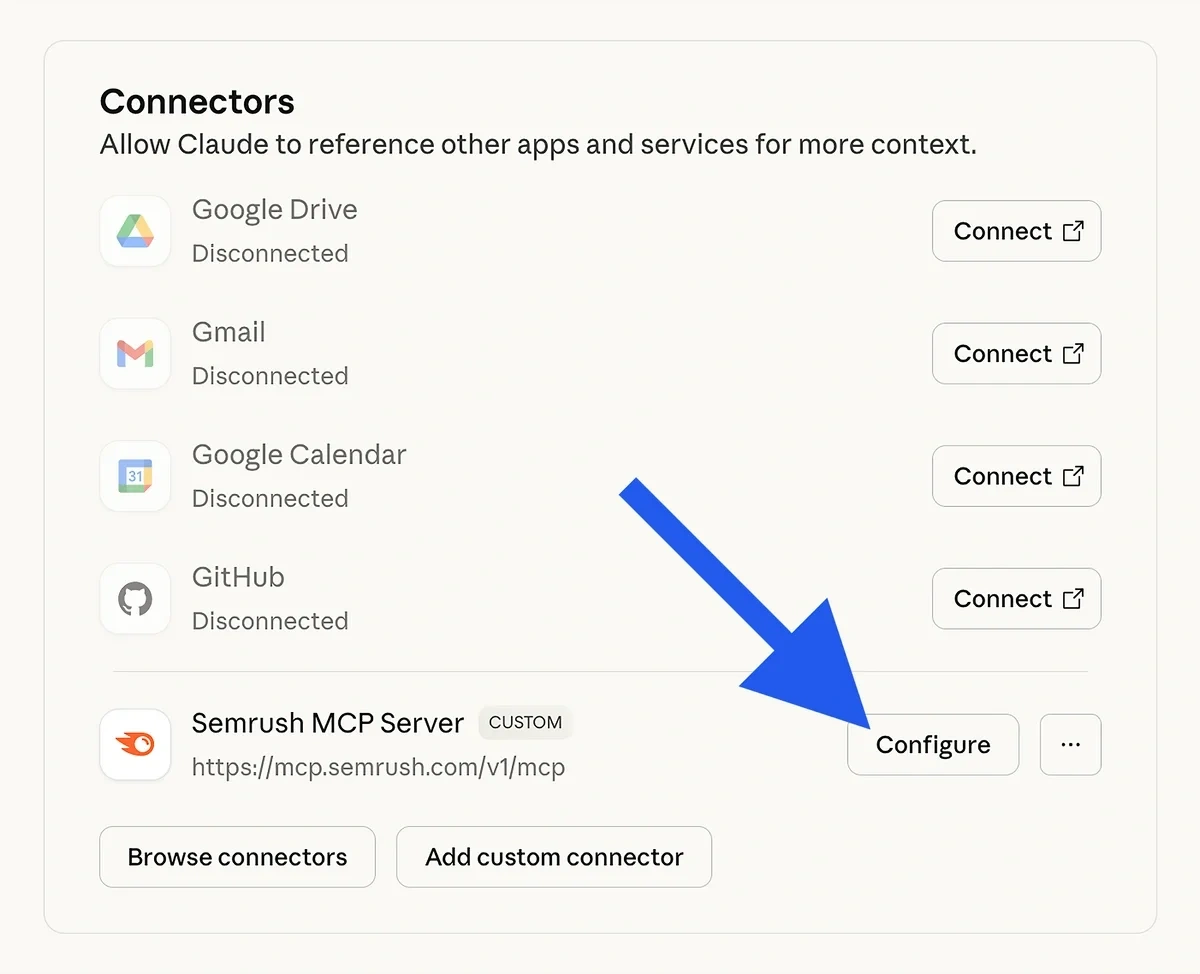
On your Connectors page, you’ll now see your custom connection. Click on Connect beside it.
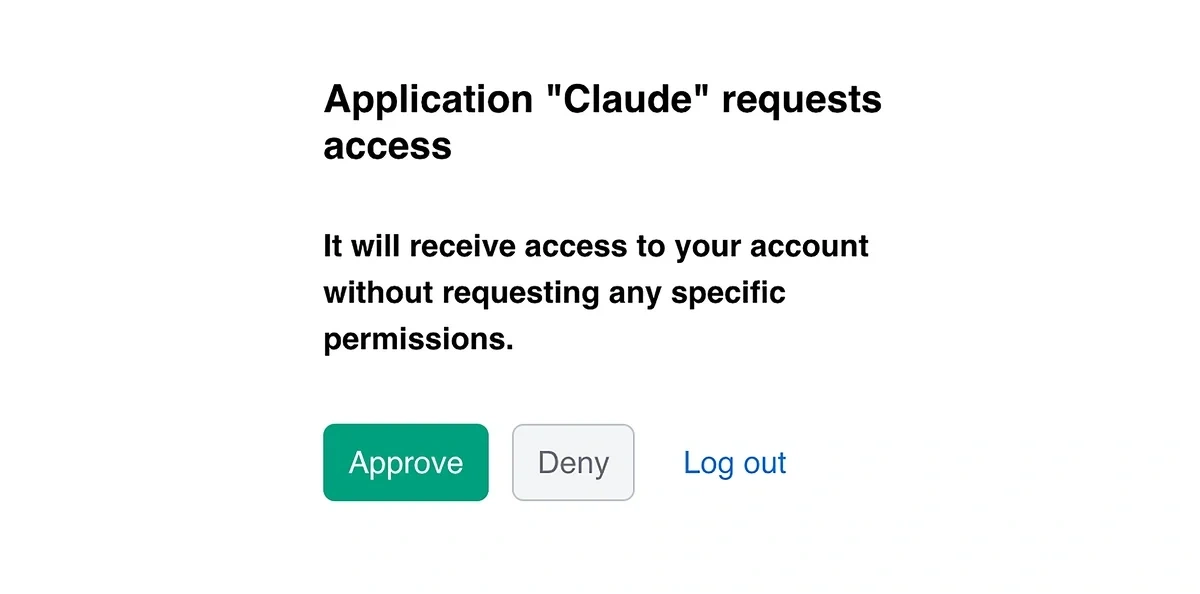
This will take you to Semrush, where you’ll need to authenticate the connection by clicking the Approve button.
That’s all it takes to get the connection set up—no coding required!
Once you start prompting, you’ll notice that Claude asks for your permission to proceed each time it tries to retrieve information from Semrush.
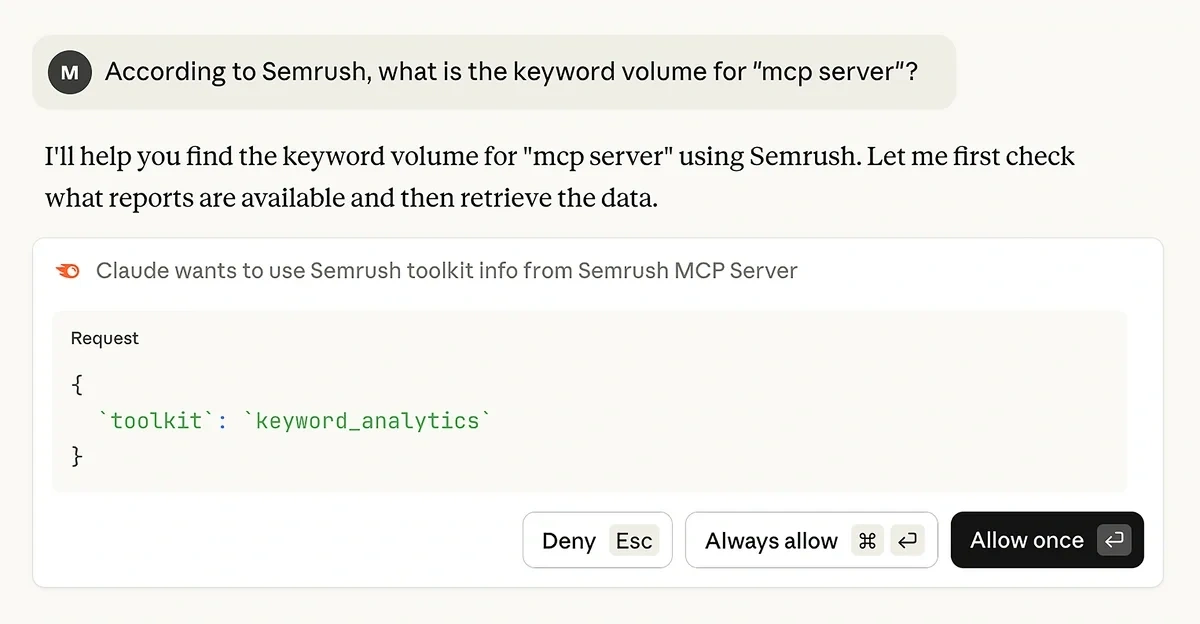
You can choose whether you want to approve each query indiviudually, or if you want to Allow All and stop seeing these messages.
Personally, I feel that individually allowing each query helps with keeping track of my usage. Since the Semrush MCP server uses API credits, you might want to use these messages to help monitor how many credits you’re using.
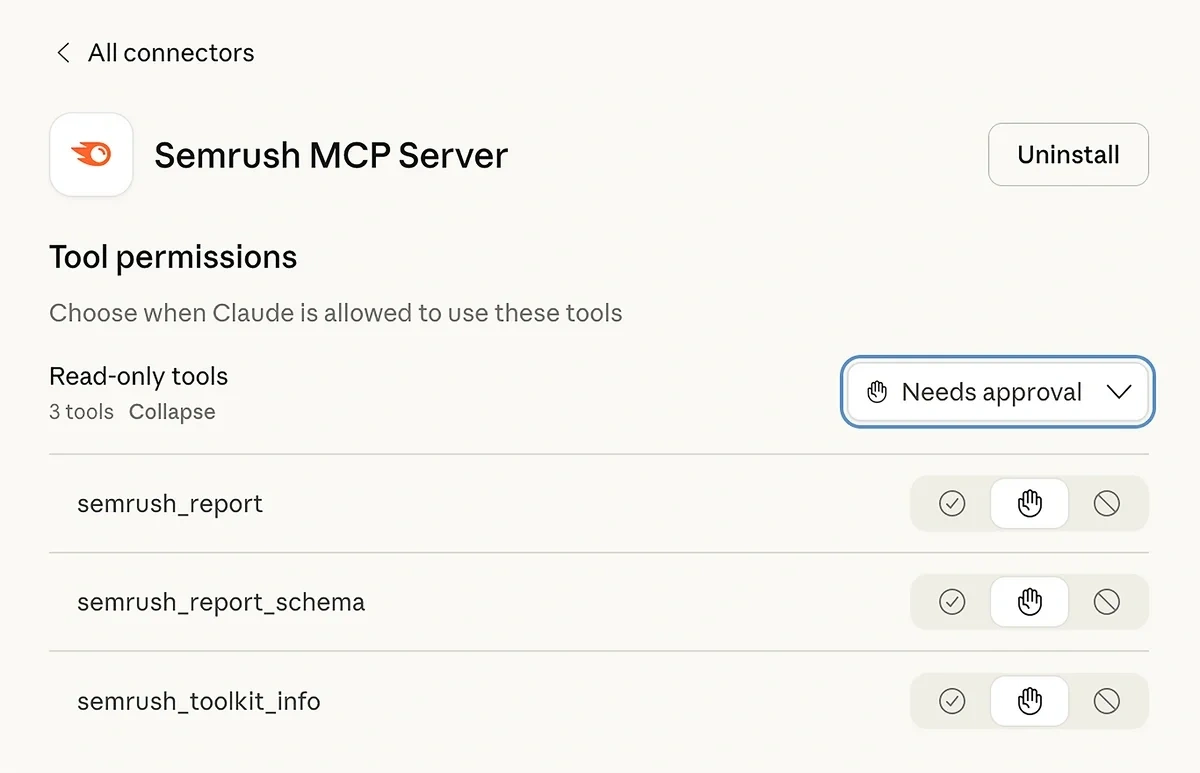
If you decide to allow all queries and change your mind later, you can adjust these settings by going back to the Connectors page. Click on the Configure button next to the Semrush MCP server connection.
Using the Read-Only Tools setting, you can choose whether Claude needs approval to use Semrush’s MCP tools, or if it’s always allowed to use them.
Connect the Semrush MCP Server With ChatGPT
If you prefer ChatGPT as your AI chatbot, setting up the Semrush MCP server takes just a few clicks. You’ll need:
- A ChatGPT Plus account or higher
- The Semrush SEO Business Plan
- Semrush Standard API credits
If you’re an admin for a Business, Enterprise, or Edu account, you’ll need to toggle on the Semrush connector in your Workspace settings and instruct your team to enable and sync the connector in their individual accounts as well.
For Plus and Pro users, setup takes just a few clicks.
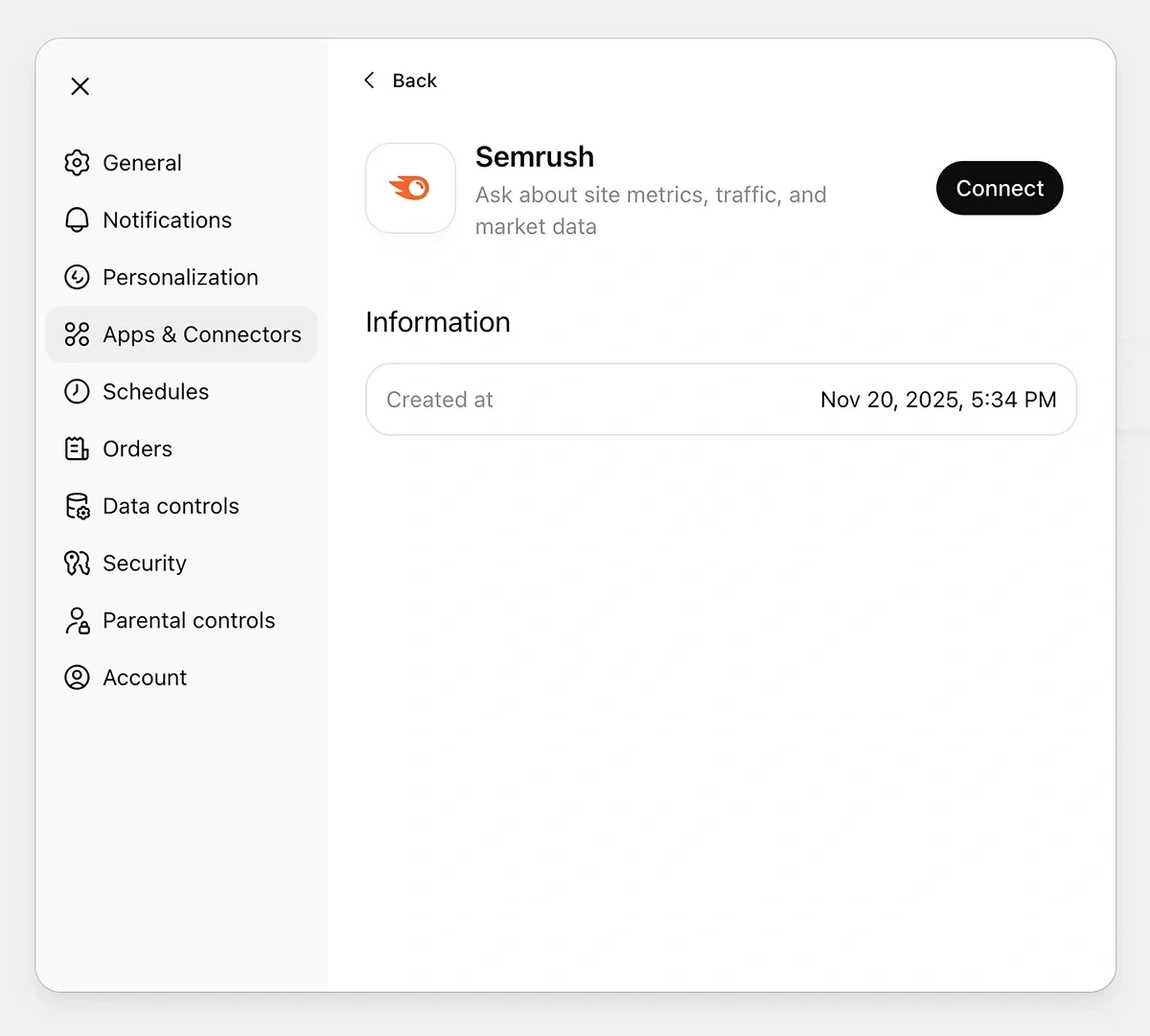
Open your account settings, then select Apps & Connectors. Under Browse apps, click on Semrush.
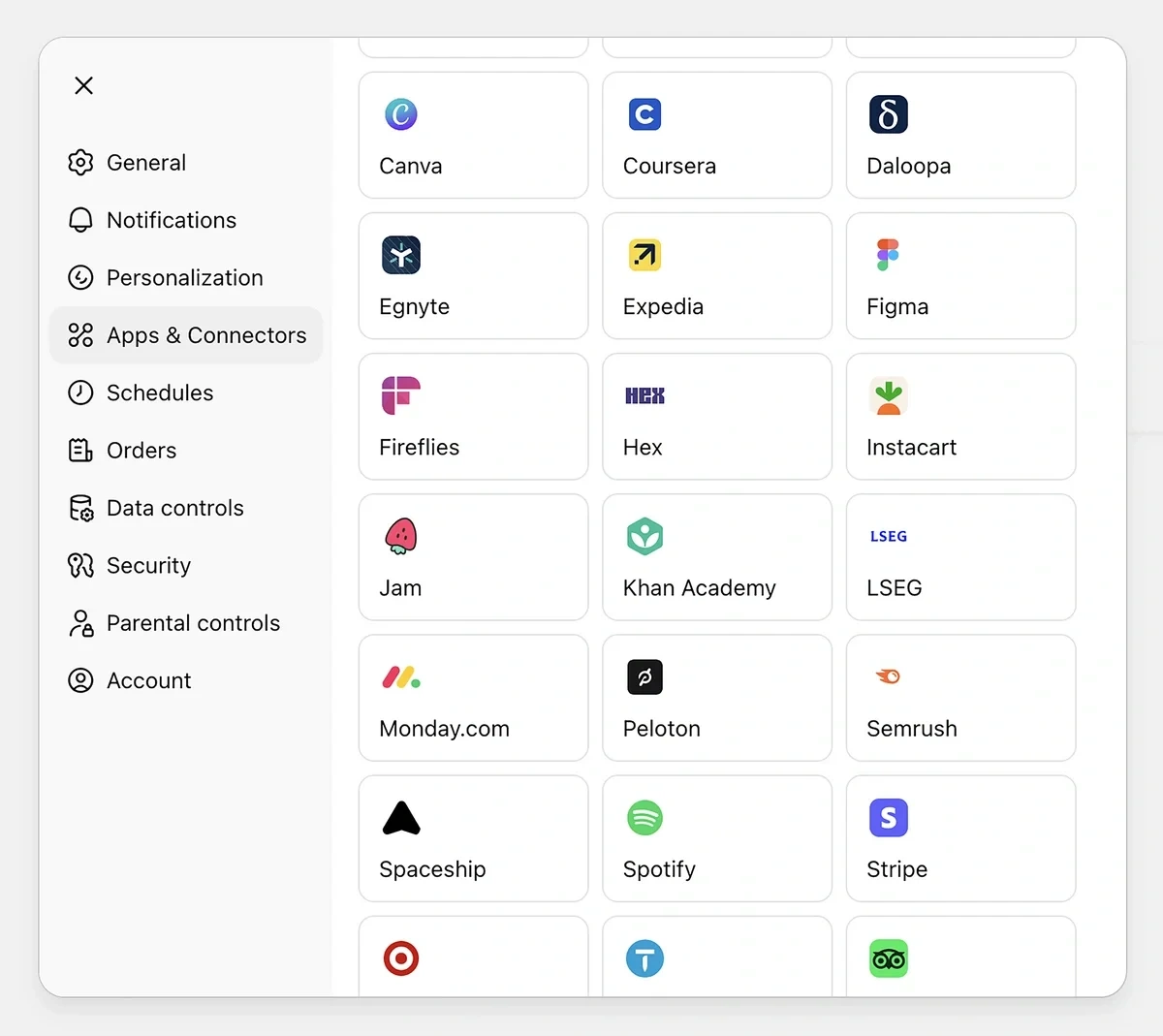
Then click on the Connect button.
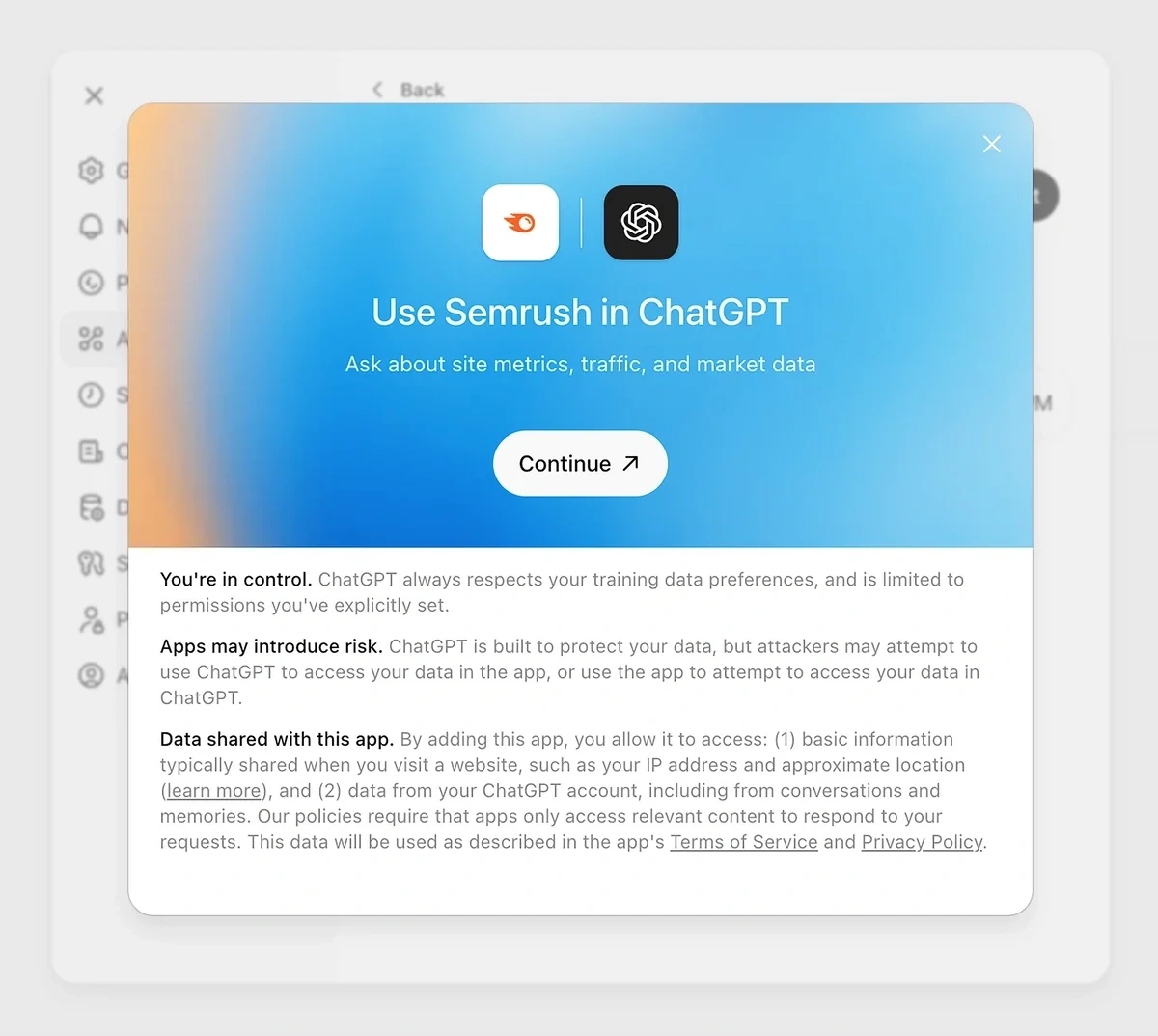
In the next window that pops up, click Continue.
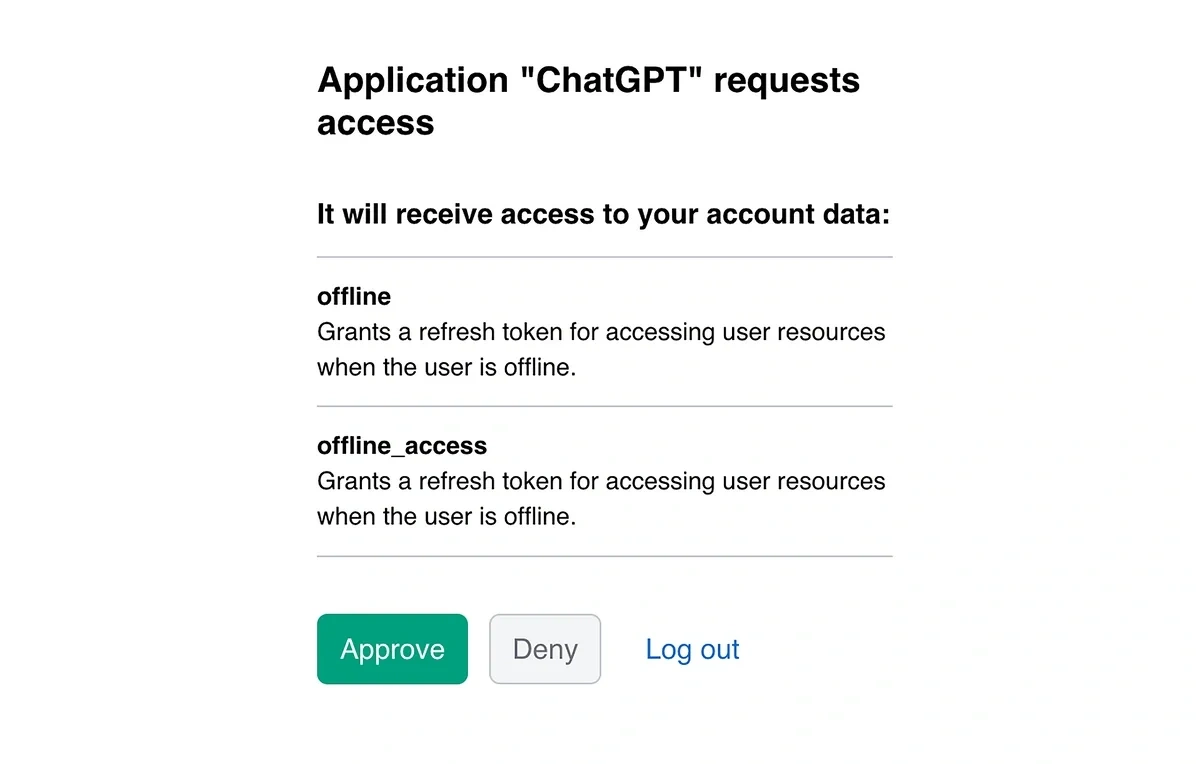
ChatGPT will then redirect you to Semrush to authenticate your account. Click on the Approve button.
Now you’re ready to start using ChatGPT with Semrush as part of your SEO workflow. Start a new chat and click on the plus (+) button, then select More and click on Semrush.
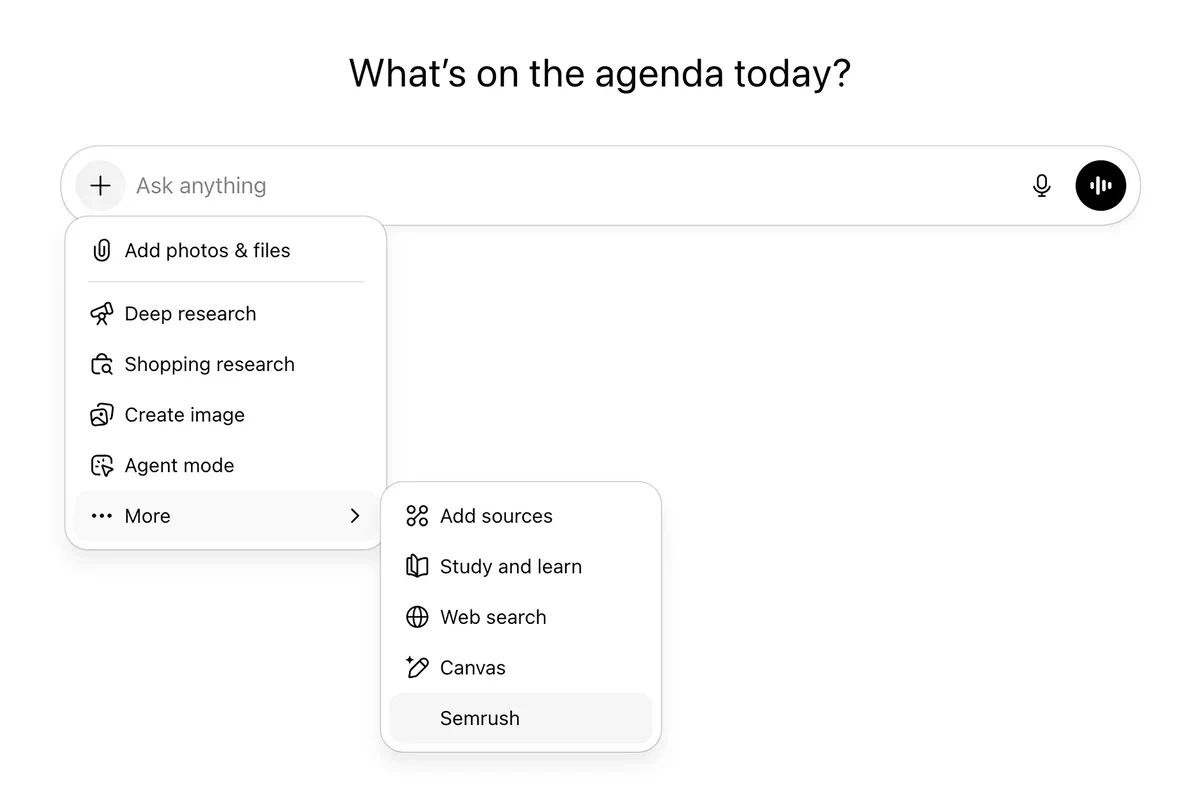
When the MCP server is live, you’ll see Semrush listed below the input field.

As long as you see your custom connector here, you can access Semrush data via ChatGPT:
How to Use MCP for SEO (Real-Life Use Cases with Prompts)
We’ve talked about a lot of theoretical concepts in this article. I’m a hands-on learner, so I want to show you some actual ways you can use MCP for SEO with a few concrete examples.
There are tons of different SEO-related prompts you can use with an MCP server. These are some examples of prompts I’ve tested for analyzing data from Semrush.
I personally prefer Claude over ChatGPT, so that’s the tool I’ve shown below. However, these prompts work with either LLM.
Find Low-Competition Keywords
Choosing the right keywords is the first step to creating content that ranks. I like looking for terms that have a nice balance of search volume and keyword difficulty.
Low-competition keywords are easier to rank for, meaning if you publish quality content, you’re more likely to end up on page one than if you go after a high-competition keyword.
Here’s the prompt I used to ask Claude for a list of keywords that balances difficulty and search volume:
Search for keywords related to SEO tools. Find the ten most promising keywords with a keyword difficulty score under 30 and a keyword volume over 100.
Note that I went with a pretty general keyword to start. If your topic is much more niche, you might need to adjust the numbers in the prompt to turn up enough options for consideration.
Claude returned a list of ten keywords just as I asked, along with their Semrush data: search volume, keyword difficulty, and cost per click. It also provided a summary, highlighting some of the top keywords it recommends:

Analyze Your Domain Against Competitors
Knowing how your content stacks up against competitors helps you identify opportunities to pull ahead and stand out to potential customers. Semrush is a great tool for competitor analysis, and with MCP, you have a leg up.
Here’s the prompt:
Find the top three competitors for explodingtopics.com. In a table, provide a full comparison across all four domains. Then provide your analysis of areas for improvement for explodingtopics.com.
This lets you easily see all the relevant data for your top competitors side by side in seconds, saving you valuable time.
Claude’s detailed response lets me see everything I need to know about how Exploding Topics performs compared to similar sites without having to manually look up those domains in Semrush.
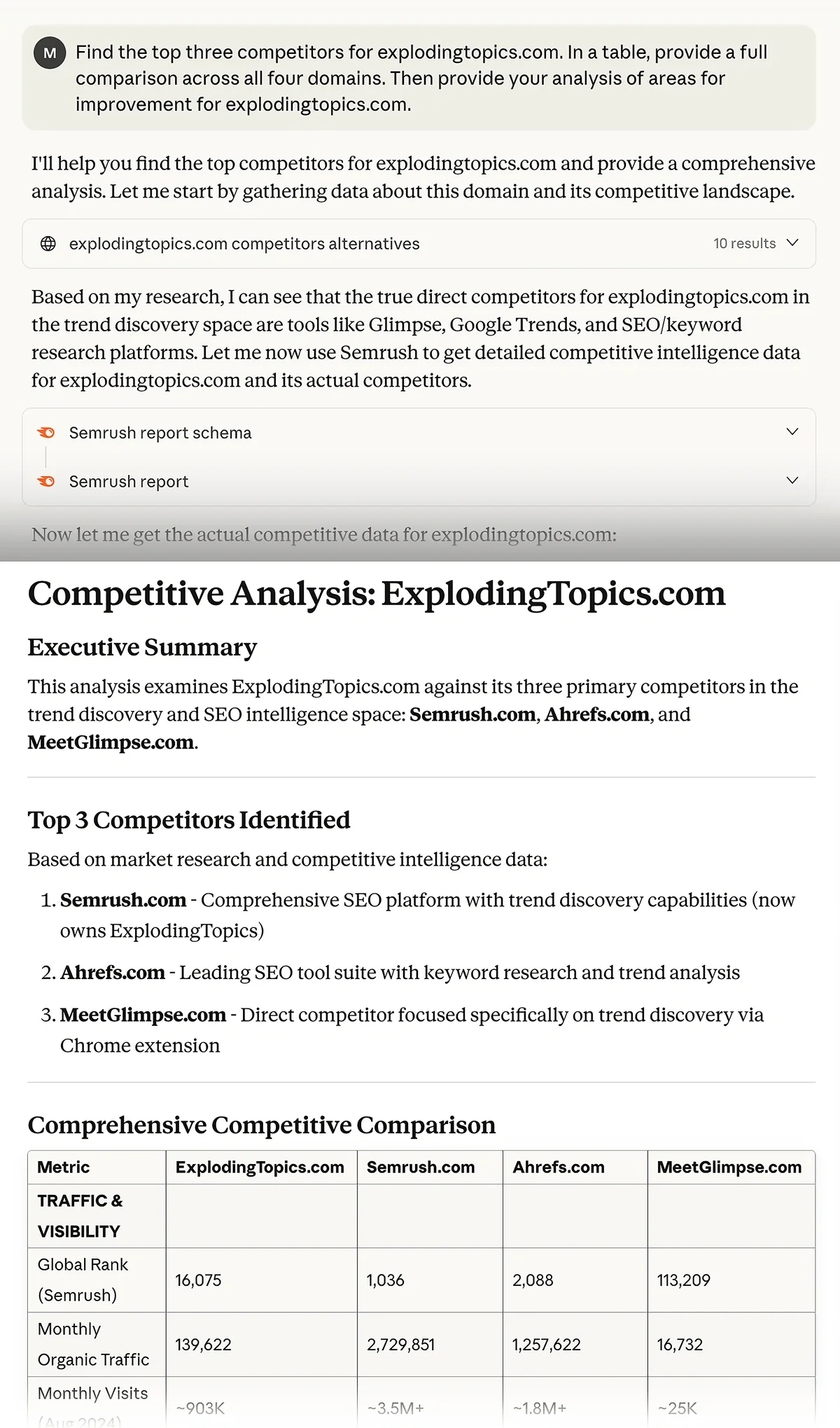
It also gave me some actionable steps to improve performance, like targeting more commercial intent keywords, building high-value keyword clusters, and improving backlinking strategy.
If you prefer using Claude, you can also take advantage of its artifacts feature to visualize SEO analysis across competitors better with this prompt.
For instance, you can perform a side-by-side comparison of top traffic-driving keywords for two or more competitor domains.
Normally, you'd have to open the keyword position reports for each competitor separately.
But with MCP, you can combine tons of information from different areas of Semrush so you can find everything you need in a single chat.
Build a winning strategy
Get a complete view of your competitors to anticipate trends and lead your market
Find Secondary Keywords
Keyword clustering enables you to target multiple queries in a single piece of content. It’s a foundational SEO technique, and there are plenty of tools out there to help you with it.
But with an MCP server, you can use AI to build keyword clusters around your existing content to expand the reach of posts that are already performing well.
Here’s the prompt I used to generate secondary keywords for top content:
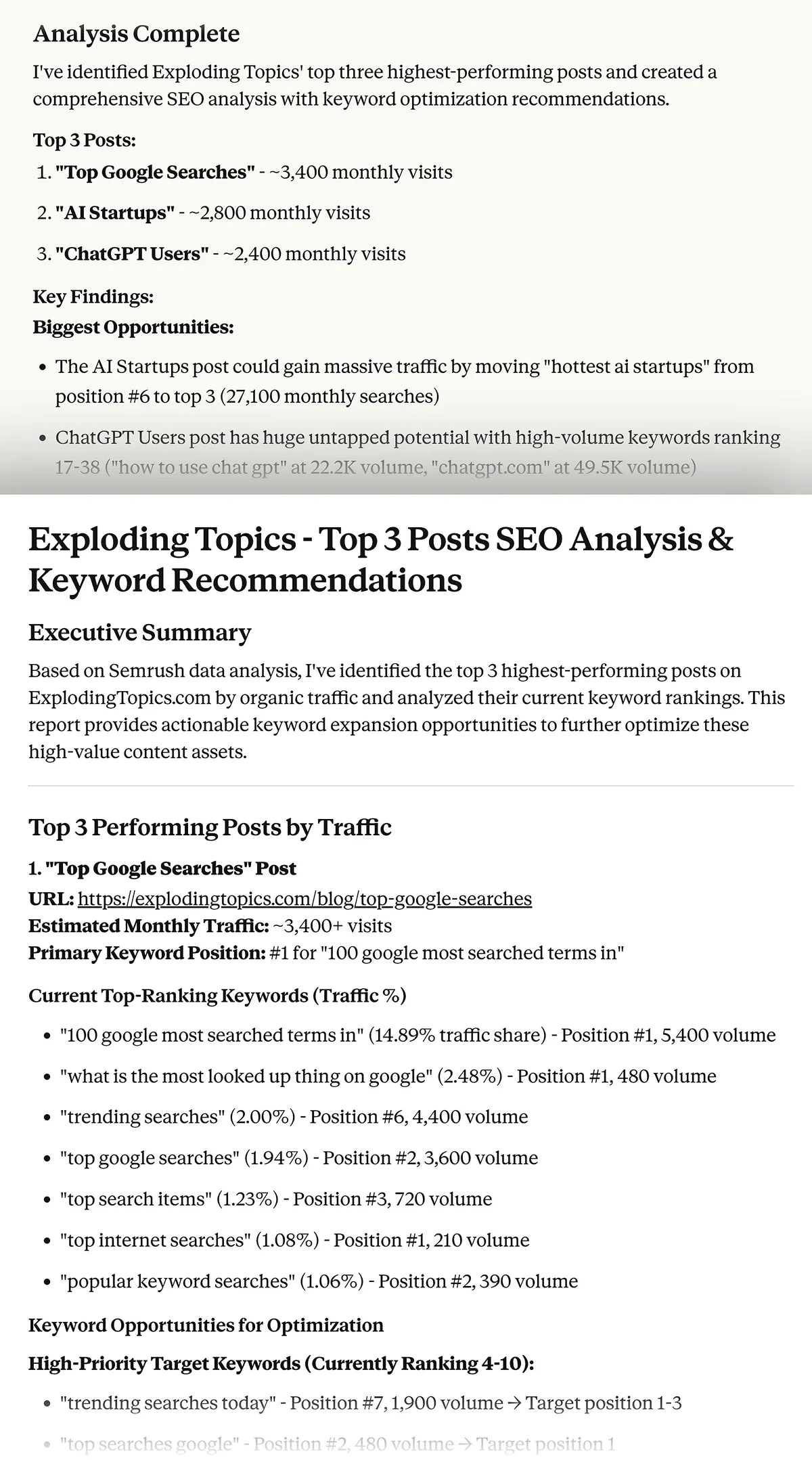
Identify the top three highest performing posts on explodingtopics.com in terms of traffic. Analyze the keywords they're currently ranking for, then suggest additional keywords to optimize the content for.
For each of the top three posts it identified, Claude recommended primary and long-tail keywords, and also highlighted content gaps and other related terms I might want to optimize for.
Identify Keyword Query Trends and AI Overview Opportunities
Finding trends in the queries driving traffic to your site is useful for making decisions about future topics to pursue.
Knowing how users are finding your site can help you build out topic clusters around those queries. On the other hand, understanding which keywords are declining can help you identify topics to steer away from, or content you might need to re-optimize for search or clicks.
Here’s the prompt I wrote to identify keyword trends:
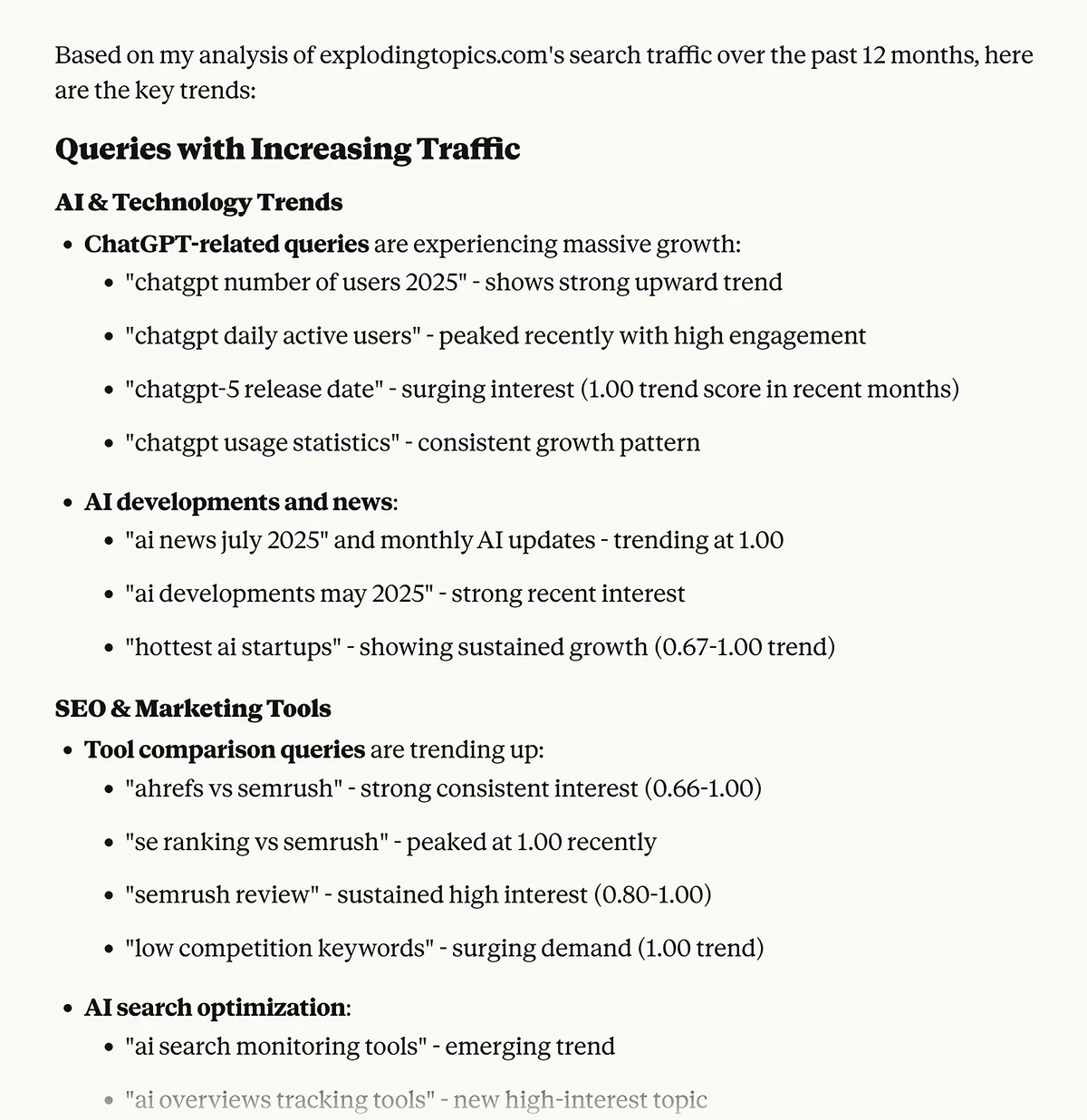
Analyze queries driving traffic to explodingtopics.com over the past 12 months. What trends can you identify in queries that are increasing in traffic? What trends can you identify in queries that are decreasing in traffic?
Claude provided exactly what I asked for, highlighting queries that have gained or lost traffic in the past year.
I then followed up with this prompt:
Based on your query trend analysis, use Semrush to find keywords with AI Overviews related to the topics with the most traffic potential for my site.
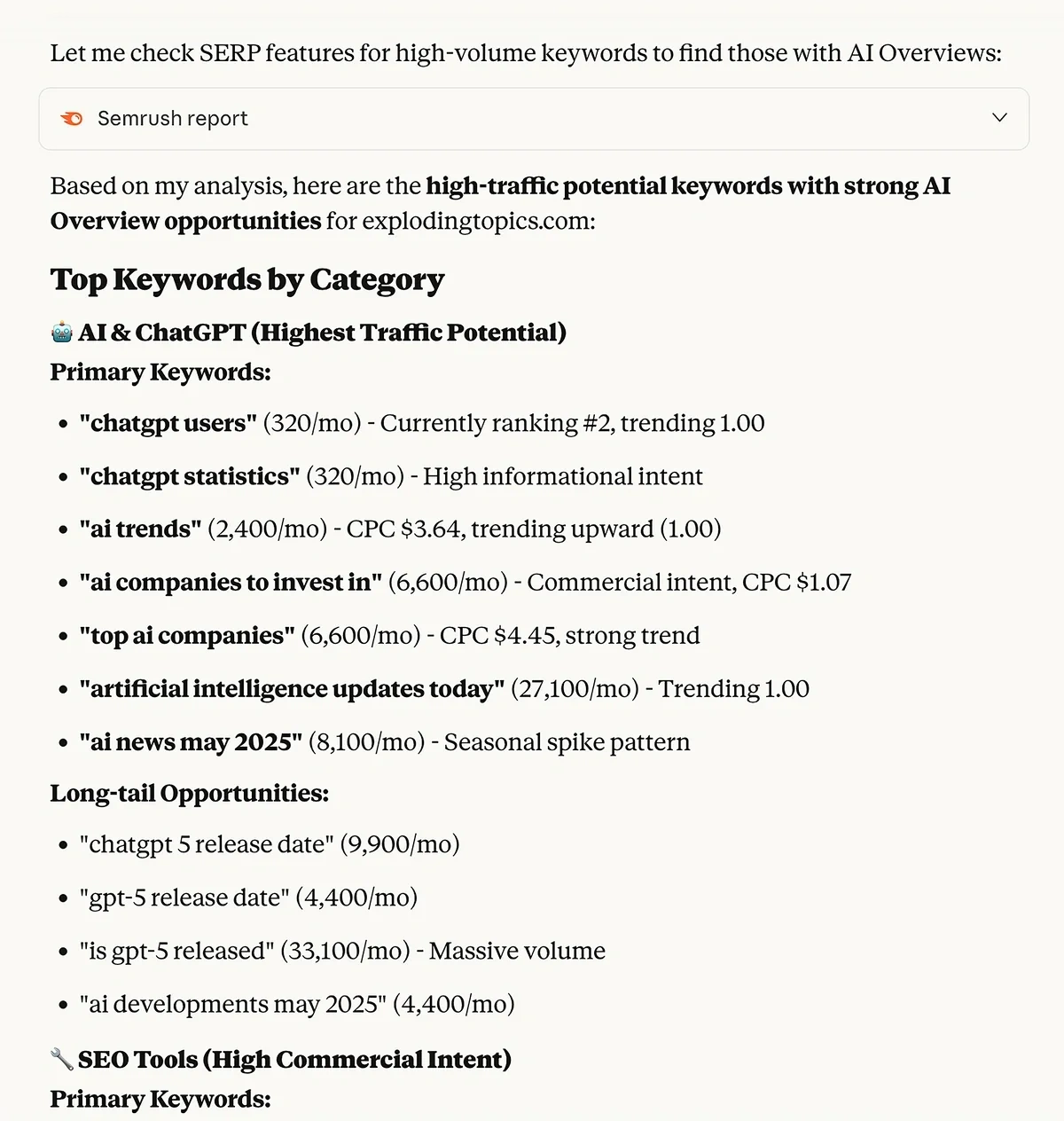
Claude returned several keywords for my consideration, including primary and long-tail variations.
I like this prompt because it really tailors the keyword ideas to your audience and what they’re interested in right now. There’s no guesswork, just data-backed decision making.
Compare Page Performance Over Time
The last example prompt I’ll share with you is a simple but important one for keeping track of your top performing content’s SEO health.
Seeing how a specific page’s performance has changed over a certain period can help you determine if it’s time to update and re-optimize it.
For instance, if a previously top-performing blog post has a sudden decline in rankings and impressions, you may need to do some SEO housekeeping and re-optimize for your target keywords.
Likewise, a drop in traffic and clicks might indicate that competitors’ articles are more attractive to searchers. You might want to try a new title to grab potential readers’ attention and stand out from the other search results.
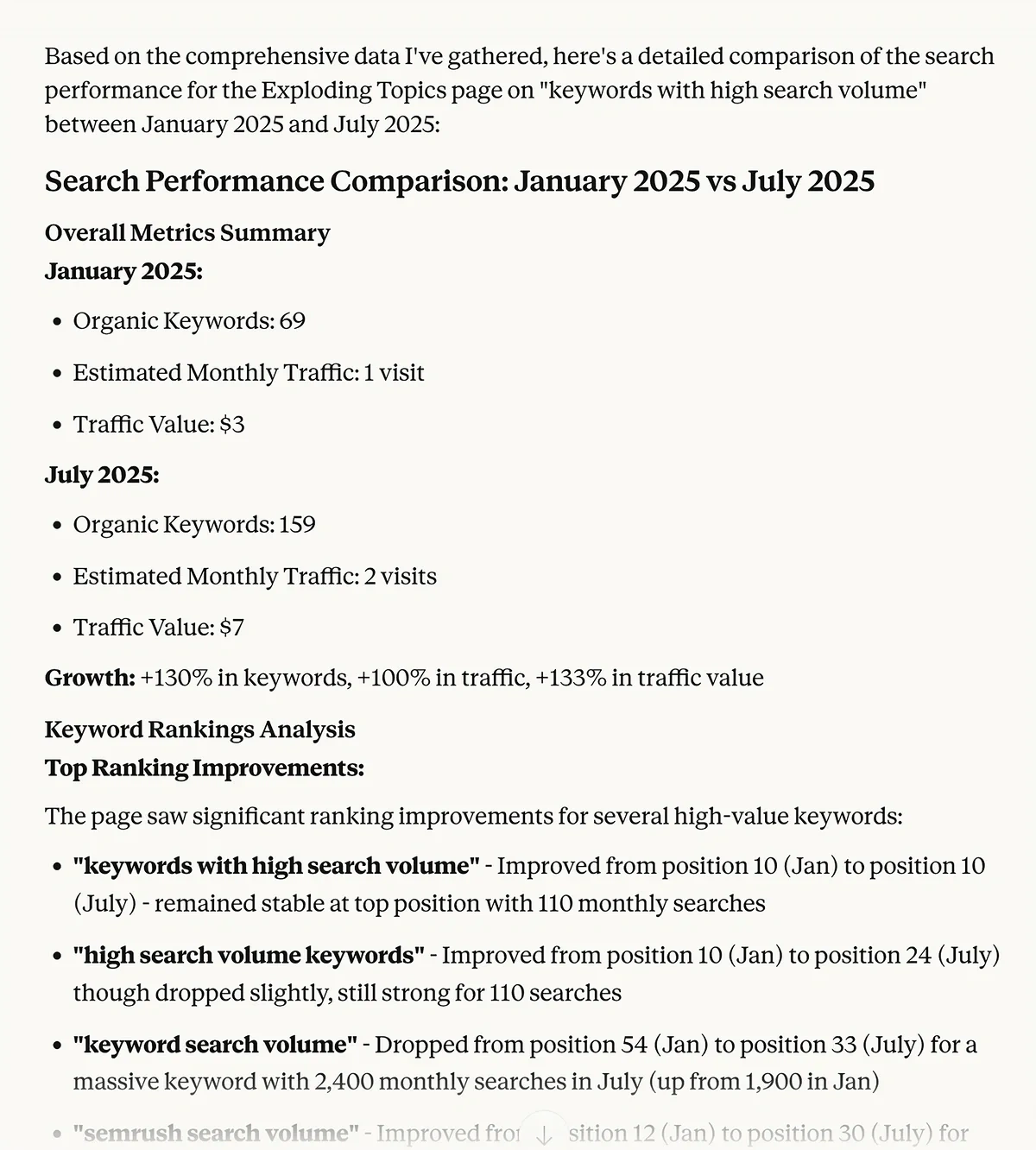
Here’s the prompt I used to compare blog post search performance over time using metrics from Semrush:
Compare the search performance of the page at https://explodingtopics.com/blog/keywords-with-high-search-volume between January 2025 and July 2025. Include changes in rankings, SERP features held, backlinks, traffic sources, impressions, and clicks.
The response was a highly detailed analysis that includes:
- Growth metrics for organic keywords and traffic from January to July 2025
- SERP feature analysis
- Top performing queries for this blog post, as well as new queries surfacing in July
- Traffic sources and keyword search volume increases
- Recommendations for continued growth, such as optimizing for related queries and building topical authority
Estimate the potential traffic impact of updating your content
Monthly search volume for your target keyword
When was this content last significantly updated?
Build Automated SEO Workflows With MCP and the OpenAI Agent Builder
Using AI to chat with your SEO data is helpful when you want to better understand your content’s performance and make key decisions. But what about the tasks you have to complete that don’t require so much oversight?
With MCP, you can build AI agents to handle your more mundane marketing tasks, like generating SEO reports.
You can also use agents to alert you when certain metrics dip, giving you an early warning so you can adjust your strategy accordingly.
OpenAI’s Agent Builder is a no-code visual tool for creating automated workflows. It’s compatible with the Semrush MCP server, so you can create your very own SEO AI agent even if you’re not a developer.
You’ll need a Platform OpenAI account with sufficient funds to run your agent.
Once you’ve funded your account, go to platform.openai.com/agent-builder and click + Create.

OpenAI has several agent templates you can use, or you can create your own workflows from scratch using the visual builder.
To integrate the Semrush MCP server into your workflow, select an Agent node. In the options panel for the node, click on the plus (+) sign next to Tools.

From the menu that displays, select MCP Server.

In the window that pops up, click + Server in the top right corner.
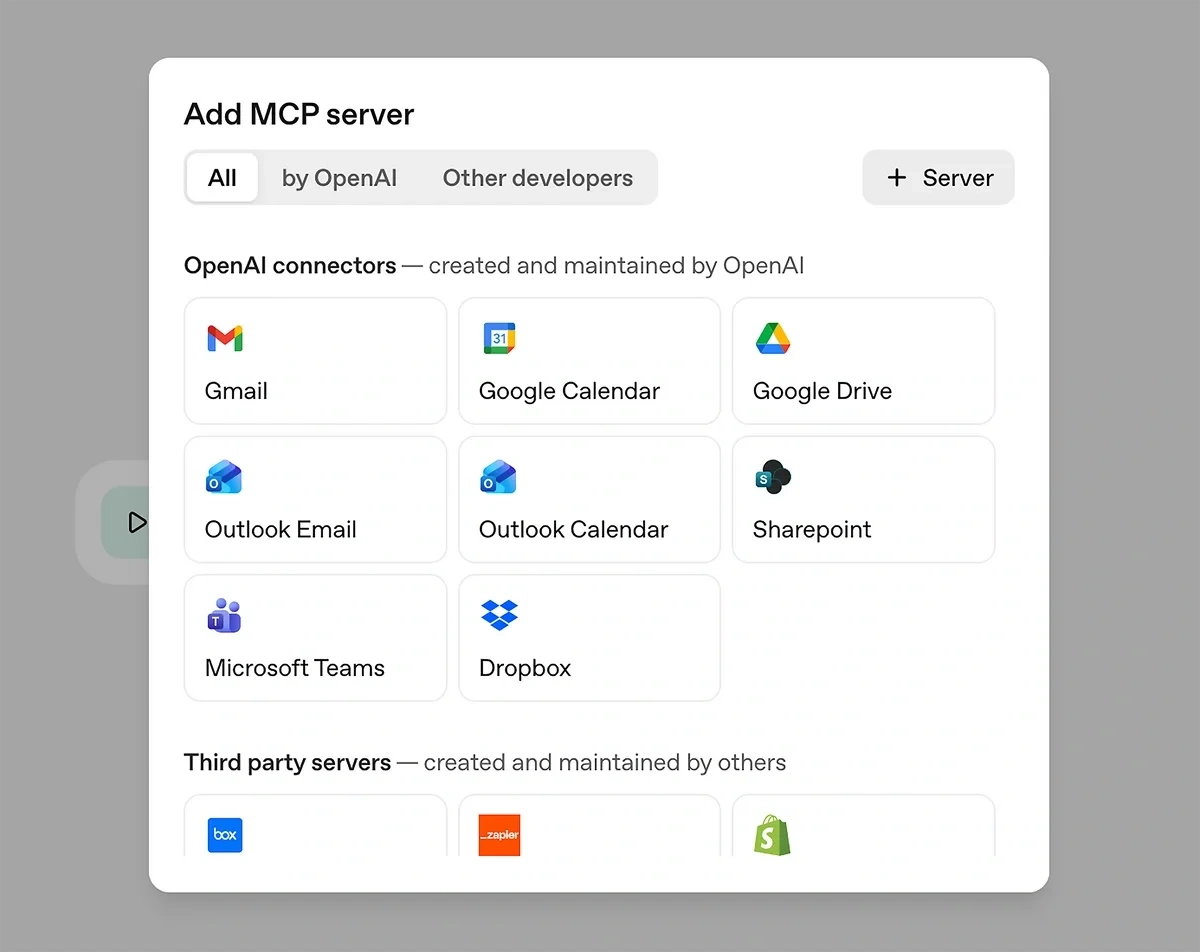
Then you can enter your MCP server details. Just like connecting to ChatGPT, you’ll need to add the Semrush MCP URL:
<pre>https://mcp.semrush.com/v1/mcp</pre>
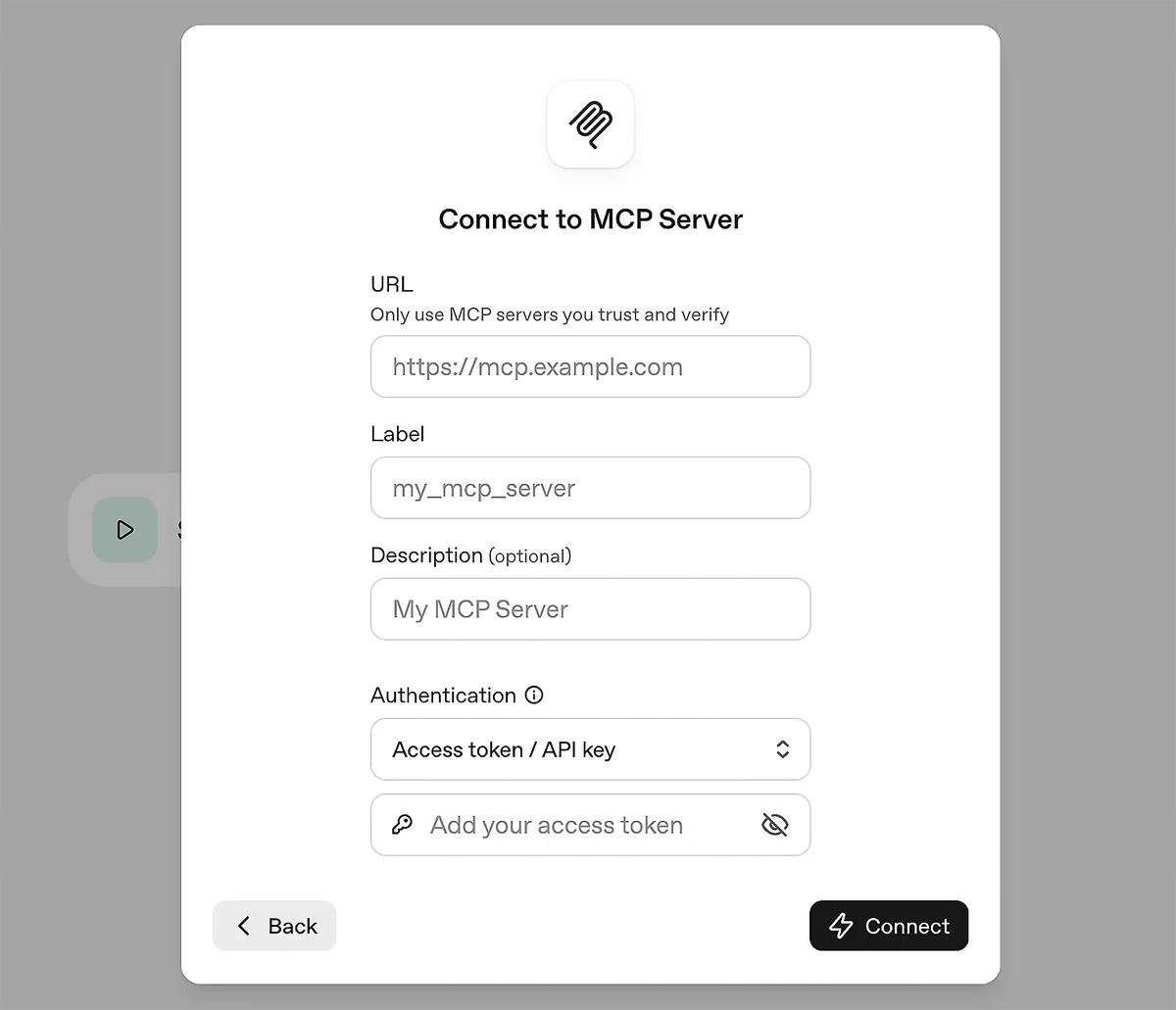
You’ll also need to add a label for the server and your Semrush API key. You can find your API key in your Semrush account by going to your profile and clicking Subscription info » API Units.

Once you’ve added all your MCP details in the Agent Builder, click Connect. You’ll then be able to include references to Semrush data in the instructions for this node.
Alternatively, you can use the MCP node from the menu to incorporate MCP into your workflow. Adding this node opens the same window with MCP connection details as shown above when adding an MCP server to the Agent node.
Enhance Your SEO Workflow With AI-Powered Insights
Using the Semrush MCP server, I’m able to pinpoint content weaknesses, enhance my content strategy, and better understand my audience — all with a few simple prompts.
Using an MCP server makes SEO data analysis fast and simple. It saved me time combing through tables and charts and also quickly showed me connections between separate data types.
If you want to start digging into your Semrush data or even automate some of your marketing workflows, the first step is to sign up for a Semrush Business plan and purchase some API credits. Then see for yourself how MCP can revolutionize your SEO processes!
Stop Guessing, Start Growing 🚀
Use real-time topic data to create content that resonates and brings results.
Exploding Topics is owned by Semrush. Our mission is to provide accurate data and expert insights on emerging trends. Unless otherwise noted, this page’s content was written by either an employee or a paid contractor of Semrush Inc.
Share
Newsletter Signup
By clicking “Subscribe” you agree to Semrush Privacy Policy and consent to Semrush using your contact data for newsletter purposes
Written By


Molly is a technical content writer with a passion for making technology easy for anyone to understand. She specializes in content... Read more