Exploding Topics
Remineralizing Gum search volume grew from under 100 to 27,100 monthly searches between February 2024 and January 2026.
Remineralizing gum
+5100%
GLP 1 Supplement search volume grew from 5,920 to 74,000 monthly searches between February 2024 and January 2026.
GLP 1 supplement
+1150%
Soursop Bitters search volume grew from 9,900 to 110,000 monthly searches between March 2024 and February 2026.
Soursop bitters
+1011%



Get Advanced Insights on Any Topic
Discover Trends 12+ Months Before Everyone Else
How We Find Trends Before They Take Off
Exploding Topics’ advanced algorithm monitors millions of unstructured data points to spot trends early on.
Keyword Research
Performance Tracking
Competitor Intelligence
Fix Your Site’s SEO Issues in 30 Seconds
Find technical issues blocking search visibility. Get prioritized, actionable fixes in seconds.
Powered by data from
Latest Blog Posts
Featured Case Studies
See what's trending before everyone else
Each week, we'll send you our best Exploding Topics. Plus, expert insight and analysis.
What is a SERP Simulator?
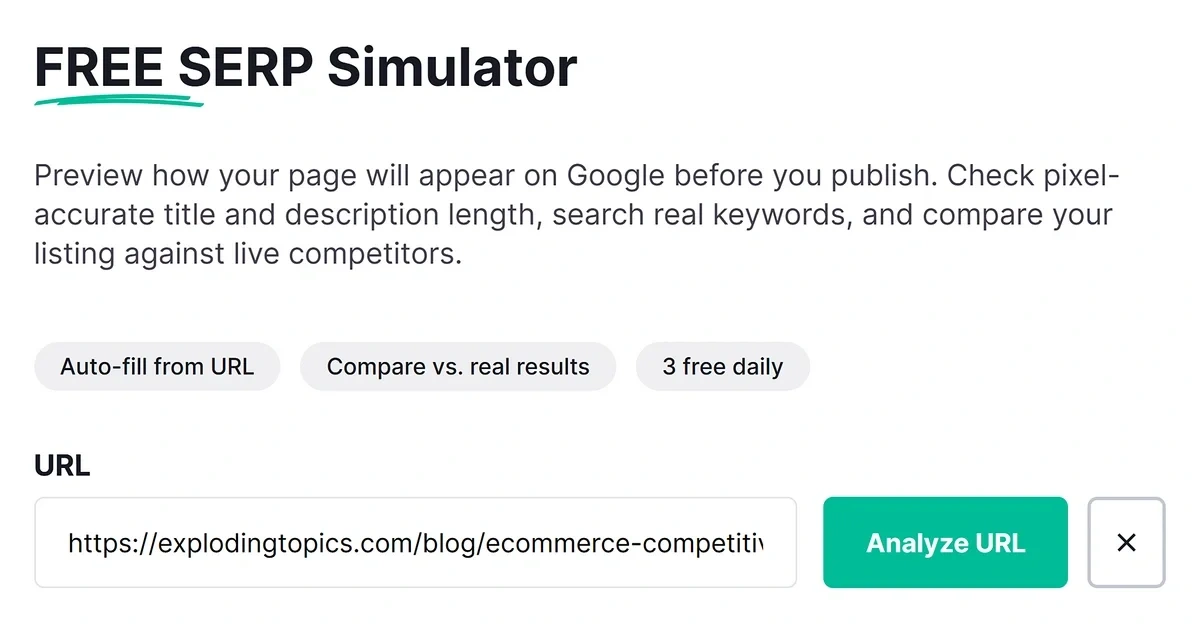
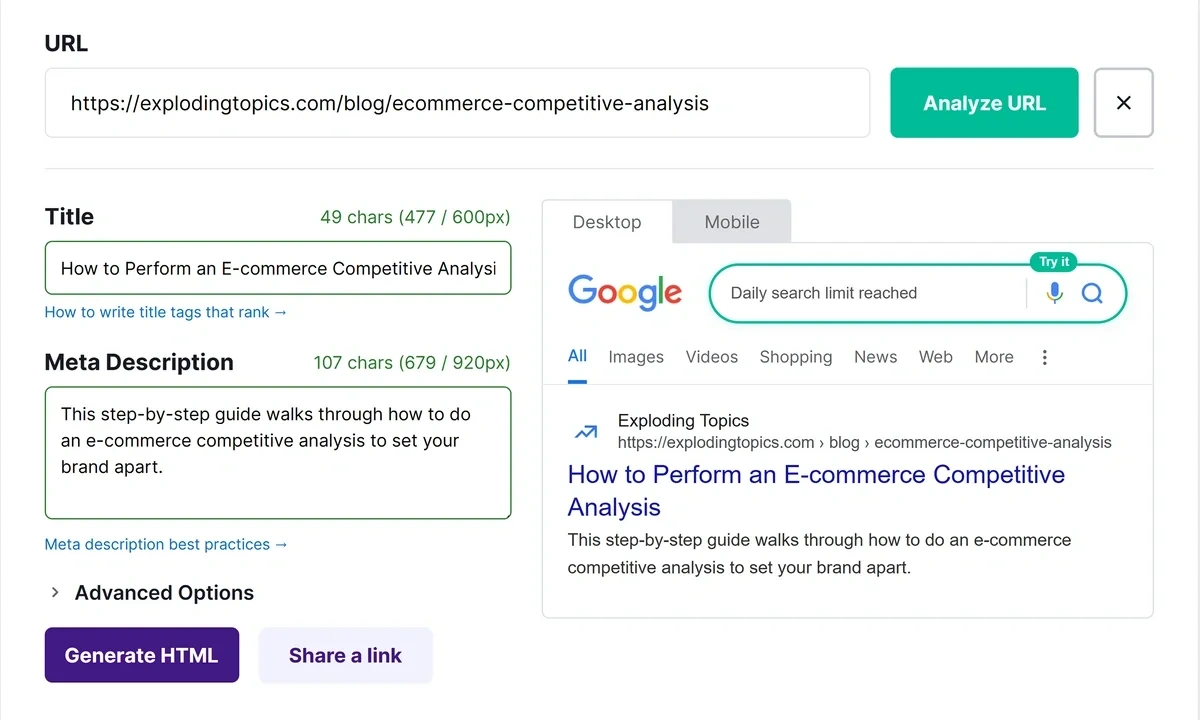
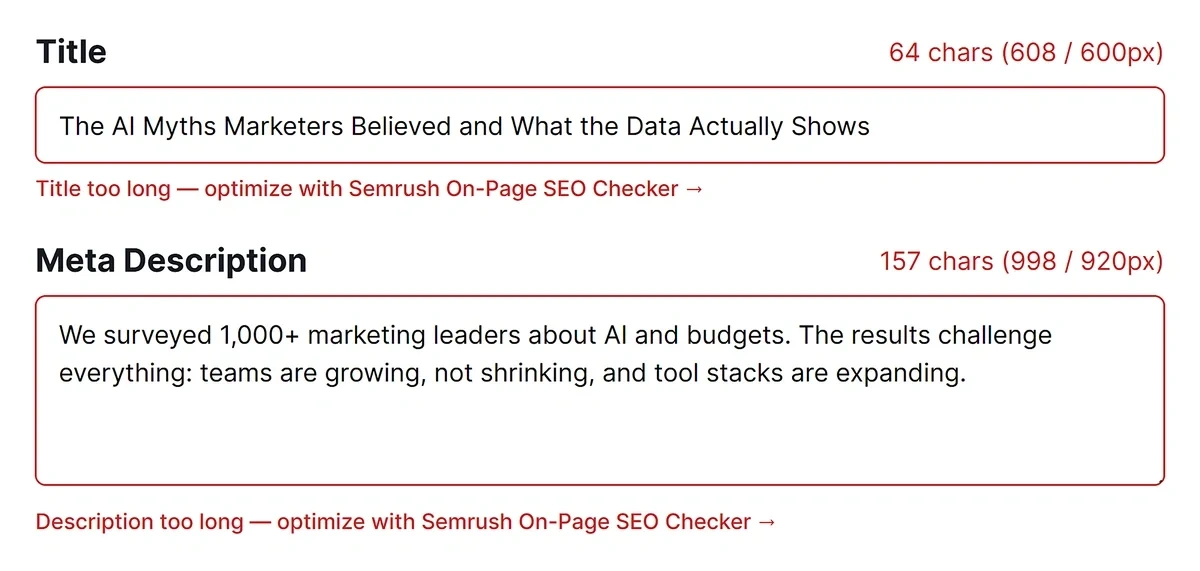
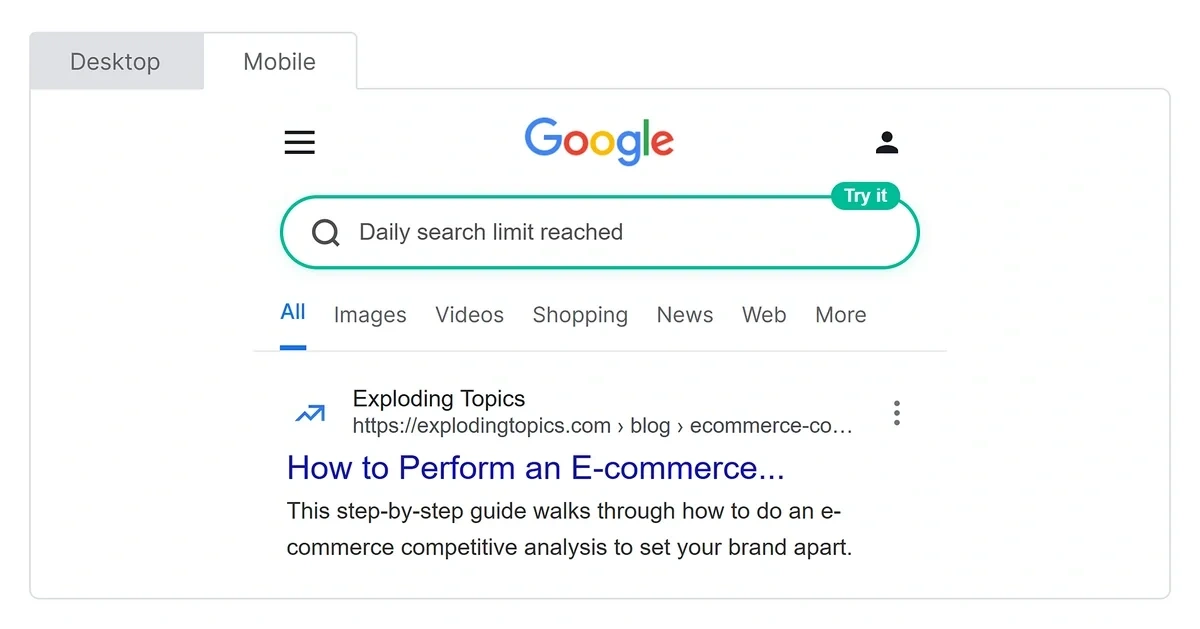
A SERP simulator displays a preview of your page’s appearance in a live Google search result. It takes your page title, meta description, and URL to simulate your search appearance, honoring Google’s character limits.
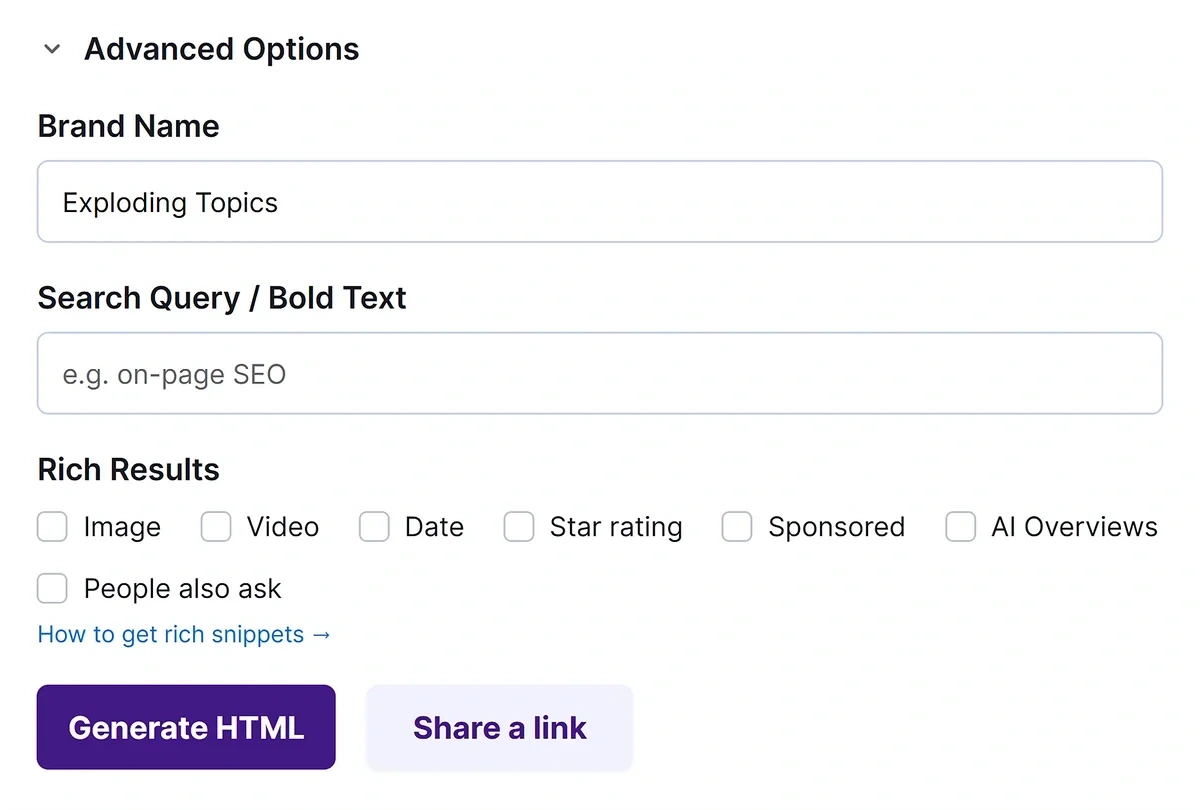
This tool also gives you additional options to simulate more advanced search appearances. For example, you can add your brand name and specify bolded text for the meta description.
Need to see what your listing would look like when rich results are also present? Just select the rich results you’re interested in to see a preview of your listing with selected rich results. It’s the perfect way to test different hooks and angles for your title and meta description and boost your clickthrough rate.
Why Use a SERP Simulator?
You should use a SERP simulator to get a clear picture of your page’s search appearance.
It’s not easy to visualize how the title, meta description, and other metadata would display on a live page while you’re adding these details from your website’s CMS.
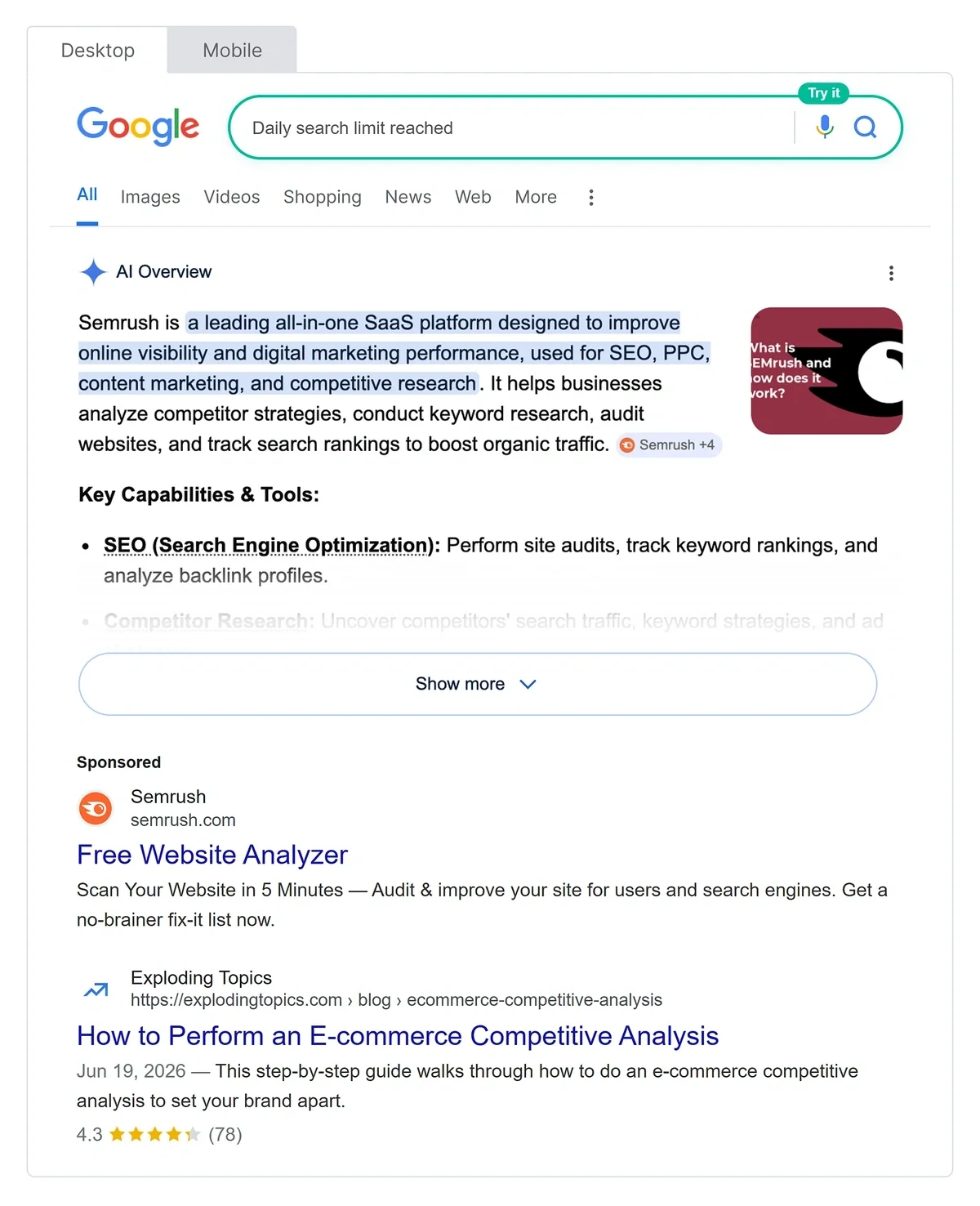
Our SERP simulator goes beyond simple previews. Rather than only showing you the title and meta description on a typical SERP, this tool also lets you simulate popular rich results like AI Overviews, date, star ratings, People Also Ask, and more.
These elements reflect real Google SERPs accurately, so you won’t have to guess how your result will change when accompanied by one or more rich snippets.
On top of that, you can run a real keyword search to generate a preview of your result, along with actual pages ranking right now.
What Can You Preview With Our SERP Simulator?
Our free SERP simulator shows you a preview of your appearance in Google, along with a selection of several common rich snippets:
- Live preview: See how you’re showing up on Google with your page title, meta description, and URL.
- Image snippet: Check how your listing looks with an image snippet.
- Video snippet: Select the Video checkbox under advanced options to enable a preview with a video snippet.
- Sponsored: If you’re running an ad on Google, it will appear as a sponsored result. These results typically take more real estate than organic results, so it’s always a good idea to check a live preview.
- AI Overviews: An increasing number of queries are generating AI Overviews today. Select the AI Overview option to see how that affects your potential listing in SERPs.
- People Also Ask: Select the People Also Ask option to preview an accordion of questions under your search result.
How Does the SERP Simulator Improve Your SEO?
This SERP simulator helps you optimize your search appearance in the following ways:
- Craft powerful titles: Experiment with titles and meta descriptions and choose the best version within real character limits.
- Refine meta descriptions: See a live preview of your description to ensure it conveys value and reflects the contents of your page.
- Align with search results: Compare your snippet to live results for the same keyword and optimize your copy so it meets search intent.
- Bring multi-device consistency: Switch between desktop and mobile layouts to make sure your search snippet is readable and consistent across all devices.
- A/B test ideas before publishing: Test different angles (e.g., feature-focused vs. outcome-focused) in the preview before you commit them in your CMS.
Who Will Benefit Most From the SERP Simulator?
The SERP simulator is a useful tool for SEOs and writers of all levels of expertise:
- SEO beginners and site owners: Quickly see how Google is likely to display your page and refine your titles and meta descriptions to best capture the search intent.
- Content writers and editors: Polish titles and descriptions for blog articles, product pages, and landing pages by comparing with other ranking pages for maximum appeal in SERPs.
- SEOs and strategists: Use the preview to optimize snippets for higher click-through rates, align with search intent, and strong brand representation.
What Issues Can the SERP Simulator Help You Identify?
- Weak or generic messaging: Spot titles and descriptions that don’t clearly explain the benefit or match the search intent and revise them before publishing or when updating underperforming titles.
- Overstuffed snippets: Review keywords that appear too often or feel forced, and adjust them into readable copy that flows naturally without truncation.
- Inconsistent branding: Check that your site name, tone, and messaging are presented consistently across your main pages.
- Device-specific issues: Note snippets that look perfect on desktop but become awkward or cramped on mobile layouts and optimize for improved representation on all devices.
Exploding Topics Pro is trusted by 1,200+ teams worldwide.
How We Find Trends
We track topics across the internet to identify under-the-radar trends before they go mainstream.
Analyze
Our trend identification process begins with a comprehensive data collection from a variety of online sources.

- Social media platforms
- Search engines
- Online forums and communities
- News articles and blogs
- E-commerce websites
- Podcasts
Identify
Our proprietary machine learning models are designed to detect the absolute earliest signs of an emerging trend.
- Analyze historical data to identify growth patterns
- Predict future trends based on current data trajectories
- Detect sudden spikes in interest or activity around specific topics
Curate
While our algorithms are powerful, human expertise is crucial for contextual understanding, ensuring quality topics.
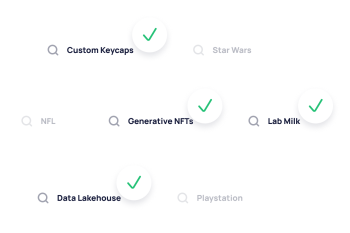
- Review the top-scoring trends identified by our models
- Validate the authenticity and relevance of these trends
- Filter out fads (movies, TV shows, celebrity gossip, etc.)
- Provide qualitative insights to complement quantitative data
Get Exclusive Access to Emerging Trends
Stay ahead of the competition with a 7-day free trial of Exploding Topics Pro.
1.1M+ trends in our growing database. Pro plans starts at $1.29/day.
Powered by
FAQ
Everything you need to know about using our features and getting the most out of them.
What does the SERP Simulator do?
The SERP Simulator lets you preview how your page’s title, URL, and meta description are likely to appear in Google search results on desktop and mobile with near-perfect accuracy. It also lets you add rich snippet results, so you’ll know how your search appearance might change when there are rich results alongside your listing.
Is the SERP Simulator free to use?
Yes, you can preview your search appearance on Google for free as many times as you want. However, SERP checks for keywords have a limit of up to 3 scans per day.
Does the simulator show exactly what Google will display?
Our simulator is a very close approximation of the real Google search results based on the exact layout and character limits used by the search engine. That said, Google has the ability to automatically rewrite or shorten your page title or meta description in actual results.
How can this tool help improve my SEO performance?
First impressions are crucial in Google SERPs and your snippet on Google is the first interaction between visitors and your website. Relevance, uniqueness, length, and descriptive accuracy are all key factors that can make your snippets more compelling and boost organic click-through rates so you convert more browsers into visitors.
Can I test multiple versions of my title and description?
Yes, this tool is perfect for testing multiple versions of titles and meta descriptions. Since all changes are previewed in real-time, you can quickly edit your copy and experiment with different variants until you land on the perfect snippet representing your page with strong appeal.
Does the SERP Simulator support both desktop and mobile previews?
Yes, you can switch between desktop and mobile previews with a single click. That way, you can make sure your snippet is consistent and readable across all screen sizes.
Do I need a live URL to use the tool?
No, a live URL is not necessary. You can manually enter details like title, description, URL, and select different types of rich results to preview your SERP appearance. If you have a live page, the tool also supports pulling basic data directly from the URL.