Exploding Topics
Remineralizing Gum search volume grew from under 100 to 27,100 monthly searches between February 2024 and January 2026.
Remineralizing gum
+5100%
GLP 1 Supplement search volume grew from 5,920 to 74,000 monthly searches between February 2024 and January 2026.
GLP 1 supplement
+1150%
Soursop Bitters search volume grew from 9,900 to 110,000 monthly searches between March 2024 and February 2026.
Soursop bitters
+1011%



Get Advanced Insights on Any Topic
Discover Trends 12+ Months Before Everyone Else
How We Find Trends Before They Take Off
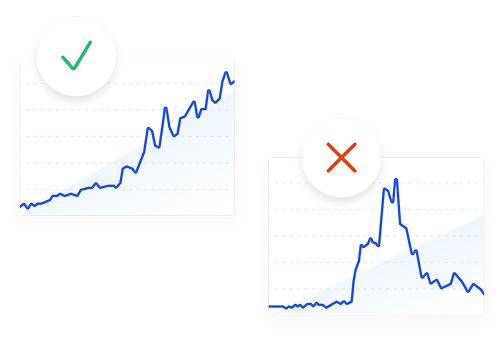
Exploding Topics’ advanced algorithm monitors millions of unstructured data points to spot trends early on.
Keyword Research
Performance Tracking
Competitor Intelligence
Fix Your Site’s SEO Issues in 30 Seconds
Find technical issues blocking search visibility. Get prioritized, actionable fixes in seconds.
Powered by data from
Latest Blog Posts
Featured Case Studies
See what's trending before everyone else
Each week, we'll send you our best Exploding Topics. Plus, expert insight and analysis.
8 Best AI Writing Tools for Content Marketers in 2026

 Add Exploding Topics on GoogleAdd Exploding Topics as your preferred source to see more of our stories on Google.
Over the past year or two, AI writing tools have exploded in popularity. Content marketers, social media managers, copywriters, and others working in content have discovered just how awesome they are at creating first drafts and how much time they can save.
But with so many tools jumping into the AI writing space, how do you know which one is actually going to be the best for you and your team?
I’ve been writing content for the web since 2012, and I’ve tried a pretty big handful of AI writing tools since they started getting popular. For this list, I’ve picked 8 tools that I can vouch for as being standouts in the AI writing space.
Note that there are really two classifications of AI content tools — those that generate content and those that work more as content graders and editors. Most of the tools on this list fall into the first category, but one, Grammarly, is closer to the second. I included it anyway because it’s such a widely used and loved tool, even if it's not drafting your first version from scratch.
I'm evaluating them on how well they write, how much editing their output needs, and what they actually cost once the free trial ends.
First, let’s take a look at features you should look for (and which you can skip).
What to Look for in an AI Writing Tool
- Brand voice settings: Any tool can generate text that sounds like generic text. You want one that can generate text that sounds like you — matching a style guide or set of past posts. Test this before you buy if you can: feed it three of your best-performing pieces and see how close the output gets on the first try.
- Editing tools built into the workflow: Highlight-and-rewrite, tone sliders, length adjustments — look for the tools that save real time and let you fix a paragraph without regenerating the whole draft. If the only way to change something is to re-prompt from scratch, you'll spend as much time editing prompts as you would editing your copy.
- Publishing and integration options: A tool that pushes straight to WordPress, Shopify, or Google Docs saves a copy-paste and reformatting step you'll otherwise do dozens far too often.
Features You Can Skip
- Giant template libraries. You really don’t need 50+ templates for blog intros, Instagram captions, and cold emails. In reality, you'll probably use three or four regularly and never touch the rest.
- Built-in plagiarism or AI detectors as a selling point. These are useful to have, but not a reason to choose one tool over another. Accuracy on these varies enough across the board that I wouldn't weight a purchase decision on it.
- Workflow and automation builders you don't need yet. A few tools on this list sell multi-step automation (like CRM triggers and credit-based workflow runs) that's useful for a large team, but unnecessary for a solo writer or small team just trying to get drafts out faster. Don't pay for the scale features until you're actually operating at that scale.
Alright, let’s get into the tools.
Get More Search Traffic
Use trending keywords to create content your audience craves.
My 8 Top Favorite AI Writing Tools
|
Tool |
Best For |
Starting Price |
Standout Feature |
| Semrush Content Toolkit | Most marketing teams, plus marketers who want content creation tied into an SEO/AI-search strategy | $60/mo | Drafts using Semrush's own keyword and SERP data |
| Jasper | Marketing teams that need a consistent brand voice across a high volume of content | $59/mo (billed annually) | Brand voice trained on your style guide, applied automatically across every draft |
| Claude | Writers who want to draft with a multi-use AI platform | Free / $17/mo (billed annually) | Natural prose that needs less line editing than other LLMs; Projects holds your style guide for context |
| Grammarly | Anyone who wants AI writing help everywhere they already write, not just one app | Free / $12/mo (billed annually) | Works inside Gmail, Docs, Slack, and virtually anywhere else via browser/desktop extension |
| Anyword | Performance marketers writing ads, landing pages, and email copy | $39/mo | Predictive performance scoring on generated copy variants |
| Copy.ai | Larger teams or agencies automating content across sales and marketing | $24/mo (chat only) / $1,000+/mo (workflows) | Multi-step workflow automation, not just single drafts |
| Writesonic | Writing tied to AI search visibility tracking | $79/mo (billed annually) | Article writer tool shares a dashboard with built-in AI search visibility tracking |
| Describely | DTC and E-commerce brands writing product descriptions at scale | $0.75/product (pay-as-you-go) | Bulk-generates hundreds of product descriptions with direct Shopify/WooCommerce/Wix sync |
1. Semrush Content Toolkit
If creating content is one piece of your larger SEO and AI visibility strategy, I recommend choosing a tool like the Semrush Content Toolkit. It comes backed by a full platform of SEO/GEO reports and tools you need to ace your whole strategy. Use it alone or grab access to more of Semrush’s platform.
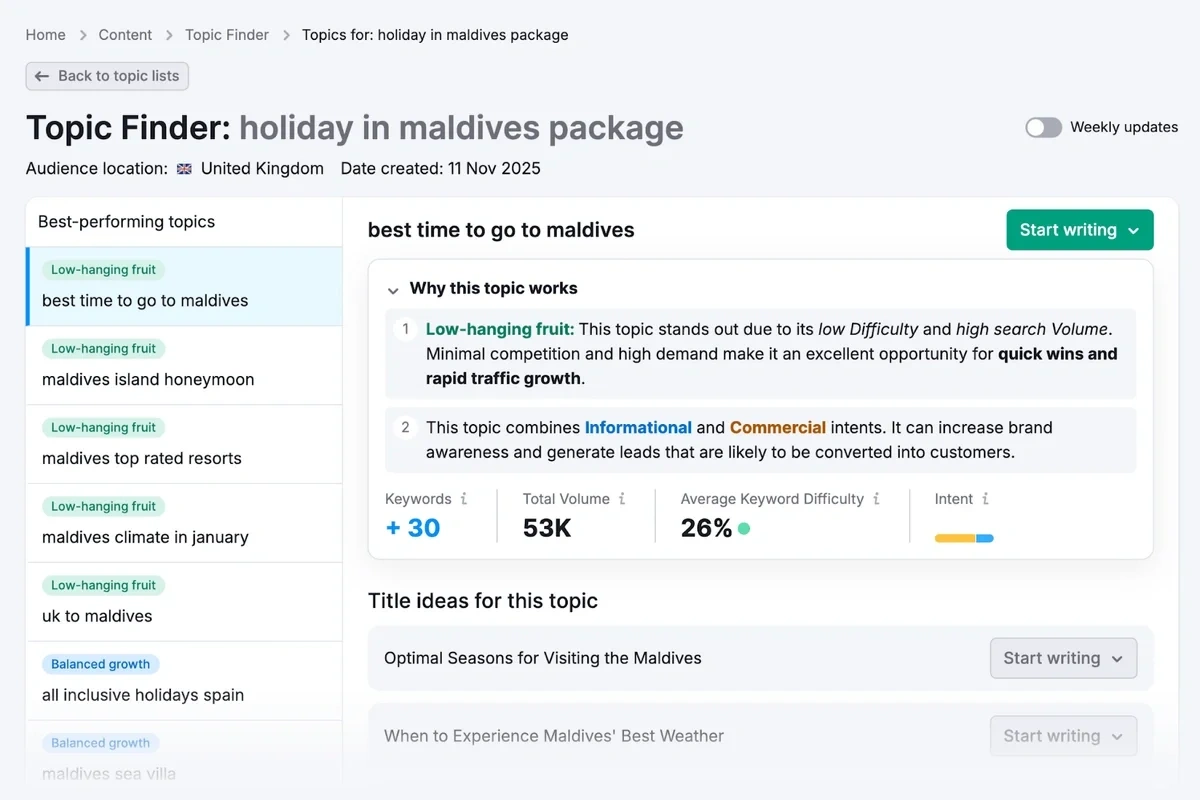
The Semrush Content Toolkit helps you with your entire content process — not just the writing and editing step. Start with the Topic Finder to figure out what to write about, then the SEO Brief Generator to create an optimized, comprehensive brief you can feed straight to the AI Article Generator.
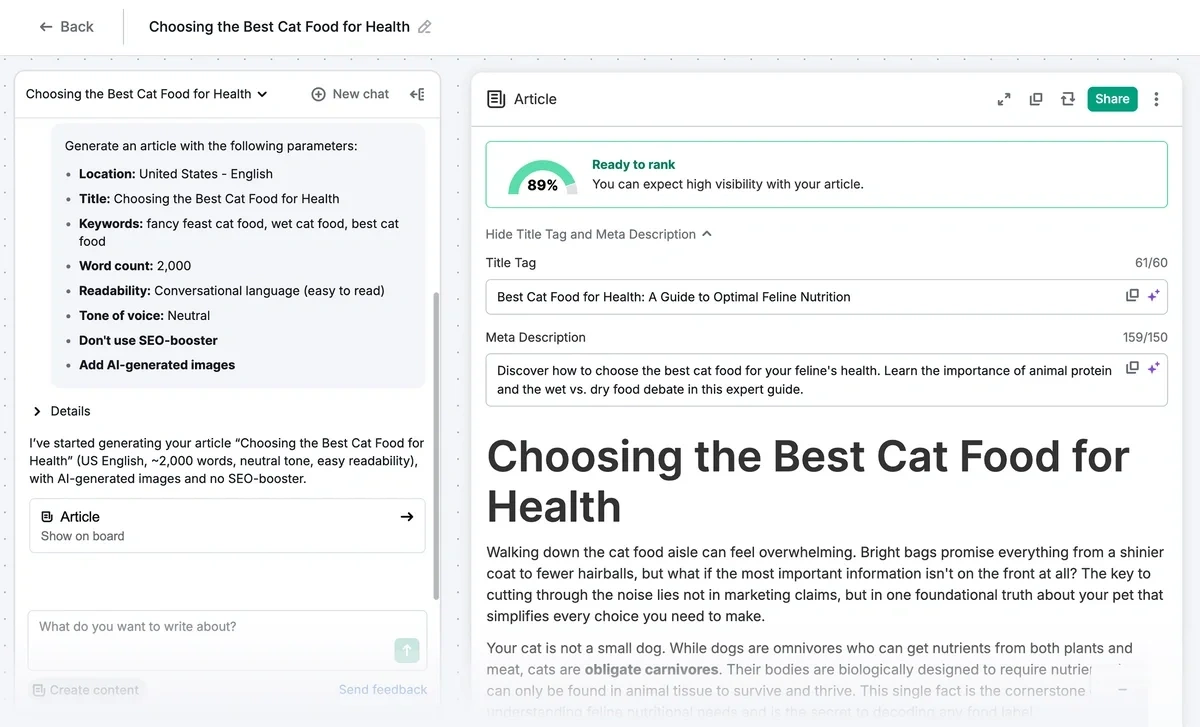
Then, use the AI Article Generator to draft full-length, optimized articles from a keyword or brief, pulling from Semrush's own keyword and SERP data rather than relying only on an AI model’s general training.
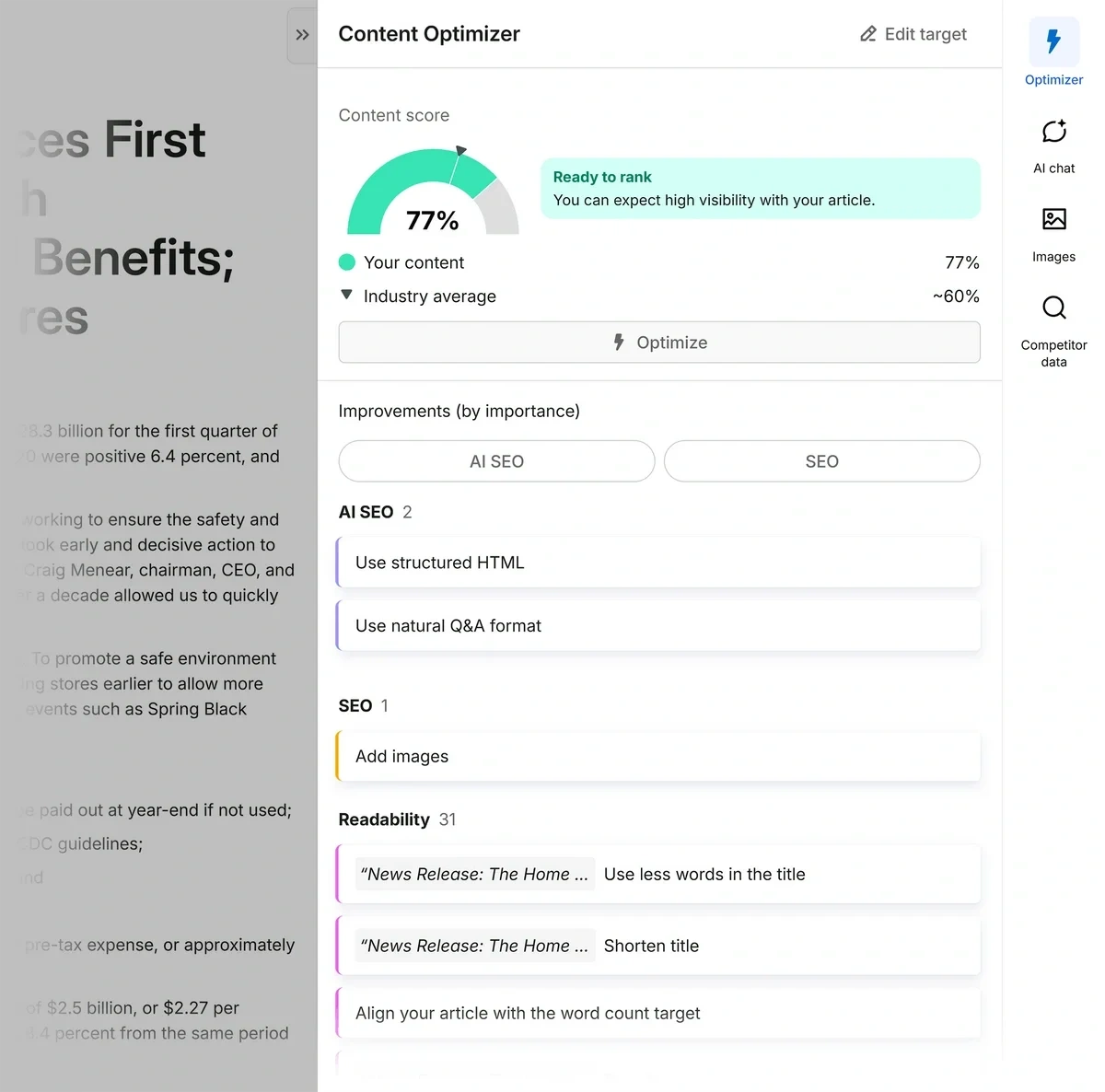
Finally, run the Content Optimizer to score your draft for both Google and AI-search readiness and flag exactly what's holding that score back before you publish.
When you're ready to act on suggestions from the Content Optimizer, you can click “Optimize” and let the AI rewrite the whole piece, or highlight a single paragraph and use the quick-edit toolbar to handle it by hand. Either way, a side-by-side comparison shows you exactly what changed before anything overwrites your draft.
The tool supports up to 50 saved brand voice tones, which matters if you're writing for multiple clients, product lines, and audiences. Once a draft is ready, you can publish straight to WordPress or Mailchimp, push it to Semrush's own Social Poster, or export to Google Docs if you want another set of eyes on it first.
What really sets the Content Toolkit apart from a standalone AI writing tool is that it draws on the same keyword, SERP, and competitive data that powers Semrush’s Site Audit, Position Tracking, and the AI Visibility Toolkit. That means you can take a content gap straight from those reports into the Content Toolkit to fix it, without leaving the platform or re-entering your research. Your writing and your broader SEO/AI visibility strategy pull from the same data instead of living in two disconnected systems.
Pricing: Semrush’s Content Toolkit is $60/month with unlimited standard articles, 5 SEO-boosted articles included, and $30 for 10 more when you need them. For access to more of Semrush’s SEO and AI tracking platform, check out Semrush One.
Build a winning strategy
Get a complete view of your competitors to anticipate trends and lead your market
2. Jasper
Jasper is built specifically for marketing teams rather than general AI users. Beyond generating content, it gives teams shared brand voices, knowledge assets, audience profiles, and collaboration tools so writers can create campaigns that stay on-brand without reinventing the wheel each time.
Jasper's Brand Voice is built from your own writing. Upload up to 8 samples (docs, PDFs, or a URL) and Jasper analyzes the tone, vocabulary, and sentence patterns to create a voice profile you can apply automatically to every draft. The Pro plan gives you 2 saved voices, which covers a single brand with maybe a secondary tone for a different audience.
Everything happens inside Canvas, Jasper's document editor, where you write alongside the AI and can ask it to rewrite, expand, or summarize sections without starting over. Knowledge assets (5 on Pro) let you upload product specs, brand guidelines, or messaging docs that Jasper references while writing, so it's not guessing at facts about your product. Audiences (3 on Pro) save specific reader personas Jasper writes for, useful if the same brand voice needs to land differently for, say, enterprise buyers versus small business owners.
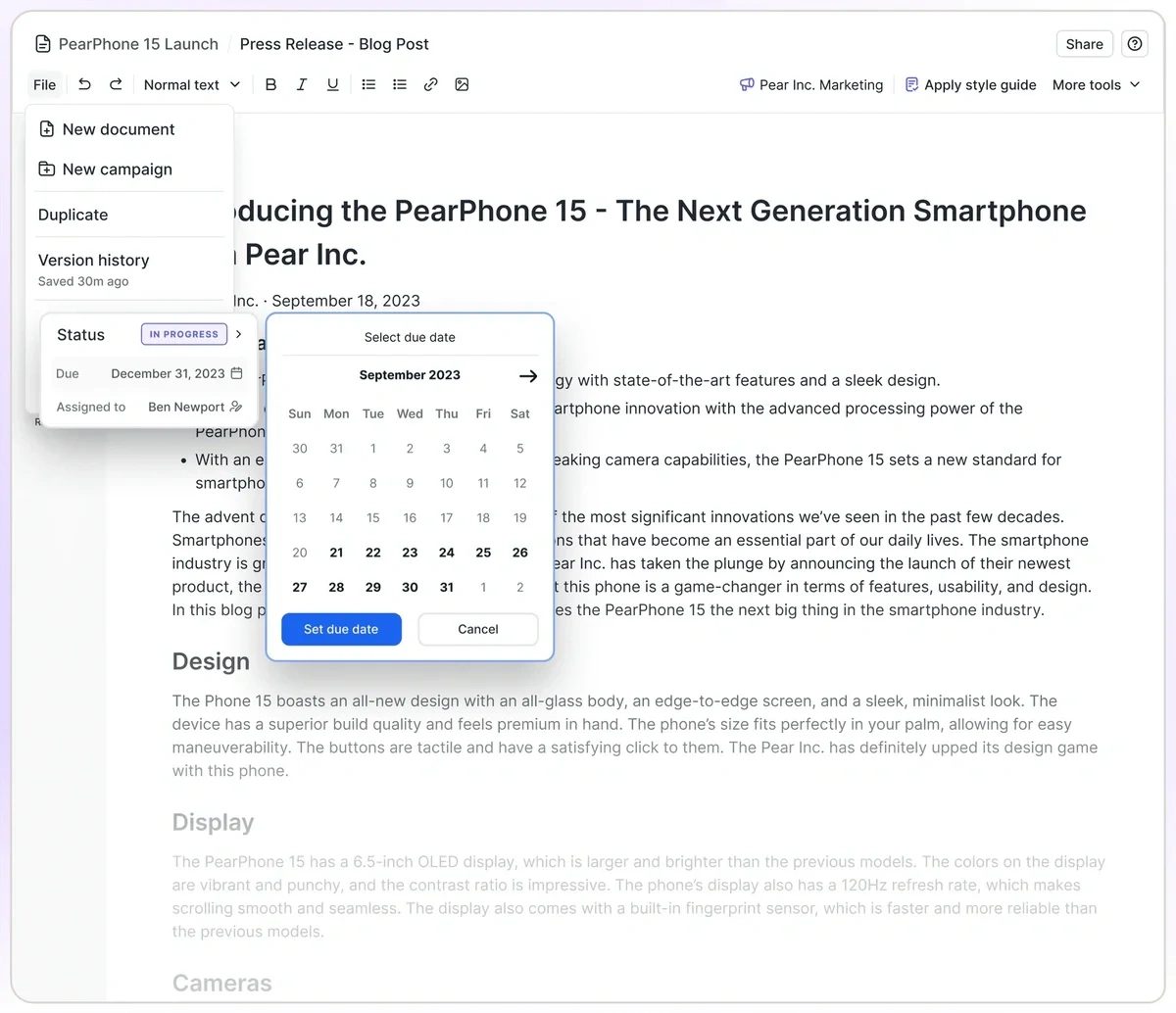
Note that the Style Guide feature, which auto-enforces specific rules like Oxford commas or approved terminology swaps, is Business-tier only. Pro gives you tone consistency through Brand Voice, but not that level of granular rule enforcement.
Outside of Canvas, the Chrome extension brings your Brand Voice into Gmail, Google Docs, and other apps you're already writing in, so you're not limited to Jasper's own editor for every piece of content.
Pricing: Jasper runs $59/month billed annually ($69/month billed monthly), with one seat included — additional seats require the custom-priced Business plan.
3. Claude
If you already use Claude for other projects or you’d rather use a general-use AI tool instead of a specific content tool, Claude consistently produces some of the strongest first drafts I’ve tested.
Claude doesn't have a dedicated "brand voice" trainer the way other tools on this list do. Instead, you build that consistency yourself inside Projects — a dedicated workspace where you can upload your style guide, past articles, or brand documents once, and every chat in that project can reference them any time.
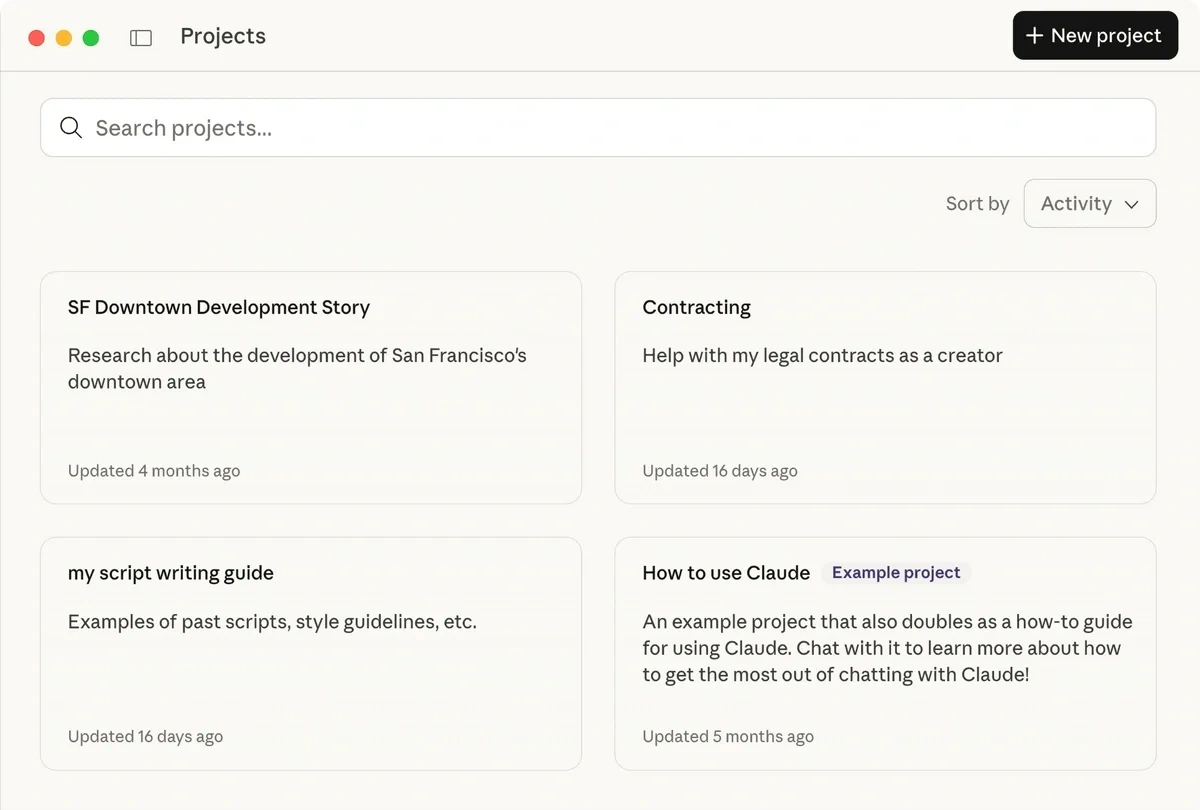
That means there's more setup on your end than a tool that ships with a one-click voice training feature, but the payoff is a flexible AI assistant that can apply the same knowledge base to research, brainstorming, coding, analysis, and content creation.
Claude also doesn't come with content templates or generation wizards for specific formats like blog intros or ad copy. Instead, it works more like a capable co-writer you're having a conversation with than a plug-and-play content machine.
Pricing: Claude is free to use, with paid plans starting at $17/month (billed annually) that include higher usage limits and unlimited Projects.
4. Grammarly
Every other tool on this list wants you to write inside its own editor. Grammarly doesn't — it follows you into Gmail, Google Docs, Slack, Notion, Microsoft Word, and most major writing apps through a browser extension and desktop app.
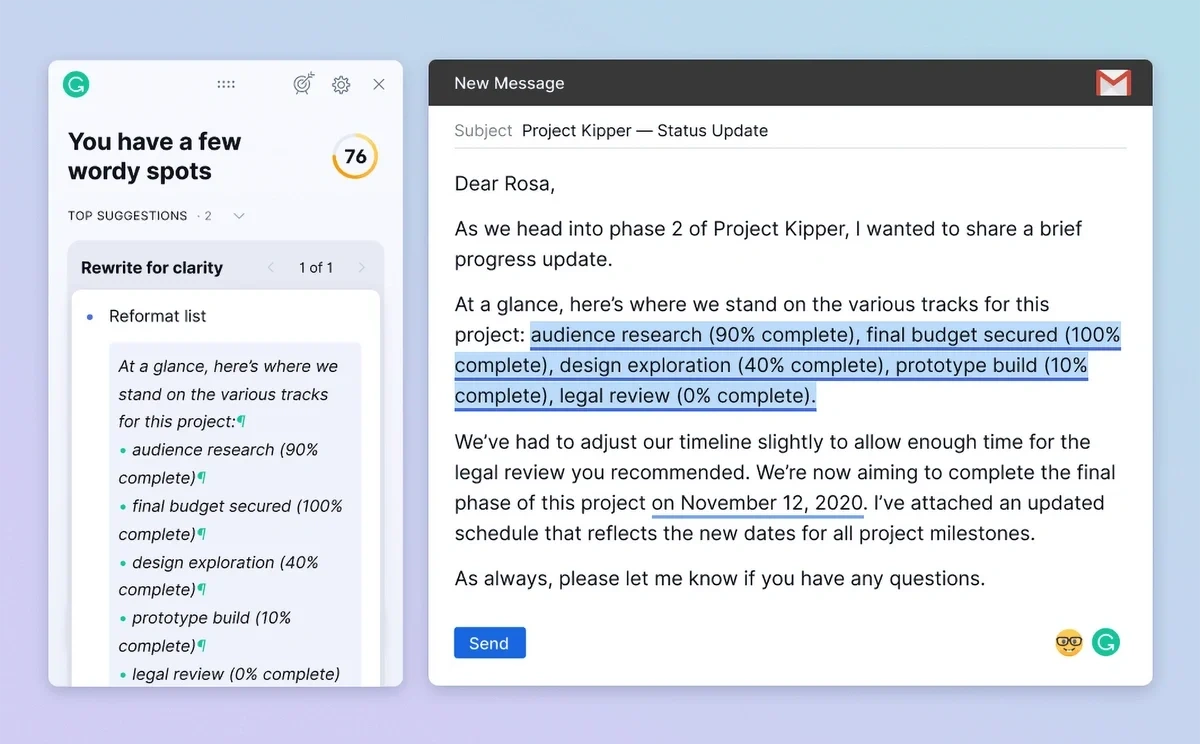
The core functionality is a correctness and tone engine — it flags over 30 tones in real time, so you catch an email that reads as curt or a reply that sounds more defensive than you intended before you hit send. On top of that, Pro adds generative AI (2,000 prompts a month, versus 100 on the free plan) for drafting replies, rewriting full sentences, and adjusting formality, plus a plagiarism and AI-content checker for anything that needs to be verifiably original.
The trade-off with Grammarly is that it isn't built to generate a full article from a blank page the way Semrush’s Content Toolkit or Jasper are. It's an editing and rewriting tool more than a first-draft engine, so it tends to work best alongside one of those tools rather than in place of them.
Pricing: Grammarly is free, or $12/month for Pro billed annually ($30/month billed monthly).
5. Anyword
If you're optimizing for clicks and conversions rather than general content quality, Anyword takes a different approach than everything else on this list: every piece of copy comes with a Predictive Performance Score, so you're choosing between variants based on projected performance rather than gut feel.
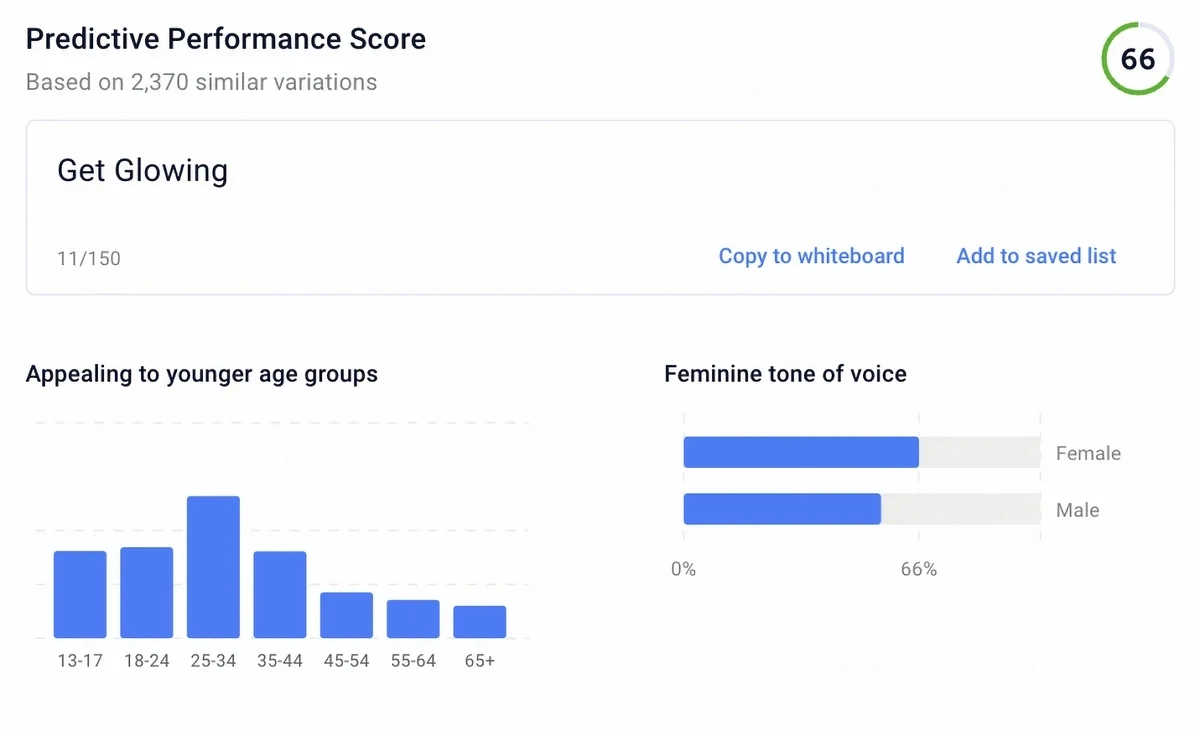
The scoring model was trained on Anyword's own dataset of real ad and marketing copy performance, and Anyword says its model identifies the higher-performing variation about 82% of the time based on its internal testing.
For each content piece, you get a score panel breaking down audience fit, emotional triggers, and call-to-action strength alongside the performance score, so you can see why one version scored higher instead of just trusting a black-box grade.
Anyword’s Customer Personas let you define an audience by demographics and pain points, and the tool tailors tone and wording to that persona automatically — useful if you're writing the same offer differently for a social media post vs. an email for your enterprise audience, for example. It generates copy for different channels: Google, Meta, and LinkedIn ads, landing pages, email, SMS, and product descriptions.
Pricing: The Starter plan is $39/month (billed annually) with one brand voice and a 50-row cap on the historical campaign data Anyword can learn from; multiple seats and a higher data ceiling require the Data-Driven plan at $79/month billed annually.
6. Copy.ai
Copy.ai goes beyond generating individual pieces of content to tie content creation in with sales and marketing workflows. It’s built to help teams automate repetitive writing tasks across campaigns, prospecting, and customer outreach.
Note that it primarily relies on third-party AI tools, not its own proprietary content generator. The Chat plan gives you a writing assistant that can use multiple AI models, including ChatGPT, Claude, and Gemini, so you can switch between them depending on the task. You can also create brand voices by uploading existing content, helping new drafts stay consistent with your company’s tone.
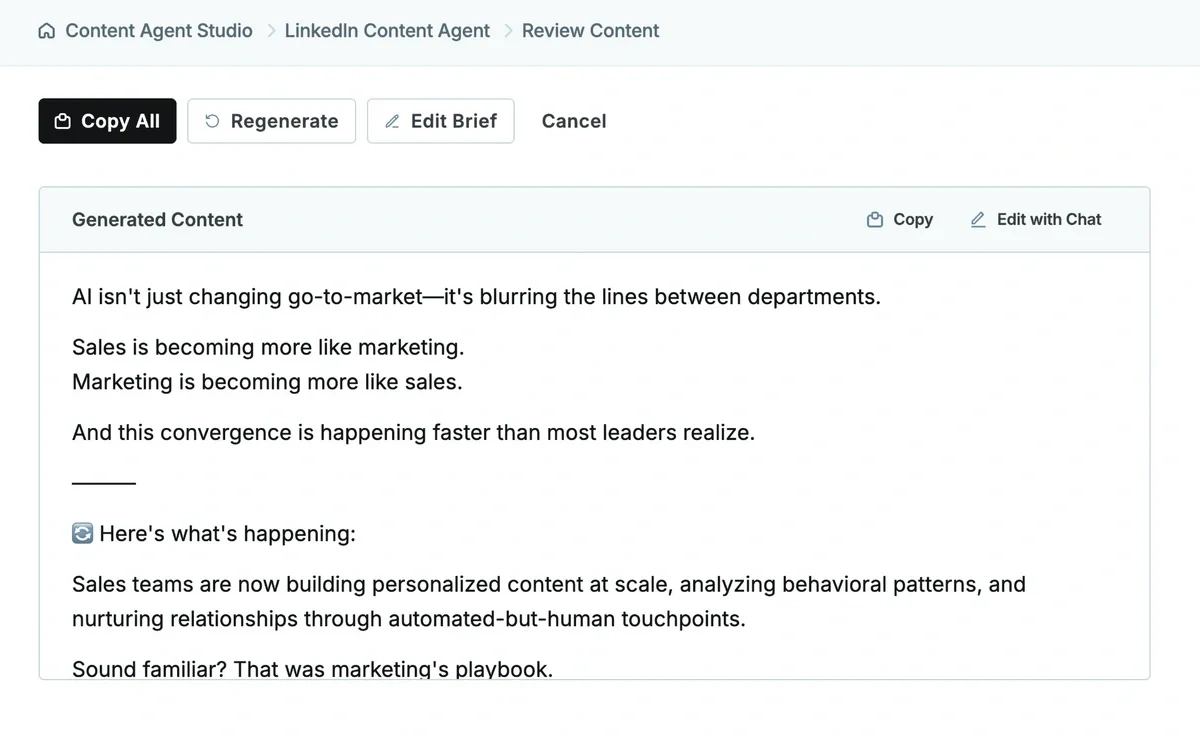
Where Copy.ai stands out is its Workflows feature. Instead of generating one draft at a time, Workflows automate multi-step processes. So for example you could automate turning a product launch into emails, social posts, and sales collateral, or personalizing outreach from a lead list. It’s a much better fit for teams trying to streamline repeatable marketing or sales tasks than for someone who simply needs an AI writing assistant.
Pricing: The downside is pricing. While the Chat plan costs $29/month ($24/month billed annually), Workflows (the platform’s biggest differentiator) aren’t available until the Growth plan, which starts at $1,000/month (billed annually) for up to 75 seats. If you only need AI help with writing, the Chat plan is probably enough. But if you’re evaluating Copy.ai for workflow automation, expect a significant jump in cost.
7. Writesonic
Like Semrush, Writesonic bundles its writing tool inside a larger platform — in this case, one built around AI Search Visibility tracking. The writing dashboard sits alongside tools that monitor how often ChatGPT, Gemini, and Google AI Overviews mention your brand.
The Article Writer itself works the way you'd expect: pick a content type (listicle, how-to, news-style, general blog), generate an outline, edit it, then let the editor draft each section. You can train a brand voice to keep tone consistent, and a Chrome extension lets you draft directly inside other apps you're already using.
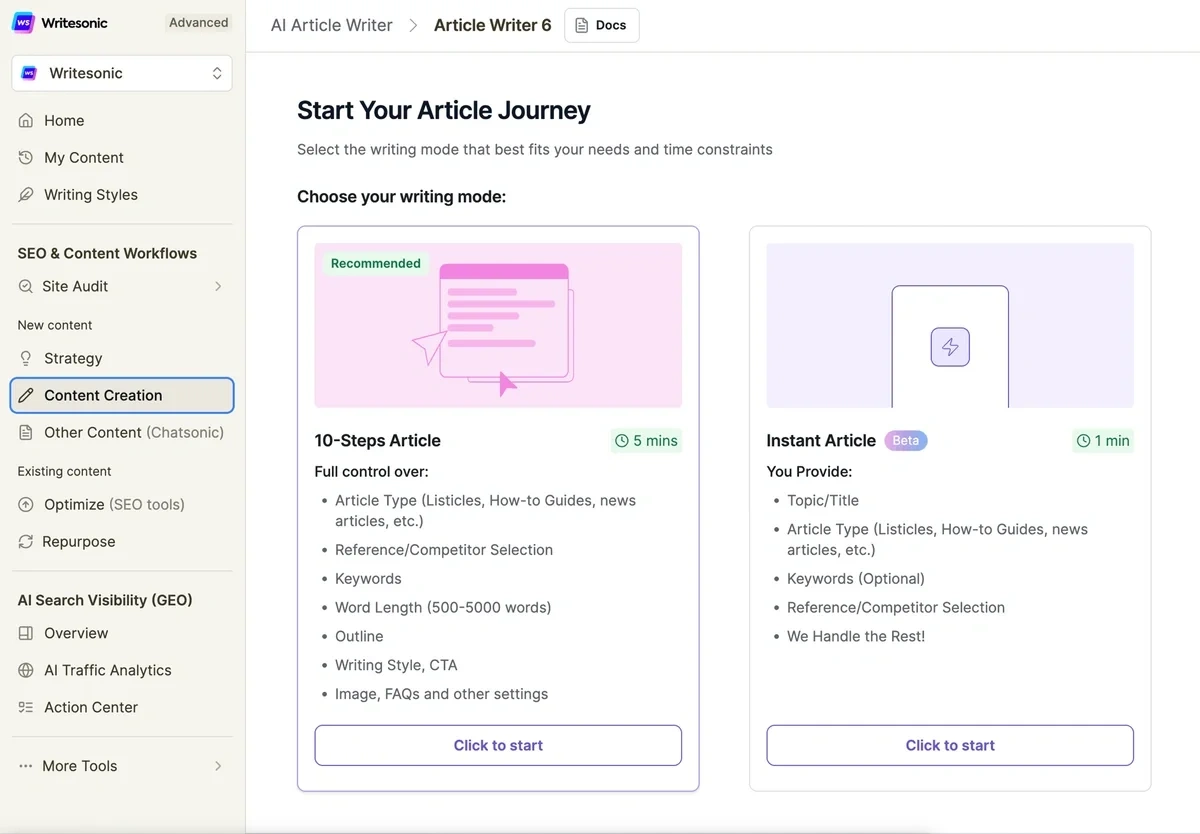
It also has an Action Center, which turns visibility gaps into specific content tasks, such as write a new article, refresh an outdated page, or flag a site that cites your competitors but not you. That's a truly helpful feature, but note that it isn't included on the entry-level Starter plan. You’ll need Basic, at $199/month, to unlock it.
At $79/month, Starter gets you the Article Writer, brand voice, 15 articles a month, and AI visibility tracking in ChatGPT, Gemini, and AI Overviews.
Pricing: Writesonic starts at $79/month billed annually for Starter; Basic runs $199/month if you want the Action Center and broader AI platform tracking.
8. Describely
Every other tool on this list is built for blog content, marketing copy, or ad campaigns. Describely solves a completely different problem: writing product descriptions for a catalog of hundreds or thousands of SKUs.
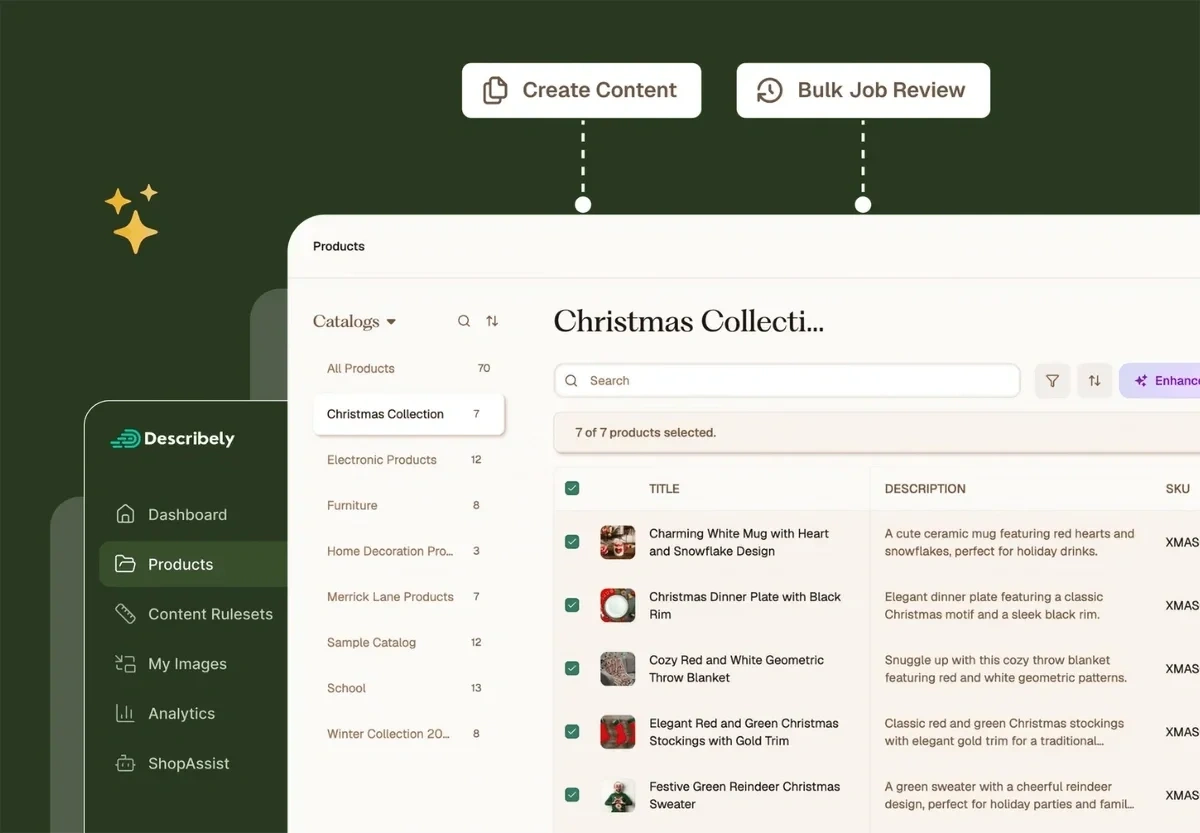
With Describely, every product in your catalog first gets audited on two scores: a GEO Score for how likely the content is to surface in AI search results, and a separate Conversion Score for how likely it is to convert a human shopper. That audit finds which products have thin descriptions, missing specs, or weak meta tags, so you know where to spend your generation credits instead of regenerating your whole catalog.
Content Rules let you set tone, length, and brand guidelines once and apply them across every category, so a listing for running shoes and a listing for kitchenware, for example, would still sound like the same brand. The enrichment feature fills in missing product attributes by pulling data from a source you choose (like the manufacturer's site) rather than leaving you to research specs product by product. Store connectors for Shopify, WooCommerce, Wix, Squarespace, and PIMs like Akeneo and Salsify are unlimited on every pricing tier, so publishing back to your live storefront doesn't cost extra.
Pricing: Pricing is pay-as-you-go rather than a subscription: $0.75 per product description, $0.55 per enrichment credit, and $0.05 per image credit, with no seat fees.
My Recommendation
Semrush’s Content Toolkit is my pick. The AI Article Generator drafts from Semrush's own keyword and SERP data instead of generic training knowledge, and the Content Optimizer's unified Content Score means you're not juggling a separate SEO plugin and a separate AI-search checklist — one score covers both.
I also love that you can get started with the content toolkit as a standalone tool, then add in other tools and reports as needed to grow your business. When everything’s connected, you spend much less time bouncing between tools to find and act on SEO/AI insights.
For a more general-purpose ranking, check out our list of the most popular AI tools.
Stop Guessing, Start Growing 🚀
Use real-time topic data to create content that resonates and brings results.
Exploding Topics is owned by Semrush. Our mission is to provide accurate data and expert insights on emerging trends. Unless otherwise noted, this page’s content was written by either an employee or a paid contractor of Semrush Inc.
Share
Newsletter Signup
By clicking “Subscribe” you agree to Semrush Privacy Policy and consent to Semrush using your contact data for newsletter purposes
Written By


Jolissa Skow is a senior content writer and content strategist with a background in SEO, Google Analytics, and WordPress. She's be... Read more