


Get Advanced Insights on Any Topic
Discover Trends 12+ Months Before Everyone Else
How We Find Trends Before They Take Off
Exploding Topics’ advanced algorithm monitors millions of unstructured data points to spot trends early on.
Keyword Research
Performance Tracking
Competitor Intelligence
Fix Your Site’s SEO Issues in 30 Seconds
Find technical issues blocking search visibility. Get prioritized, actionable fixes in seconds.
Powered by data from
Latest Blog Posts
Featured Case Studies
See what's trending before everyone else
Each week, we'll send you our best Exploding Topics. Plus, expert insight and analysis.
How to Monitor Brand Mentions (Top 5 Methods)

 Add Exploding Topics on GoogleAdd Exploding Topics as your preferred source to see more of our stories on Google.
Brand mentions are the modern equivalent of word-of-mouth marketing.
When people talk about your brand, it generates attention. What they say impacts your reputation across social media, reviews, forums, and news sites.
If you’re not tracking these conversations, you could miss chances to connect with your audience or fail to address criticism that your customers have about your brand.
With search engines like Google prioritizing brand authority and trust, monitoring mentions is how you can stay ahead of competitors.
Brand Mentions: Types, Sources, and Sentiment
Brand mentions are any online references to your brand name, products, or services.
They’re a primary indicator of your online reputation and influence within your industry.
They're most commonly found in digital sources like:
- Social media posts
- Blog articles
- AI-generated responses
- News sites
- Forums
- Customer reviews
(Today, brand mentions from AI tools are also very important. Here's how you can increase brand mentions and visibility in ChatGPT search.)
Mentions can range from a customer tweeting about your latest product to a news outlet covering your company’s recent milestone with direct website links. All of these mentions reflect how your brand is perceived and discussed across the internet.
There are two types of brand mentions:
- Tagged or direct: Explicit mentions that include a link to your website or social media profile, such as a news article linking to your site or a tweet with your official handle
- Untagged or indirect: Mentions that name your brand but don’t include a link to your website or social profile, like an Instagram influencer discussing the benefits of your product without tagging you
Remember that sentiment (positive, negative, or neutral) will give you a better idea of your reputation than the type of mentions you’re getting.
Why Monitor Brand Mentions?
You should monitor brand mentions to understand how your brand is perceived.
According to Andrew Holland, the Director of SEO at JBH, "brand mentions are the new backlinks." Without them, Google doesn't know who you are, you don't have credibility across the internet, and your brand becomes harder to trust.
With AI becoming a key component of SEO, brand mentions matter even more. That's because AI models scan dozens of online sources to answer questions.
If your brand isn't mentioned anywhere, you are at a huge risk of being invisible to AI while your competitors own mentions in important queries.
Just as you monitor backlinks, you also need to monitor brand mentions to track customer sentiment and see where you’re being talked about.
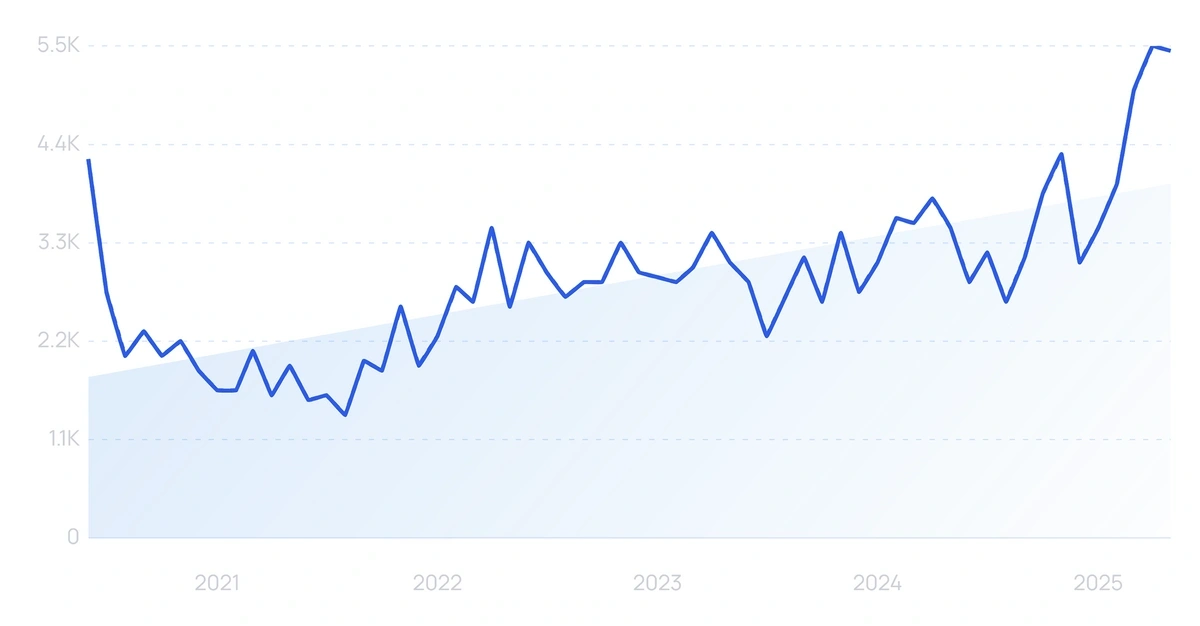
Searches for “brand mentions” have risen by 194% over the past five years.
Brian Dean explained the importance of brand signals to me and how they’re impacting SEO performance for companies.
Google recognizes strong brand signals and uses them to inform its Knowledge Graph. This helps to establish your brand as an entity.
One way this gets measured is through brand mentions. Those brands that receive mentions across social media platforms or on news sites (direct or indirect) tend to have more success, especially with SEO.
Additionally, Marie Haynes says a "lack of mentions, or mentions only in low-quality or spammy contexts, may be a negative signal in Google’s eyes." Brand mentions have quietly become one of the primary E-E-A-T signals to track if you hope to grow your SEO efforts in 2025.
Next, let’s take a look at the most effective ways to monitor brand mentions.
4 Ways To Monitor Brand Mentions
Now that we understand brand mentions and why monitoring them is so important, we can take a look at the best ways to monitor them.
Want to Spy on Your Competition?
Explore competitors’ website traffic stats, discover growth points, and expand your market share.
1. Use Brand Monitoring Tools to Track Mentions
It’s possible to do brand monitoring with 100% manual research.
However, manually searching for your brand name on Google or social media is time-consuming and inefficient.
Brand mentions update daily (or even hourly), meaning you'll need to do manual searches every day to find new mentions and compile that information together to extract relevant insights.
Semrush’s Brand Monitoring app solves this by automating the process for you.
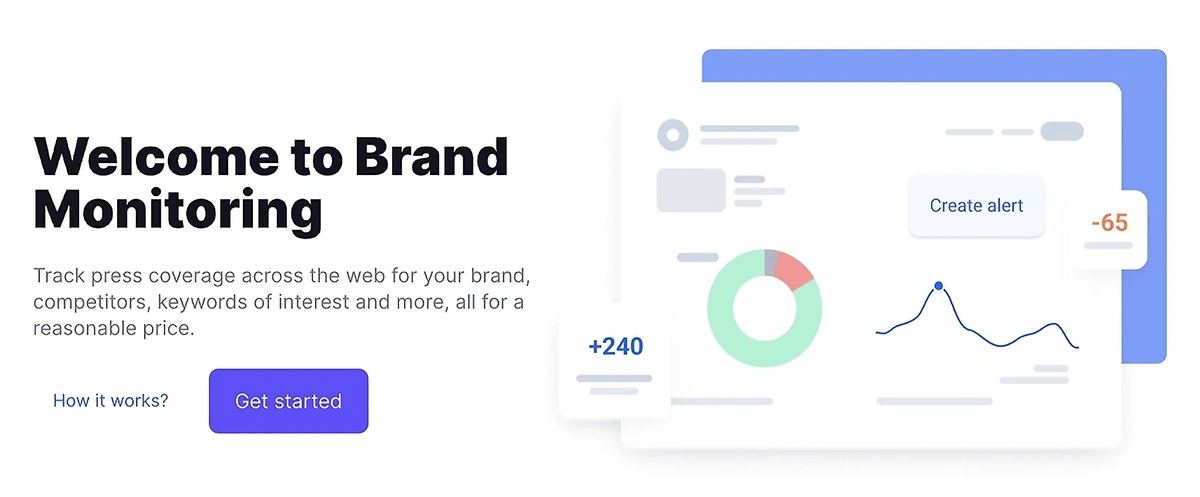
Brand Monitoring tracks mentions across websites, blogs, and forums with real-time alerts and sentiment analysis. It uses advanced algorithms to scan millions of online sources for mentions and categorize each one by sentiment (positive, negative, or neutral).
This allows you to view:
- What customers are saying
- How news outlets are covering your brand
- Which mentions you should prioritize for responses
It also highlights high-authority sites mentioning your brand, signaling these as potential backlink opportunities for SEO growth.
With the Brand Monitoring app, you can track mentions by:
- Brand: Monitor your brand’s visibility, popularity, and sentiment across articles, social media platforms, and news sites
- Competitor: Similar to your own brand, track what people are saying about your competitors and where they are saying it.
- Keyword: Track specific phrases or terms related to your industry or campaigns for targeted insights
- Person: Follow mentions of key individuals, such as executives, influencers, or brand ambassadors
- Backlinks: Identify articles linking to your website to assess their SEO impact and find outreach opportunities
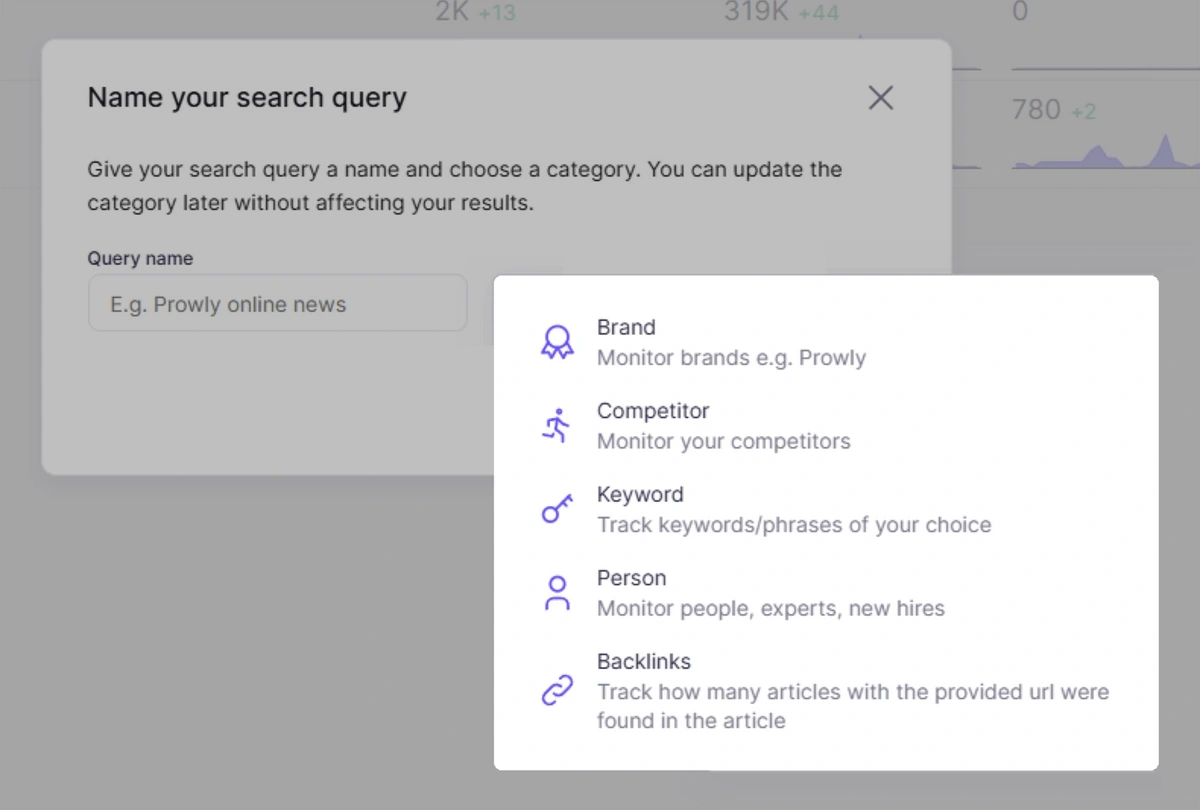
To get started, click “Brand” and enter your brand name.
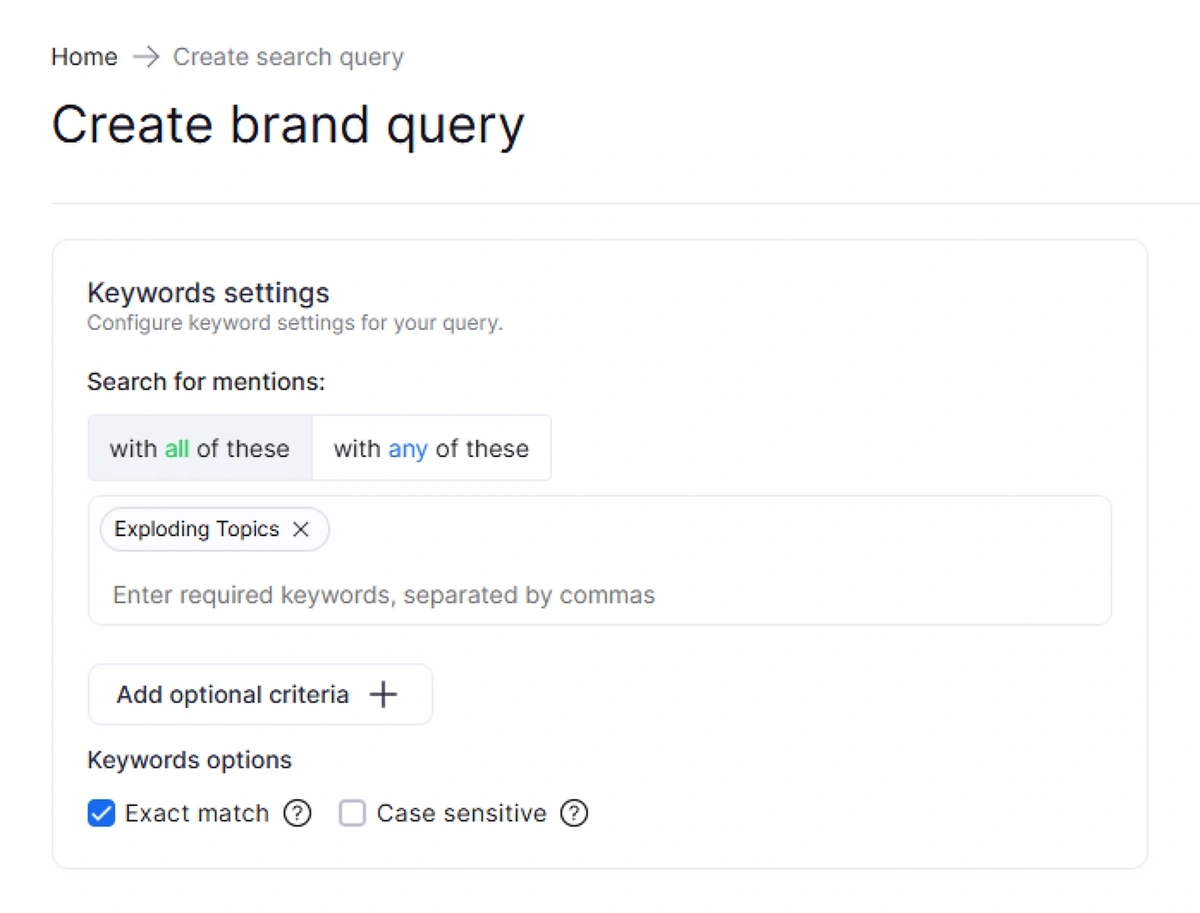
You can choose to enter multiple keywords and get results of mentions that include any or all of those brand keywords.
You can also choose “Exact match” to show results that only include your exact combination of keywords. “Case sensitive” can be another useful filter when entering multiple-word brand names, such as “Exploding Topics”.
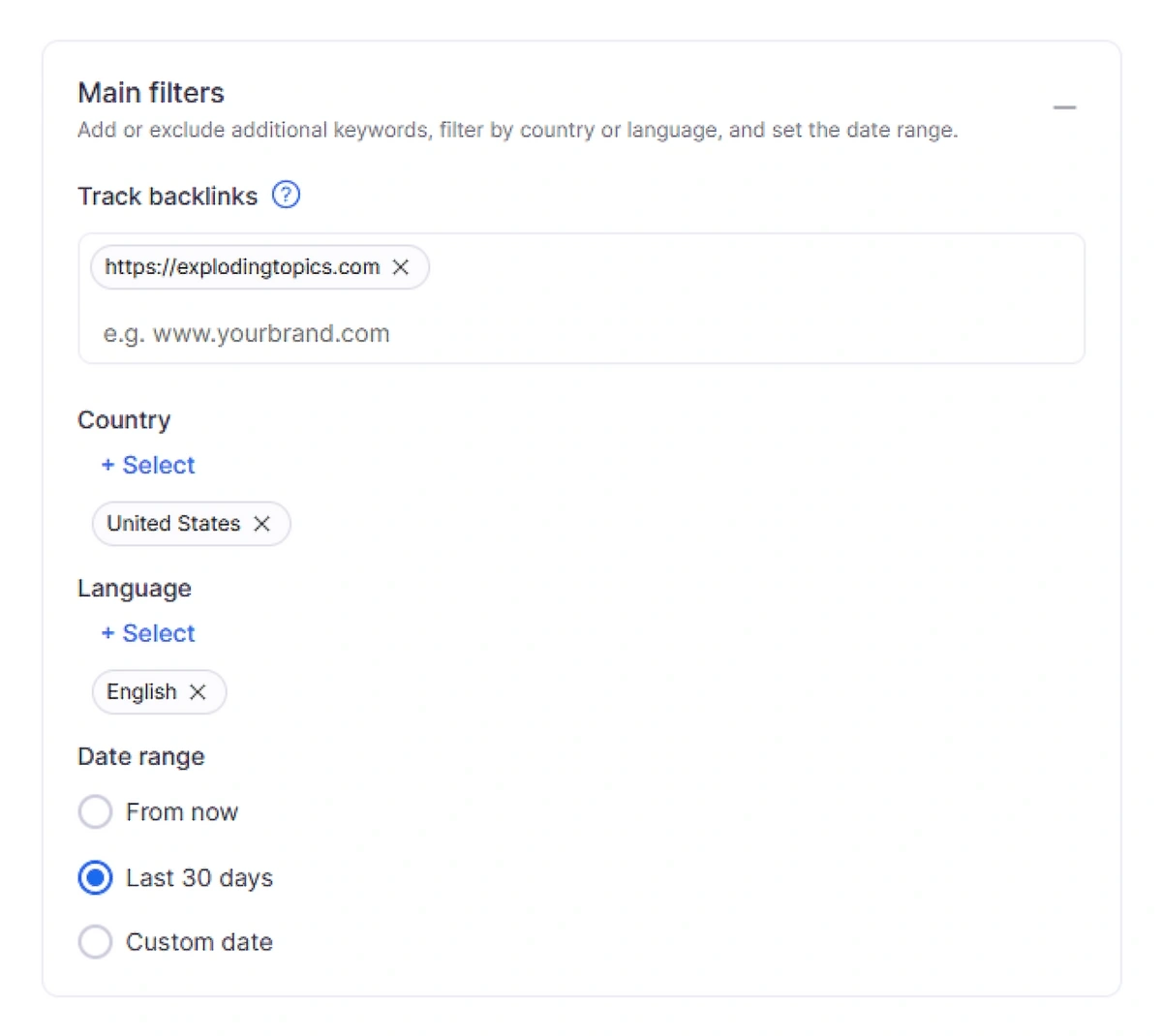
Next, set your main filters. This includes:
- Your brand URL, so you can locate backlinks
- The countries you want to include in your search
- The languages you are targeting
- The date range you want to find brand mentions from
Before creating your query, you’ll need to include the sources you want to search. The Brand Monitoring app allows you to choose online sources (news, blogs, and discussions) and social media sites (X, Facebook, Instagram, TikTok, and YouTube).
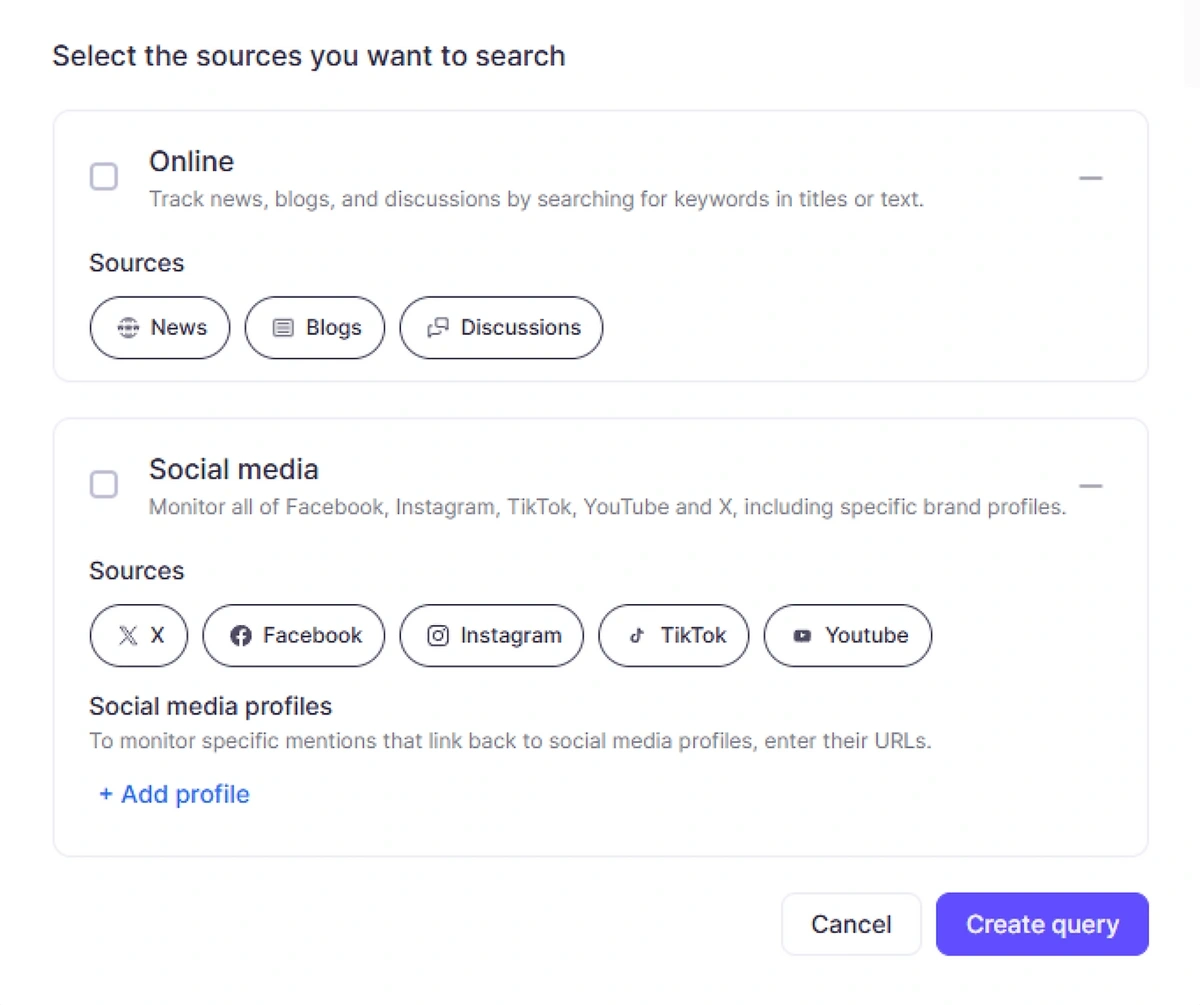
After adding your preferred sources and including social media profile URLs, click “create query.”
From there, you’ll see a list of relevant brand mentions that match your criteria.
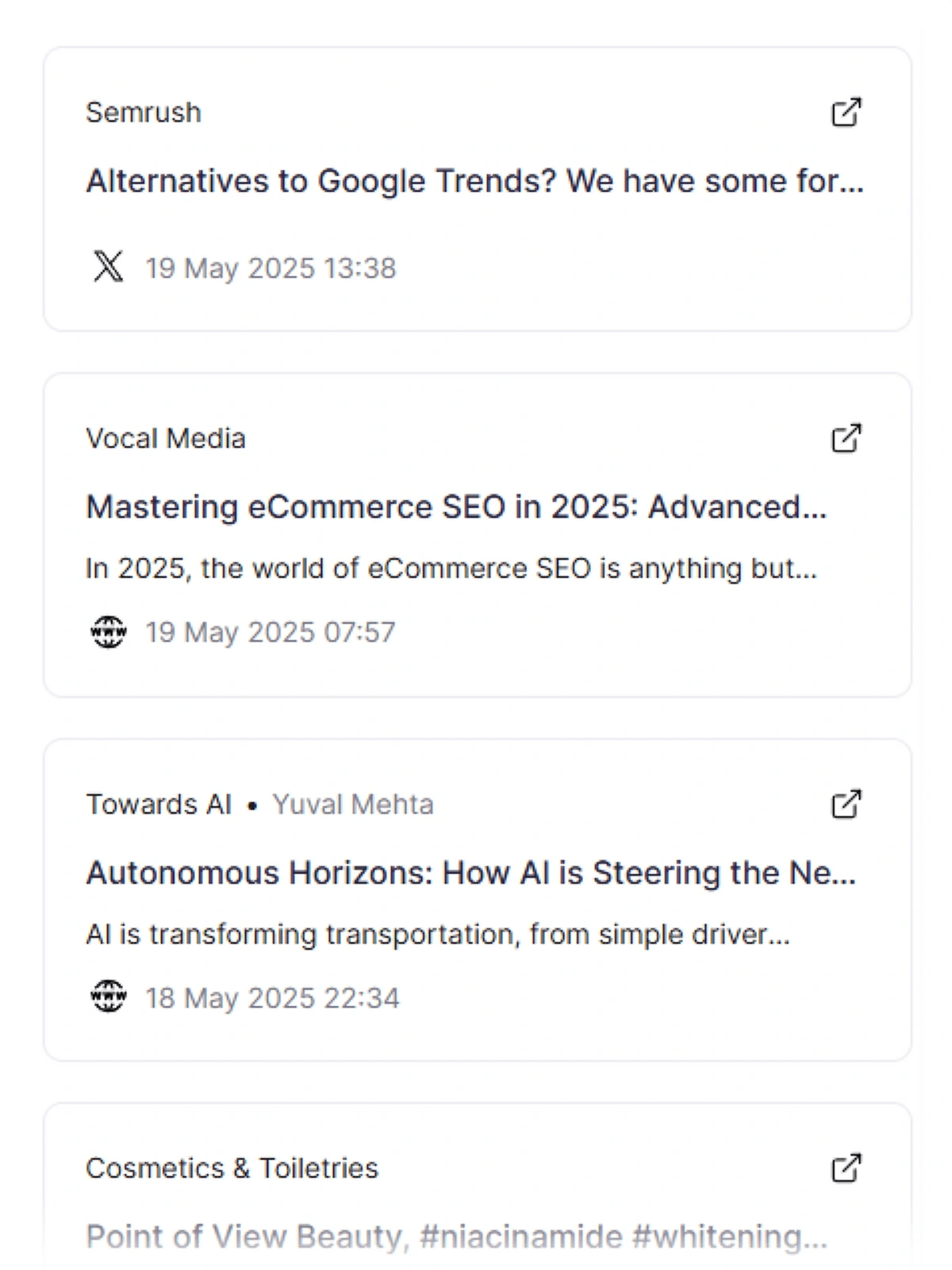
Each brand mention includes the source with a link, the title, and the platform or media type.
If you want to get an alert each time your brand receives a new mention, set up email notifications for daily, weekly, and monthly digests with detailed breakdowns of your brand mentions.
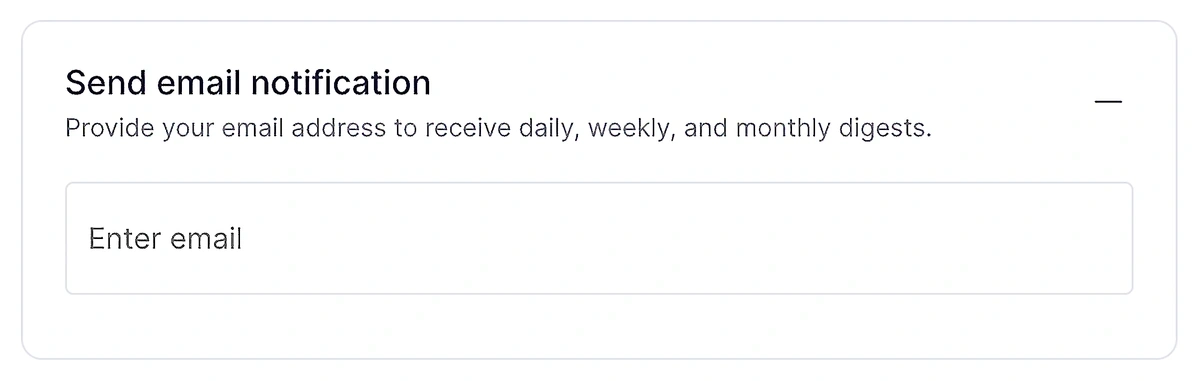
You have the option to set up multiple alert types, including:
- New mentions: Receive a notification anytime the app finds a new mention for your brand
- Negative sentiment: Receive a notification whenever the app detects a new brand mention with negative sentiment
- Increased coverage: Receive a notification if the app identifies an unexpected spike in brand coverage compared to your average number of mentions
This automates your brand mention monitoring, meaning you don’t need to regularly set up alerts or locate new brand mentions on your own.
Everything is tracked in the analytics dashboard. The Analytics tab presents clear charts showing key metrics like total mentions, mentions with backlinks, estimated reach, and website traffic.
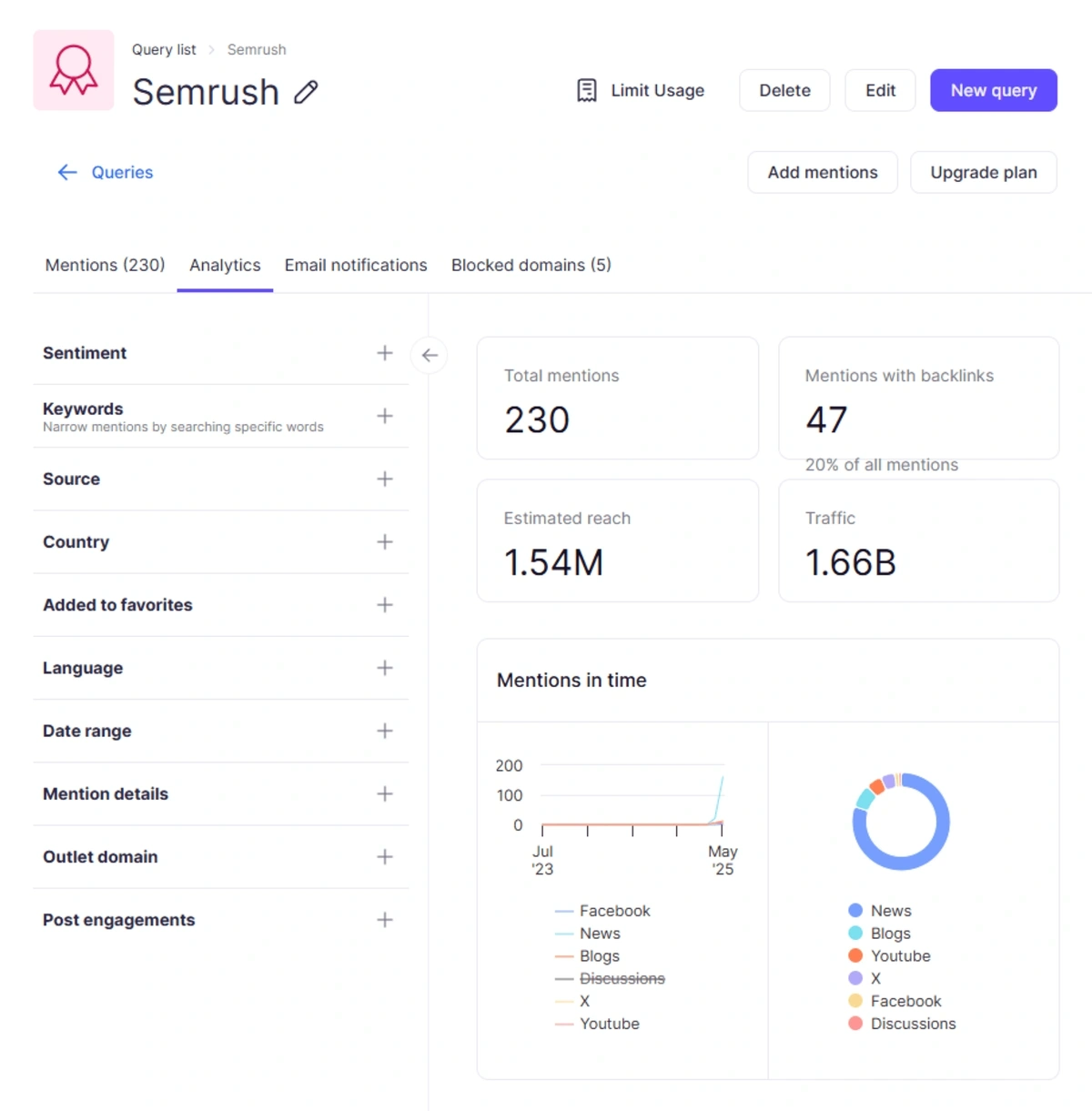
You can create more detailed reports with specific data points using filters, such as sentiment or source. For instance, if you wanted to review only negative sentiment mentions on social media, you could choose these filters to generate this report for further review.
How to Add Brand Monitoring to Semrush
All existing Semrush users can quickly add Brand Monitoring to their account through the App Store. Here’s how:
- Step 1: Log into your Semrush account.
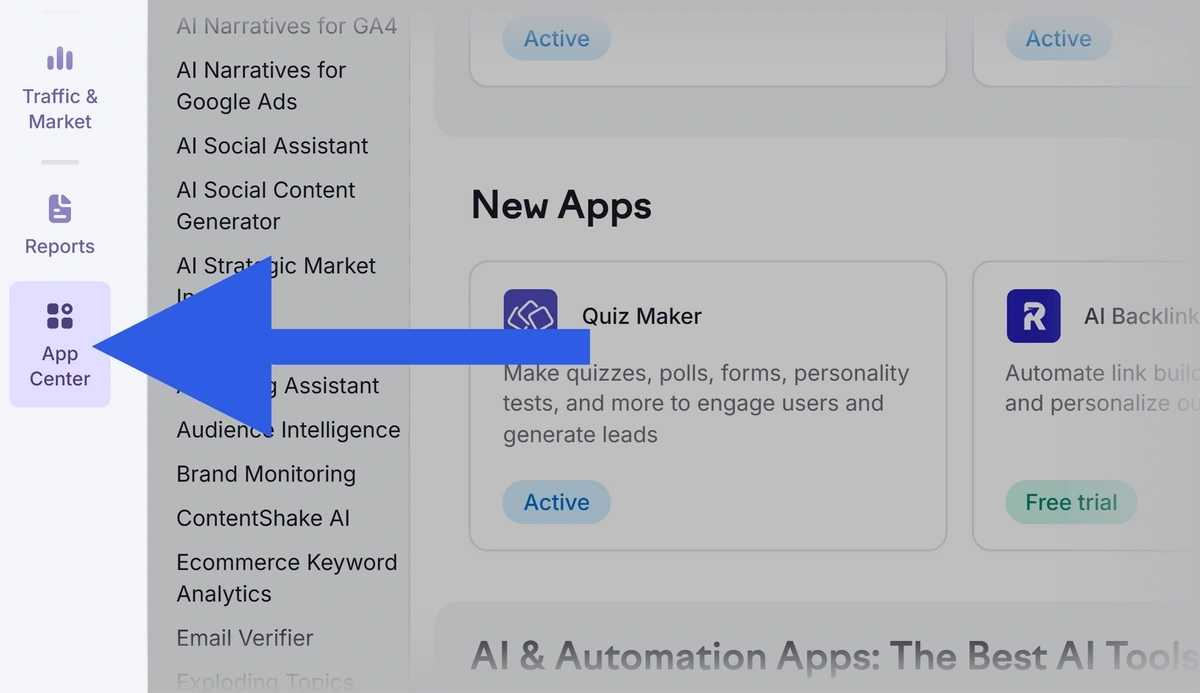
- Step 2: Click “App Center” in the left toolbar.
- Step 3: Click "SEO" to filter the apps and find "Brand Monitoring".
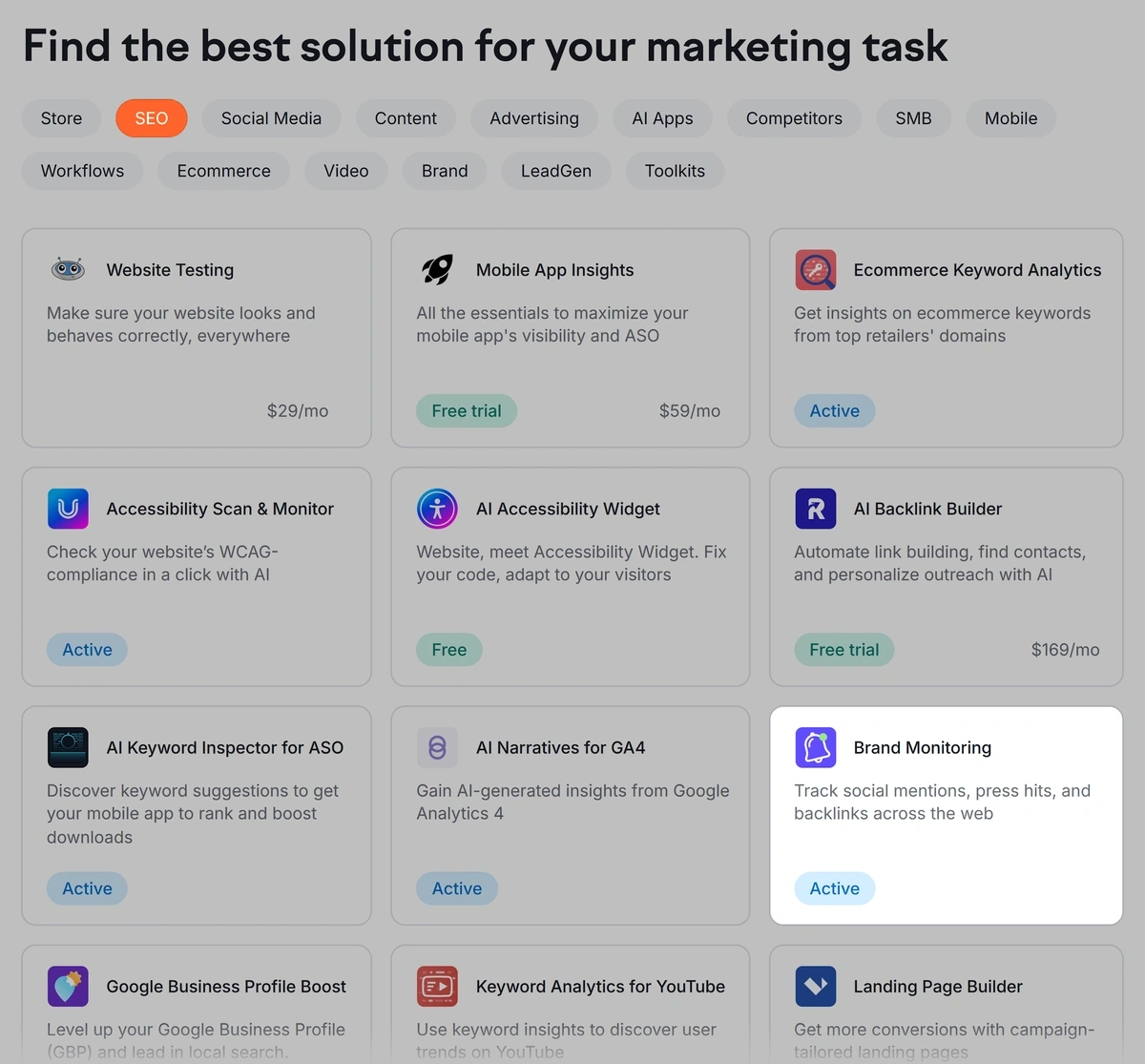
- Step 4: Select the app and click “Get for free” or “Get free trial.”
- Step 5: Follow the prompts to add it to your account.
- Step 6: Click “Go to app” to get started.

Alternatives to Semrush Brand Monitoring
You can also use Exploding Topics to learn more about brand sentiment.
While Exploding Topics is most commonly known as a trend-spotting tool, it offers some detailed insights into how people perceive your brand.
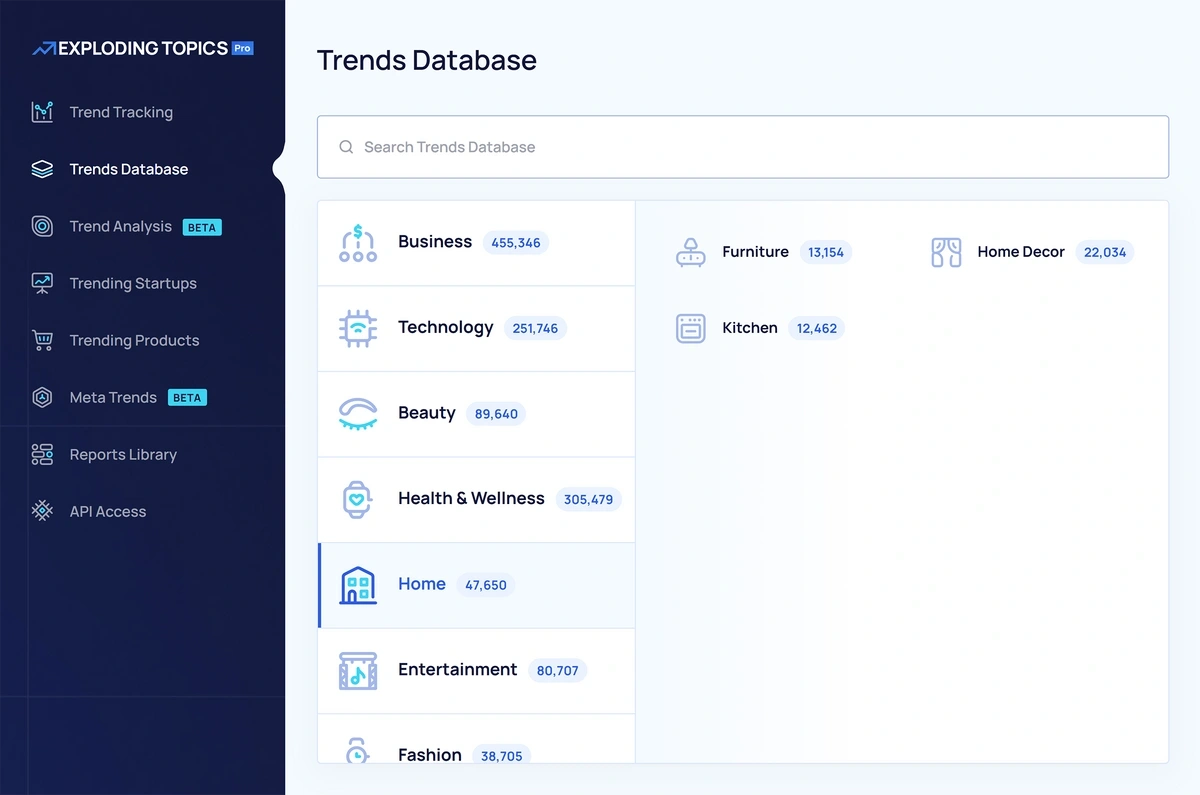
If you need social listening without social media management, Exploding Topics will be a good fit.
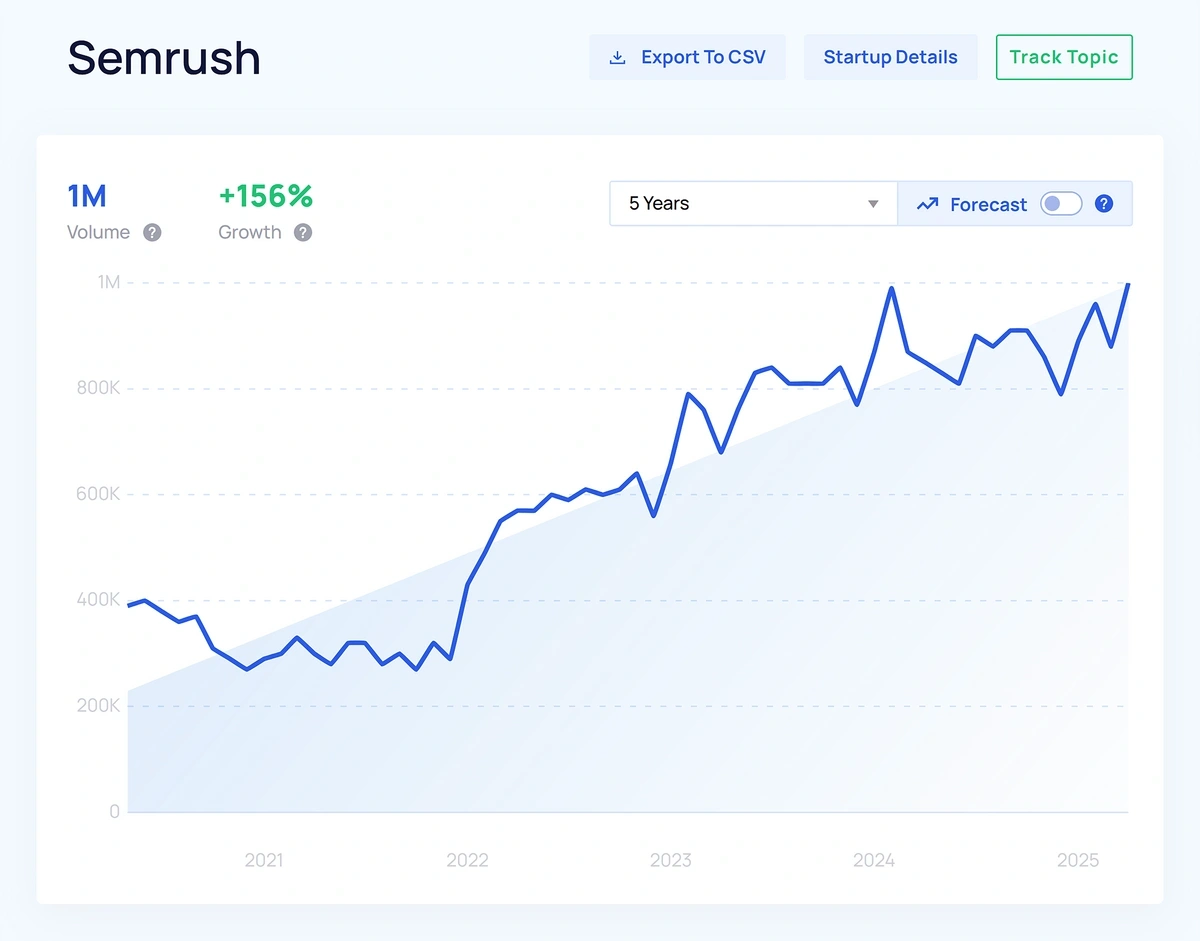
You can enter any brand name in the Trend Analysis tab. First, you’ll see a search growth chart with estimated search volume.
Second, you can scroll down to find more about the brand. There are three main boxes to review:
- About the Topic: A topic or brand summary
- Channel Breakdown: A list of channels and the topic’s activity or interest level on each
- Key Indicators: More detailed metrics like topic sentiment, growth over time, volatility, etc.
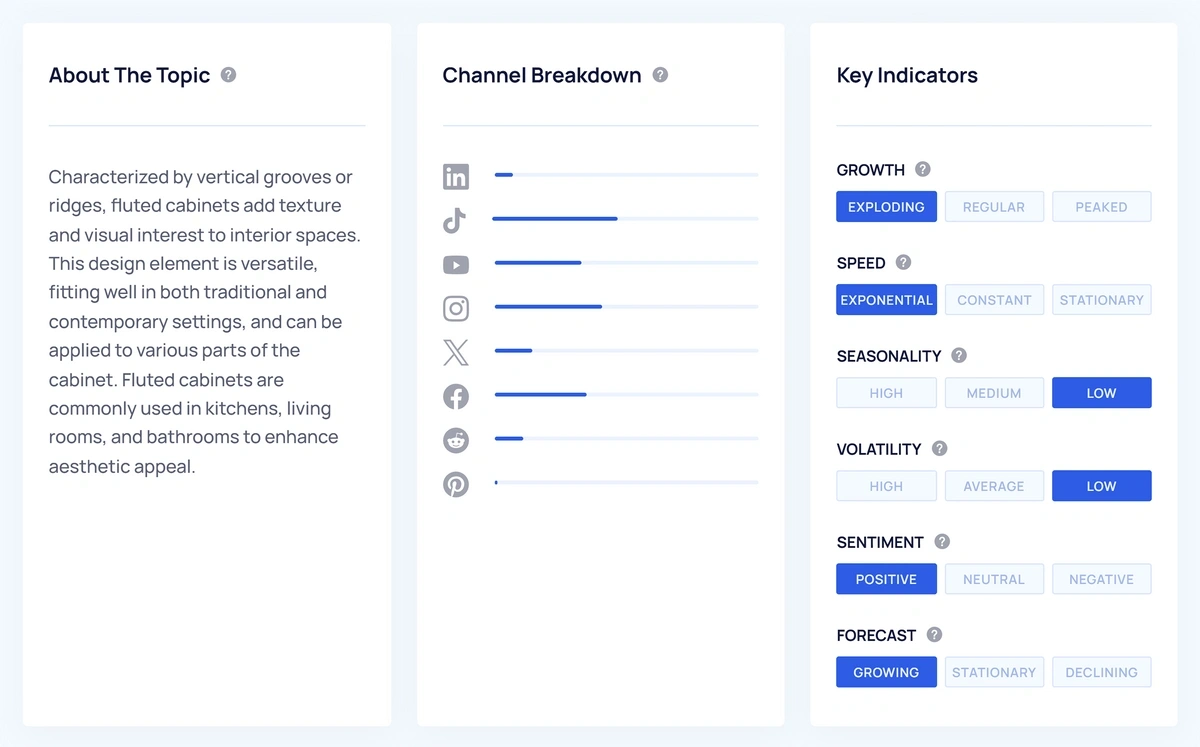
Exploding Topics can help you determine:
- Whether search interest in your brand is on the rise or decline
- Where your current brand sentiment stands
- Which channels your brand gets the most mentions on
2. Track Brand Mentions in AI
AI platforms have turned into full-fledged marketing channels of their own. There are millions of users chatting with Claude, ChatGPT, Gemini, DeepSeek, and other AI tools every day, representing a massive opportunity for brands to show up in generated answers.
Unlike other parts of the web, the challenge is that you can't track AI brand mentions manually. You need a tool like Semrush One which includes both traditional SEO features along with the AI Visibility toolkit.
You just need to provide your domain name and the tool will automatically find a prompts your audience is likely to be using during AI chats.
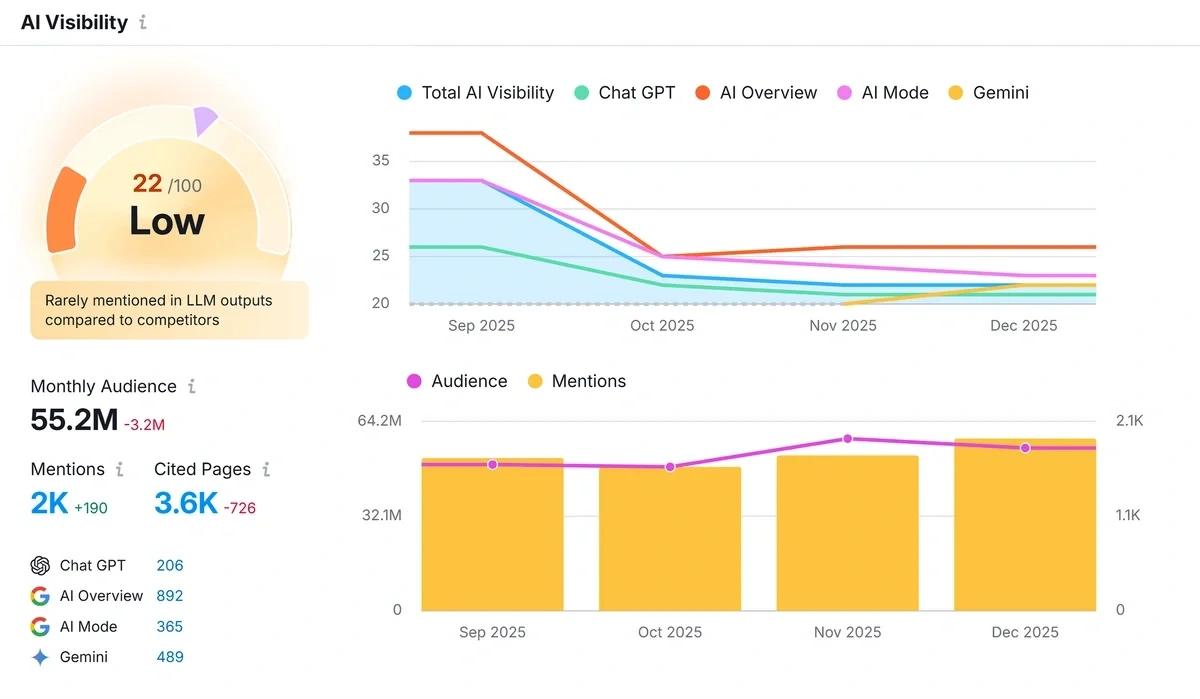
The tool tracks your mentions and citations across popular AI tools like ChatGPT, Gemini, Google AI Overview, and Google AI Mode.
You can also see exactly the prompts where your brand is owning strong positions in and find the gaps where you're currently not mentioned.
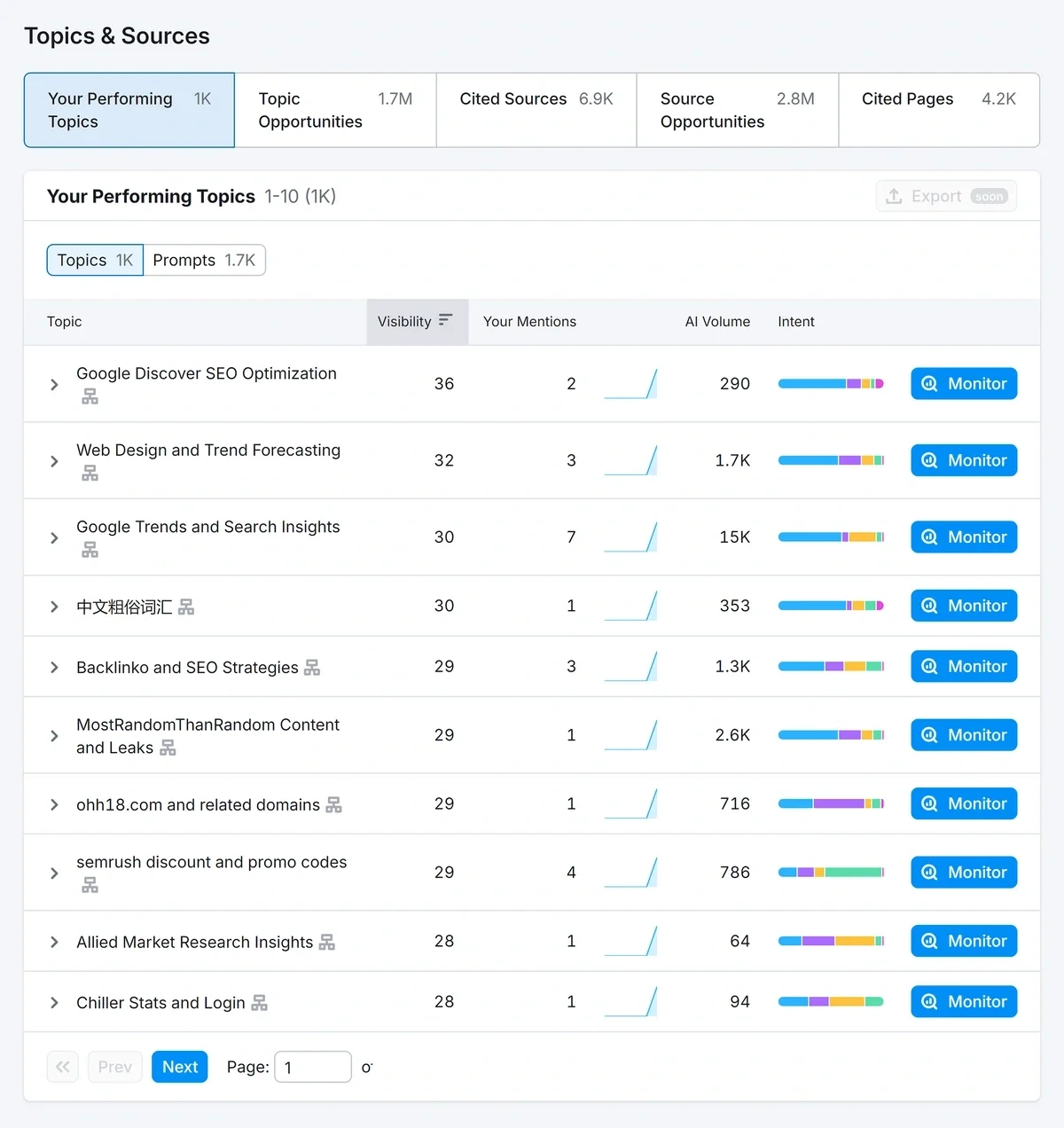
It's a powerful way to monitor your mentions at the prompt and AI answer level.
You can:
- Identify the prompts you're already dominating and maintain associated content for continued visibility
- Discover brand mention opportunities you're missing but which your competitors are owning
- Find target topics your audience is interested in for increased mentions and visibility
And since the tool also estimates the volume of prompt queries, you can focus your attention on the high-volume prompts representing popular queries in AI chats.
Getting mentioned in the responses to these prompts can make a strong impact on your overall AI visibility.
The AI Visibility Toolkit also enables you to track other aspects of your brand performance in AI channels.
For example, the AI perception report compares how strong your sentiment is in AI answers as compared to your main competitors.
Because it's not enough to simply grow your AI brand mentions. You also need to get AI to speak of you favorably, with strong sentiments so consumers can also gravitate toward your business for their needs.
The time series chart makes it super convenient to analyze changes in your AI perception over time as opposed to your competitors.
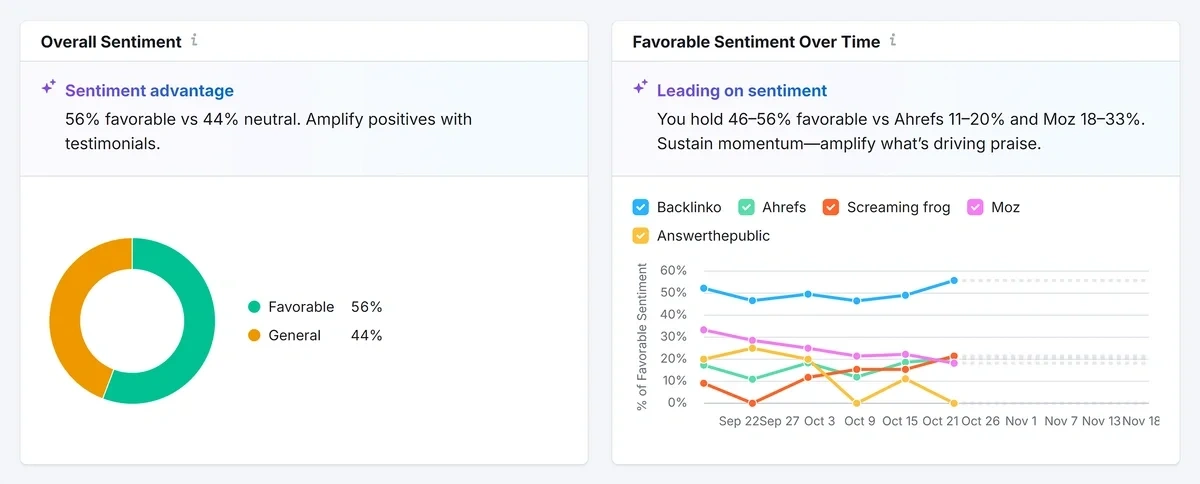
I recommend using all the features of the AI Visibility toolkit to comprehensively track your mentions, citations, sentiment, and the features and benefits you're being recommended for by AI tools.
3. Monitor Review Sites and Forums
Forums like Reddit are where real, authentic conversations about brands happen. But manually sorting through thousands of comments per day on these sites is nearly impossible.
The best way to extract brand mentions is by using a social listening tool.
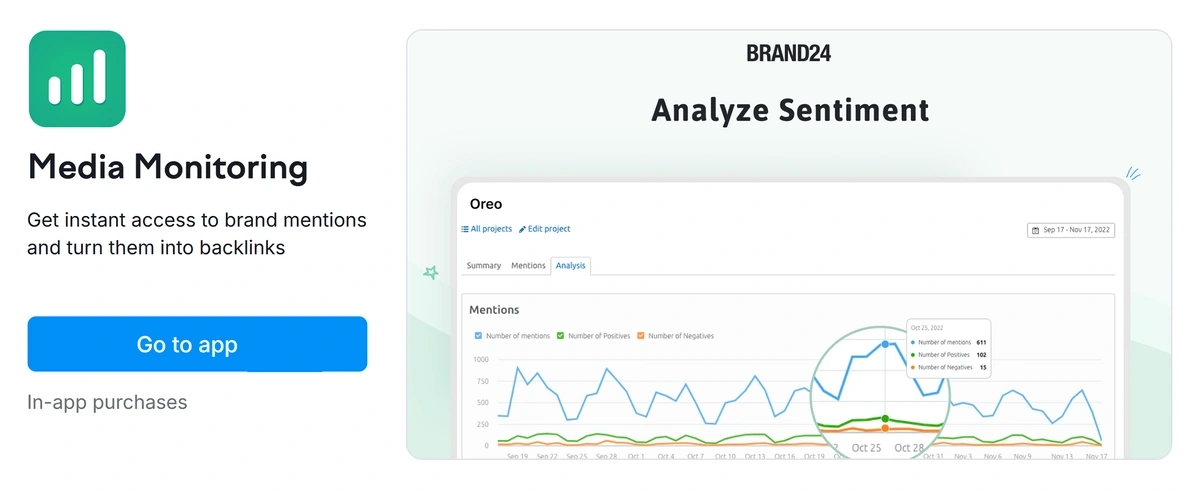
The Semrush Media Monitoring app allows brands to monitor mentions across dozens of platforms, including forums and community sites like Reddit, Quora, GitHub, and other niche sites.
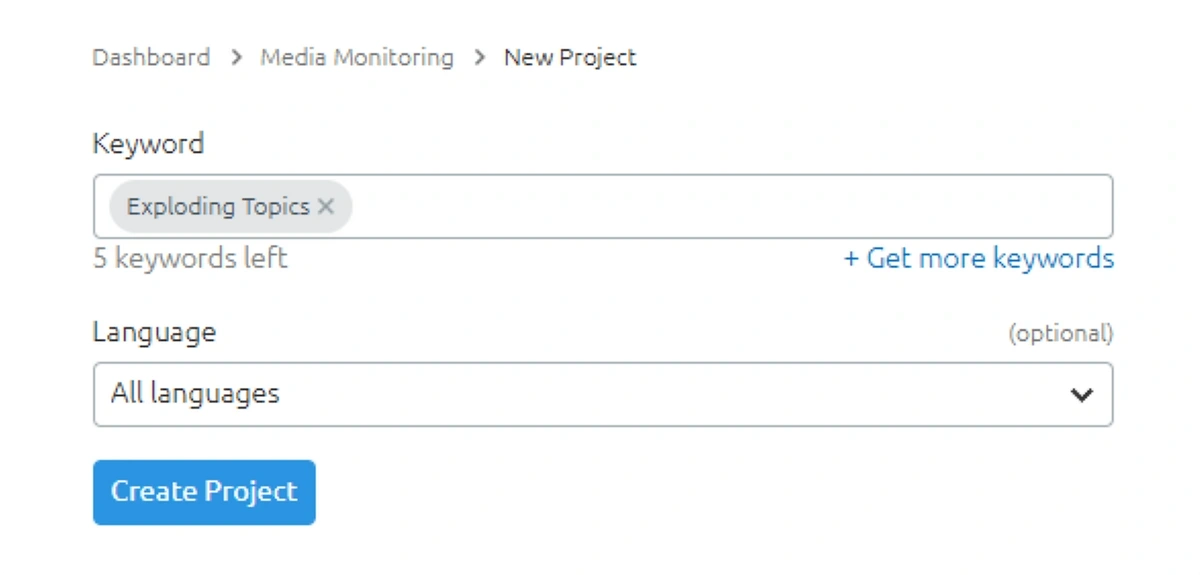
To get started, click “New project” to enter new keywords or your brand name. Choose the preferred language for your search, too.
Click “Create Project” to generate results.
Once you run your report, there are three tabs to explore.
- Summary: Displays a complete overview of mentions for up to two months, highlighting total mentions, and a Presence Score based on mention volume and reach
- Mentions: Lists all mentions with filters for category, sentiment, and importance, allowing you to view posts in their original format
- Analysis: Provides charts showing mention trends, sentiment, Presence Score, reach, and influential websites, plus a report on frequently shared links
The filters are specific and easy to adjust. Go to the “Mentions” tab and review the “Categories” on the right side of the screen.
To see forum results only, choose “Forum”. Click “Apply filters” to generate new results.
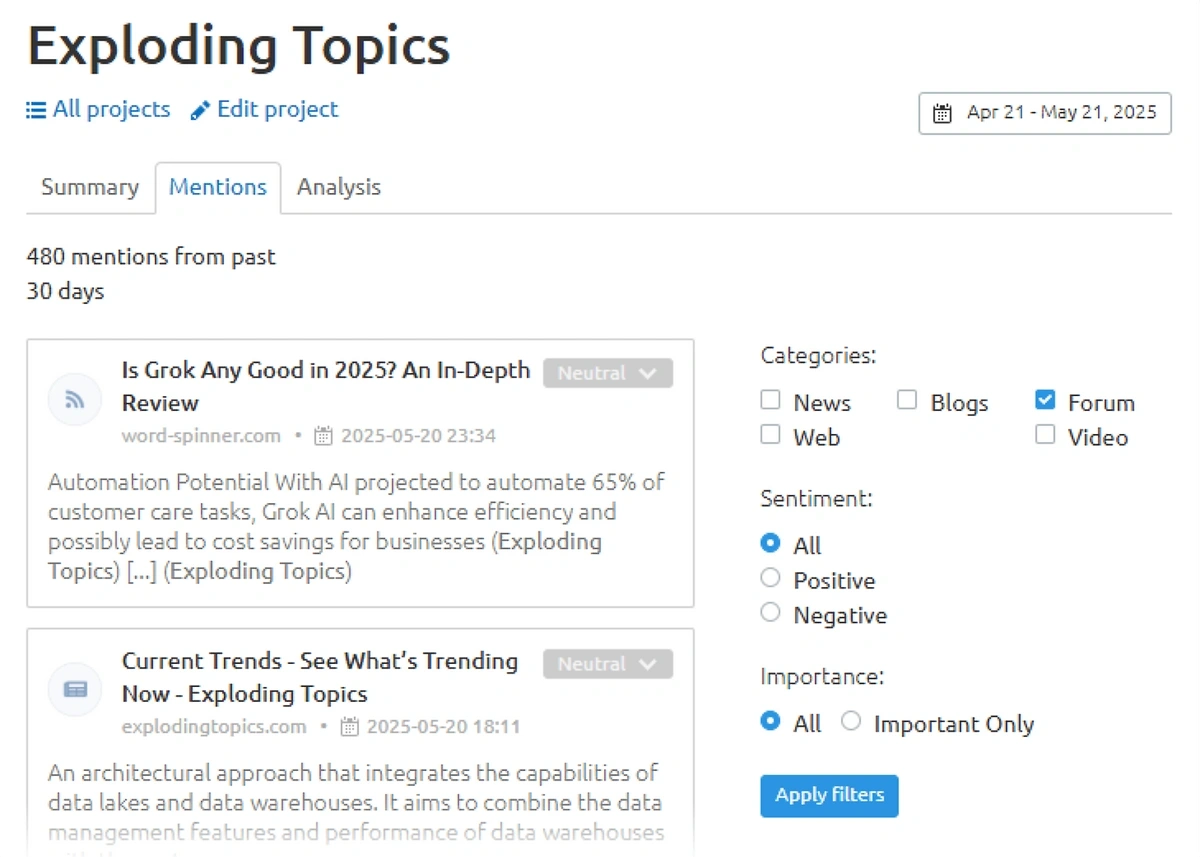
You could also change the results to show only positive or negative sentiment mentions. Additionally, the tool can filter mentions by importance.
On the “Analysis” tab, you can create a complete overview of your brand mentions.
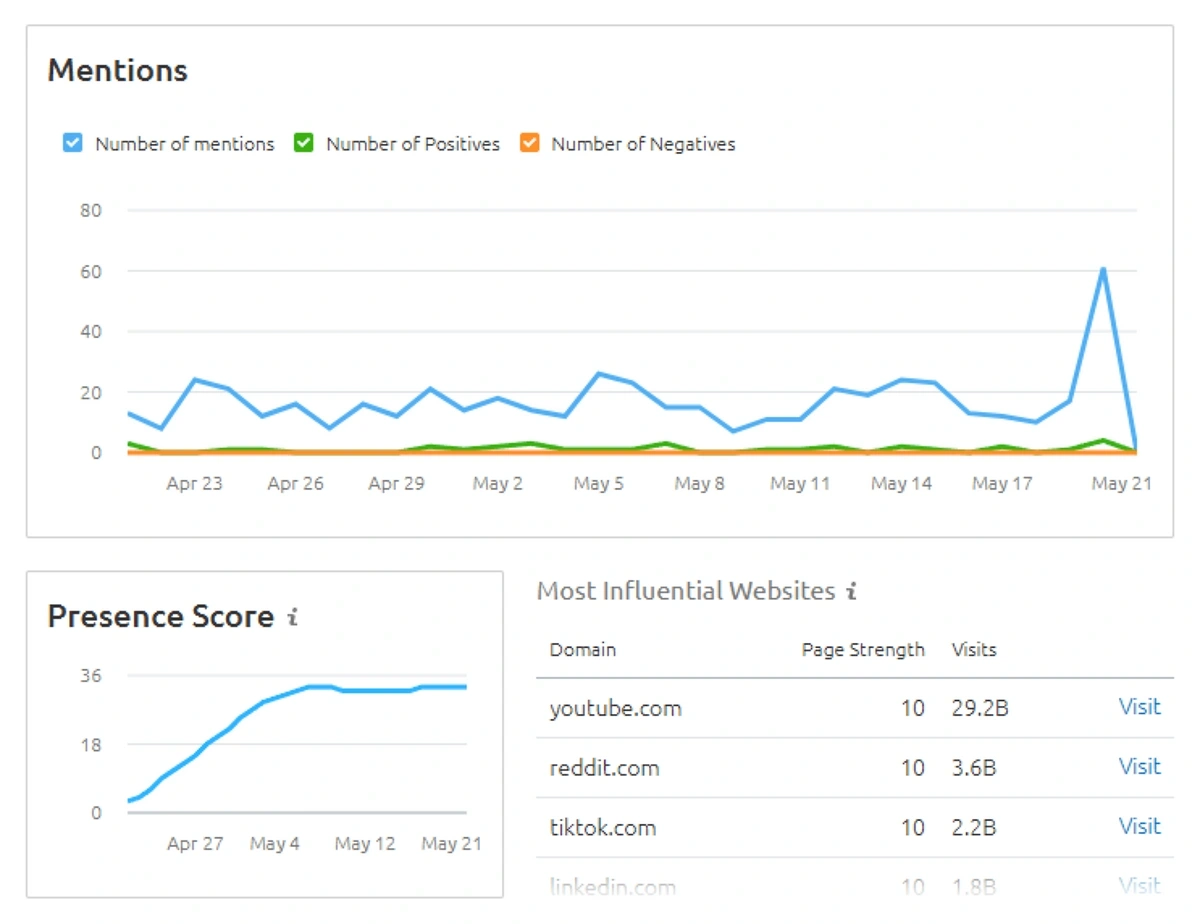
It tracks:
- Number of mentions
- Sentiment (positive, negative, or neutral)
- Presence Score (a measurement of your brand’s impact, from 1-100)
- Estimated reach based on impressions
This feature also highlights the most influential websites mentioning your brand, ranked by Page Strength (audience size) and estimated monthly visits.
The “Links shared in conversation” report identifies frequently shared links in posts, helping you understand which URLs are driving discussions about your brand.
Similar to the Brand Monitoring app, users can set up recurring daily, weekly, or monthly email reports. This will include new mentions and key metrics (such as minimum reach, maximum reach, and Presence Score).
Want to Beat Your Competition?
Find out who’s linking to them and build a better backlink strategy.
4. Analyze Your Backlink Profile
Relying solely on PR and social listening tools to track brand mentions might leave gaps, as these methods can often miss mentions embedded in links to your site.
In many cases, you can find loads of brand mentions right in Semrush by reviewing your backlink profile. Skipping this step could result in you overlooking authoritative sources discussing your brand.
Semrush’s Backlink Analytics tool addresses this by identifying brand mentions within backlinks from blogs, news sites, forums, and social media.
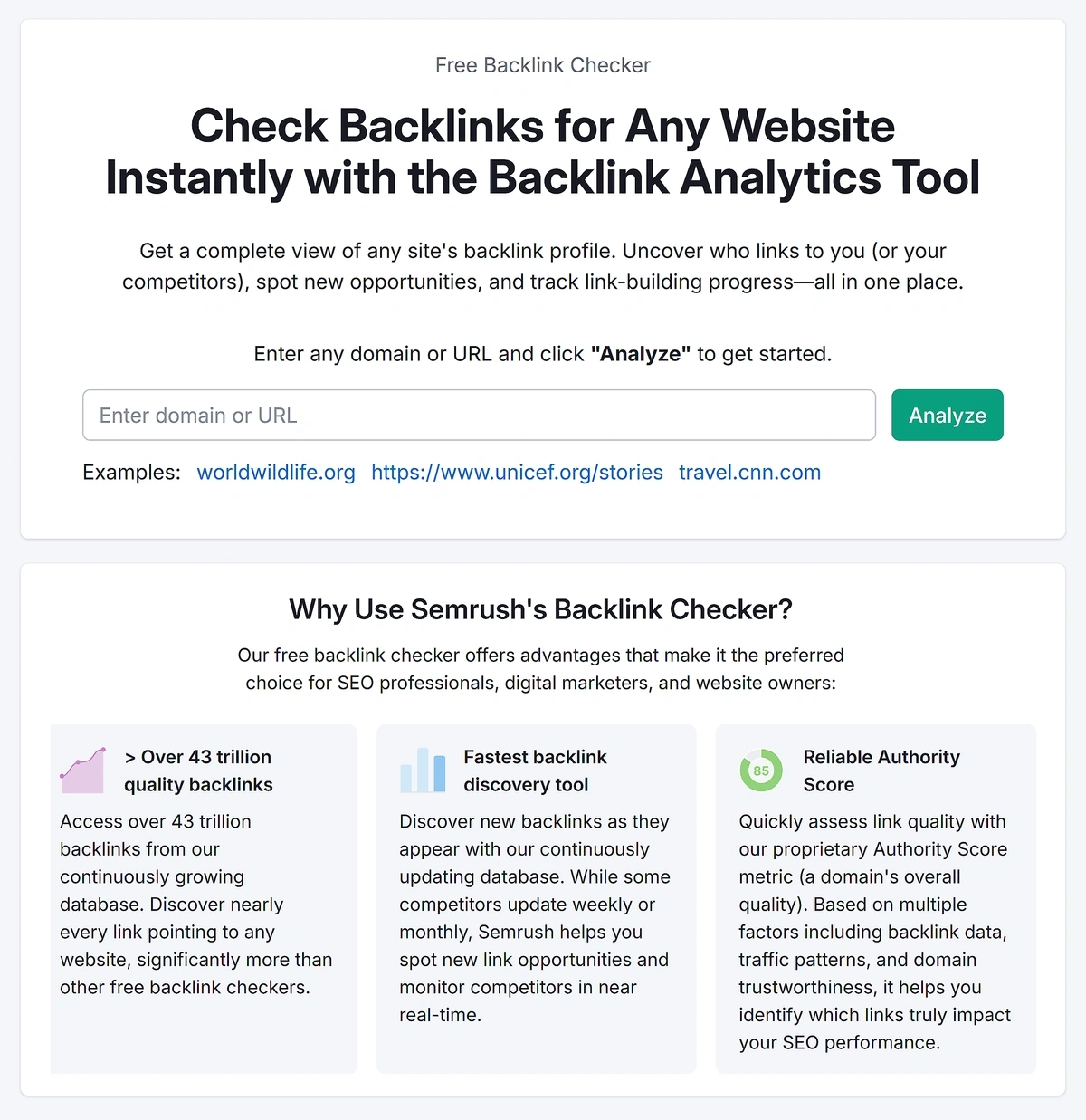
To get started, enter your domain and click “Analyze” to generate a detailed report.
This will take you to an overview of your brand, displaying metrics like Authority Score and Authority Score Trend. Click the “Backlinks” tab to view all of your backlinks with search filters.
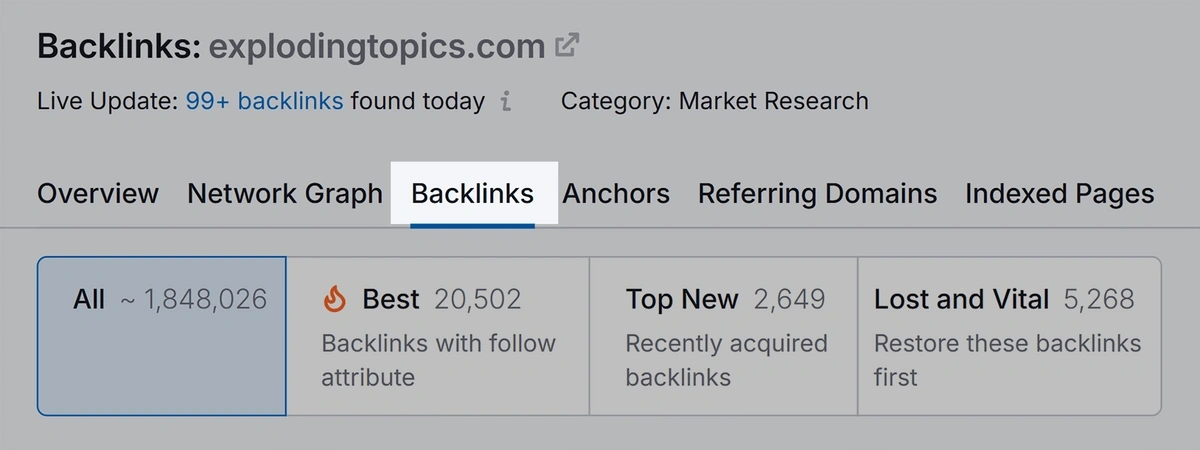
Next, choose to filter by “anchor” and enter your brand name to show all backlinks that reference you directly.
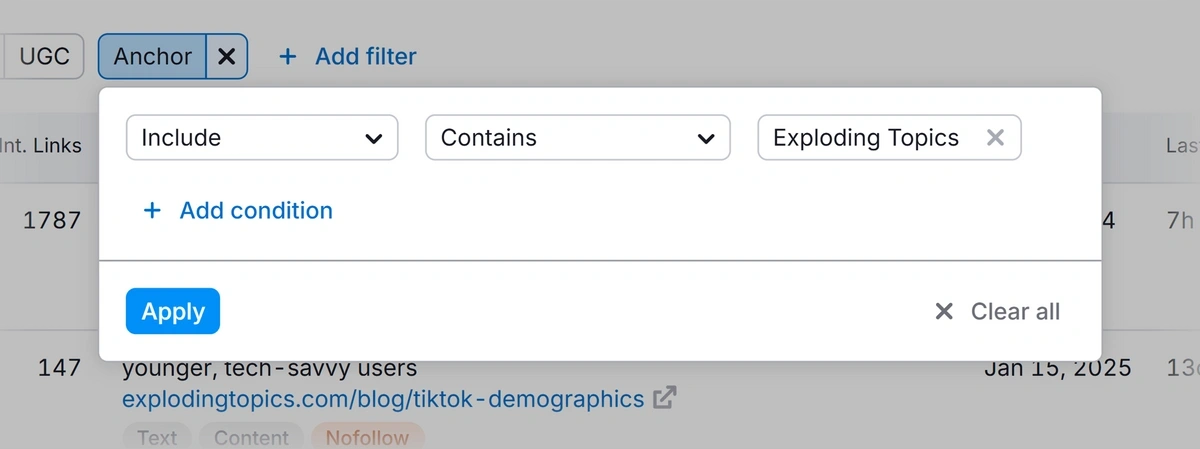
In most cases, backlinks like these are a sign your brand is being discussed as an authority. These are the type of backlinks that help build your brand’s authority, and they’re becoming more important than ever.
If you look at Exploding Topics’ backlink profile, you’ll notice there are a ton of links that come from authoritative sources who directly reference us by name:
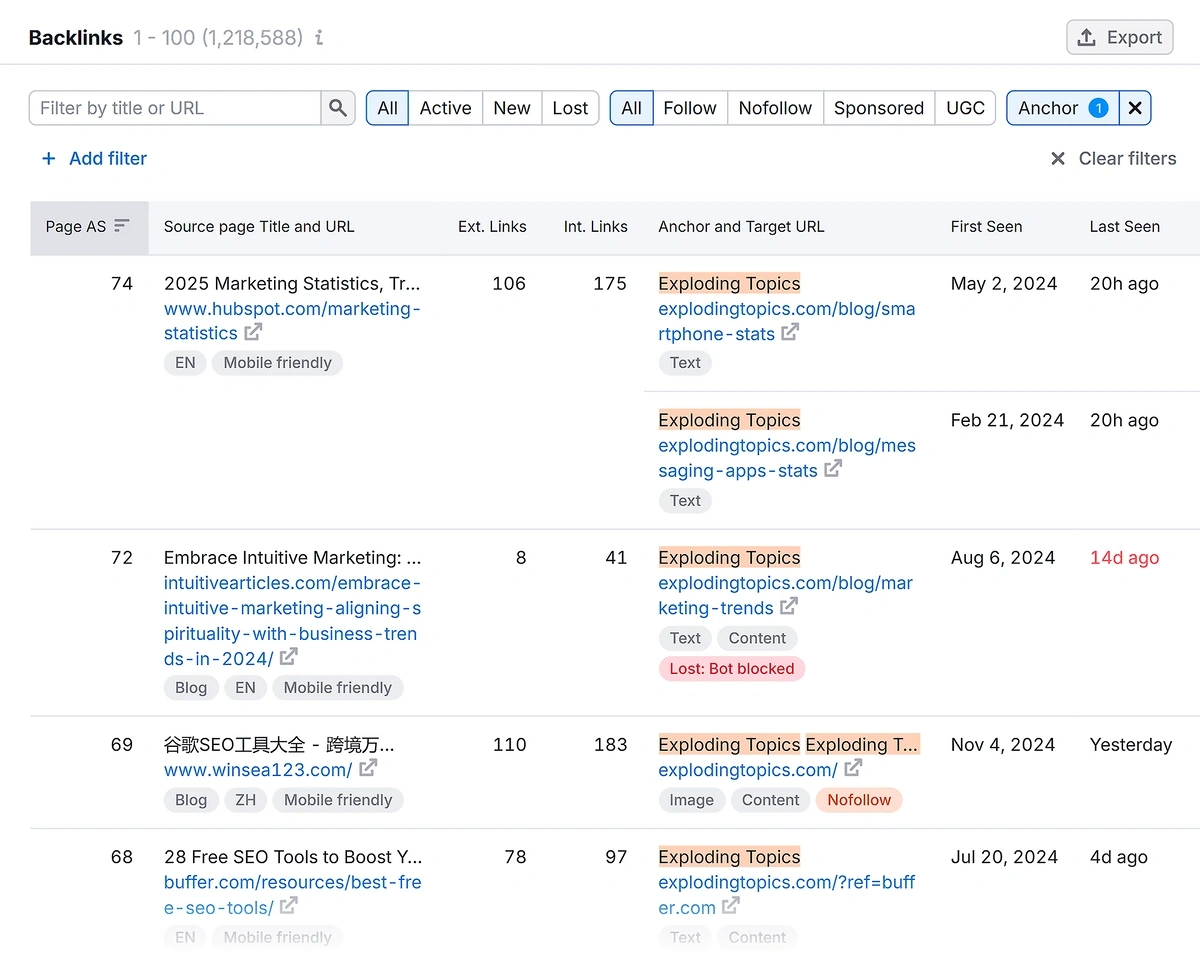
As Brian Dean said to me, “Google rewards real brands the internet would miss if they lost their search traffic.”
The more people talk about your brand online, the more likely it is that you’ll rank well in Google and drive significant traffic.
5. Set Up Manual Brand Mention Alerts
If you'd prefer to save on tools that automate the process, you can manually track brand mentions across the web using Google Alerts.
This free tool monitors web content, such as news sites, blogs, and other indexed pages, and sends email notifications whenever your brand name appears in new content.
While this can be a useful tool to stay up to date on your brand mentions for free, it requires manual effort to set up, and you’ll need to analyze the sentiment and context of each mention yourself to understand what people are saying.
In Google Alerts, enter your brand name in the search bar. Use quotes (e.g., “Your Brand”) for exact matches to minimize irrelevant results, such as incorrect spellings or phrase matches.
For example, here’s how Exploding Topics would set up Google Alerts to monitor brand mentions.
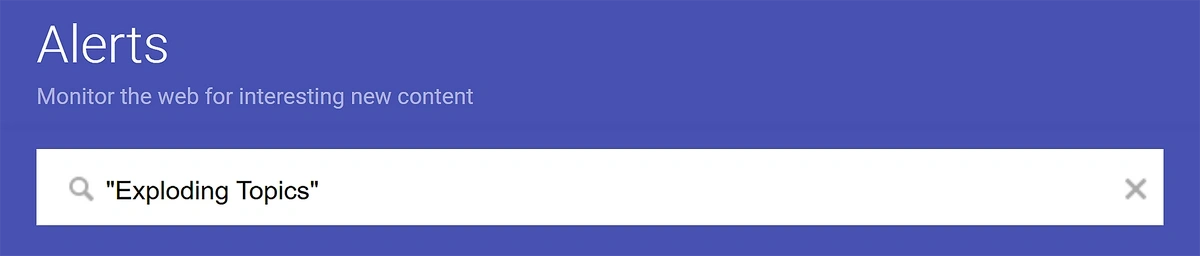
After entering your brand name, you’ll be prompted to enter your email if you have not signed in to your Gmail account yet.

Despite being a simple method for brand mention monitoring, Google Alerts offers some advanced features. Click “Show options” to view additional settings.
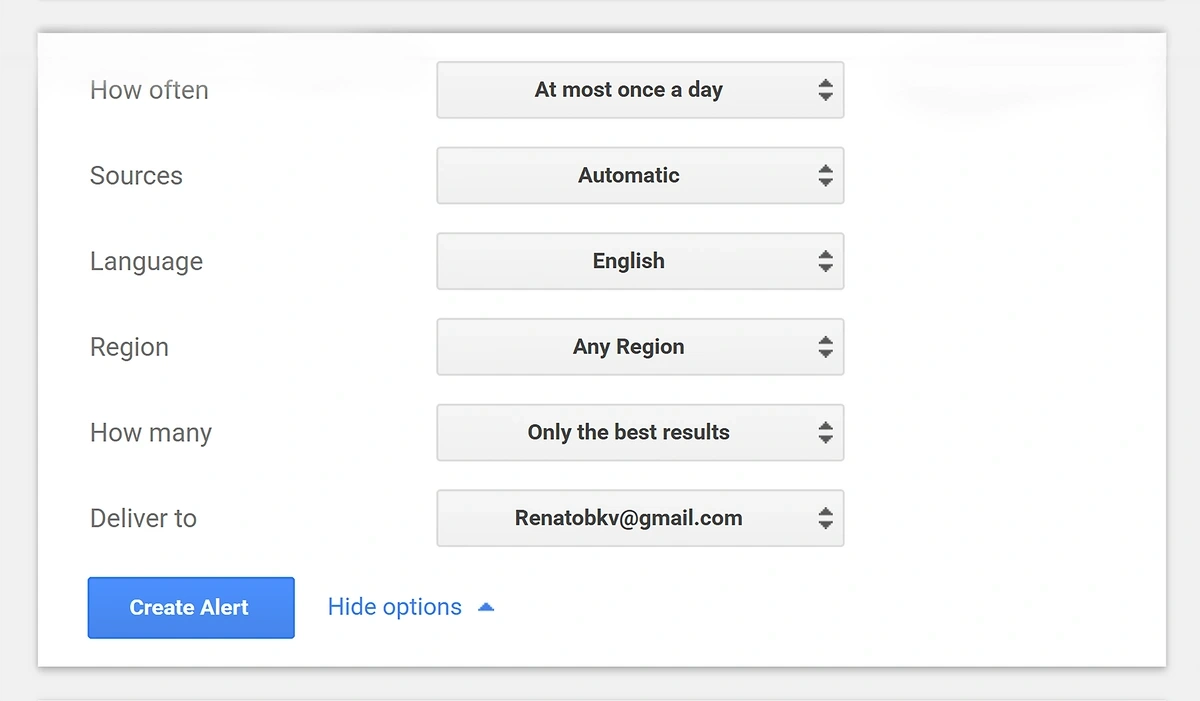
You can adjust your alerts based on:
- Frequency: Choose “As-it-happens,” “Once a day,” or “Once a week” for notifications
- Sources: Select “Automatic” or specify sources like news, blogs, video, or web
- Language: Set to your target language or “Any Language” for global monitoring
- Region: Choose a specific country or “Any Region” for broader coverage
- How Many: Select “All Results” or “Only the Best Results” to filter quality
- Delivery Method: Choose to get alerts via email or as an RSS feed.
Once you choose your settings, click “Create Alert” to activate it.
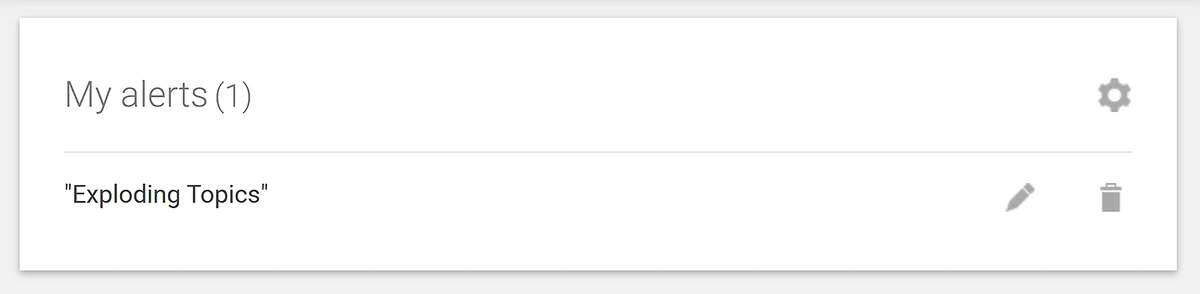
Set up additional alerts for variations of your brand name, common misspellings, or related keywords to capture a wider range of mentions.
It’s possible to create up to 1,000 alerts per Google account. You’ll also receive a confirmation email with your Google Alert details.
Since Google Alerts is free to use and easy to set up, it's an excellent starting point for small businesses or those new to brand monitoring. For example, a local bakery could set up alerts to catch a blog post praising their new pastry line or a news article covering their community event.
However, since Google Alerts doesn’t analyze sentiment or context, you’ll need to manually review each mention to determine if it’s positive, negative, or neutral and assess its impact.
This can be extremely time-consuming, and Google Alerts will miss social media posts and non-indexed content. It works best as a supplement to automated tools like Semrush and Exploding Topics for more thorough insights.
Improve Your Brand Mention Monitoring Today
If you want to uncover actionable insights from what customers are saying about your brand, avoid the manual approach to tracking brand mentions.
Instead, create a free Semrush account and add the AI Visibility toolkit, along with the Exploding Topics, Brand Monitoring, and Media Monitoring apps to your toolbox to maximize your results.
All three of these apps come with a three-day free trial, allowing you to get a feel for how they work and whether they can provide the data you need.
Stop Guessing, Start Growing 🚀
Use real-time topic data to create content that resonates and brings results.
Exploding Topics is owned by Semrush. Our mission is to provide accurate data and expert insights on emerging trends. Unless otherwise noted, this page’s content was written by either an employee or a paid contractor of Semrush Inc.
Share
Newsletter Signup
By clicking “Subscribe” you agree to Semrush Privacy Policy and consent to Semrush using your contact data for newsletter purposes
Written By


Josh is the Co-Founder and CTO of Exploding Topics. Josh has led Exploding Topics product development from the first line of co... Read more