Exploding Topics
Remineralizing Gum search volume grew from under 100 to 27,100 monthly searches between February 2024 and January 2026.
Remineralizing gum
+5100%
GLP 1 Supplement search volume grew from 5,920 to 74,000 monthly searches between February 2024 and January 2026.
GLP 1 supplement
+1150%
Soursop Bitters search volume grew from 9,900 to 110,000 monthly searches between March 2024 and February 2026.
Soursop bitters
+1011%



Get Advanced Insights on Any Topic
Discover Trends 12+ Months Before Everyone Else
How We Find Trends Before They Take Off
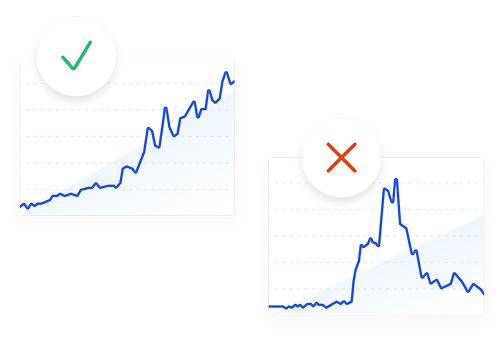
Exploding Topics’ advanced algorithm monitors millions of unstructured data points to spot trends early on.
Keyword Research
Performance Tracking
Competitor Intelligence
Fix Your Site’s SEO Issues in 30 Seconds
Find technical issues blocking search visibility. Get prioritized, actionable fixes in seconds.
Powered by data from
Latest Blog Posts
Featured Case Studies
See what's trending before everyone else
Each week, we'll send you our best Exploding Topics. Plus, expert insight and analysis.
How to Use Exploding Topics: A Quick Start Guide

 Add Exploding Topics on GoogleAdd Exploding Topics as your preferred source to see more of our stories on Google.
Exploding Topics enables you to spot and track trends to inform several aspects of your businesses. Product ideation, marketing strategy, and investment decisions all benefit when you back them with real user data from multiple channels.
To keep all this valuable information at your fingertips, Exploding Topics provides a dashboard with the latest trending topics, products, and startups as well as specific trends you’re tracking.
Whether you’re new to Exploding Topics or an experienced user looking to get more out of it, this quick-start guide will introduce you to everything it’s capable of so you can enhance your business and take advantage of emerging opportunities in your industry.
How Does Exploding Topics Work?
Before I show you how to use Exploding Topics’ available tools, it’s important to understand how it identifies trends.
First, Exploding Topics gathers data from multiple sources across the web, including search engines, social media, podcasts, forums, and e-commerce sites. We recently added GitHub and Kickstarter as additional sources. Diversifying data sources instead of relying only on search performance helps Exploding Topics identify potential growth more accurately.
Information gathering occurs in real time, so Exploding Topics is constantly updating its database with the latest metrics on all the topics it tracks.
Exploding Topics analyzes this data using proprietary machine learning models. They look at historical growth patterns, current growth trajectory, and sudden surges in activity to recognize emerging trends.
The trends found to have the highest growth potential are reviewed by experts from the Exploding Topics team. They add their own insights to these topics to provide more context around what’s driving interest in them.
All of this sets Exploding Topics apart from other trend analysis platforms like Google Trends. Rather than reacting to growth after it’s already happened, Exploding Topics uses its unique combination of AI and human insight to predict trends before they take off, giving you the opportunity to be an early benefactor of growing interest in a topic.
How to Use Exploding Topics: A Quick Start Guide
Using the Exploding Topics dashboard as a launch pad, I’ll walk through each of the features available. In addition to showing you the fast results you’ll get on the dashboard, I’ll also explain how to dig deeper for more detailed trend research.
I’m using the Exploding Topics Pro Business plan, so you’ll see all the paid features available. However, if you’re using a different plan or the free version, you’ll still have access to many of the options I’ve covered.
Catch Early Opportunities With Recommended Trends
When you open the Exploding Topics app, you’ll see the Recommended Trends section of the dashboard.
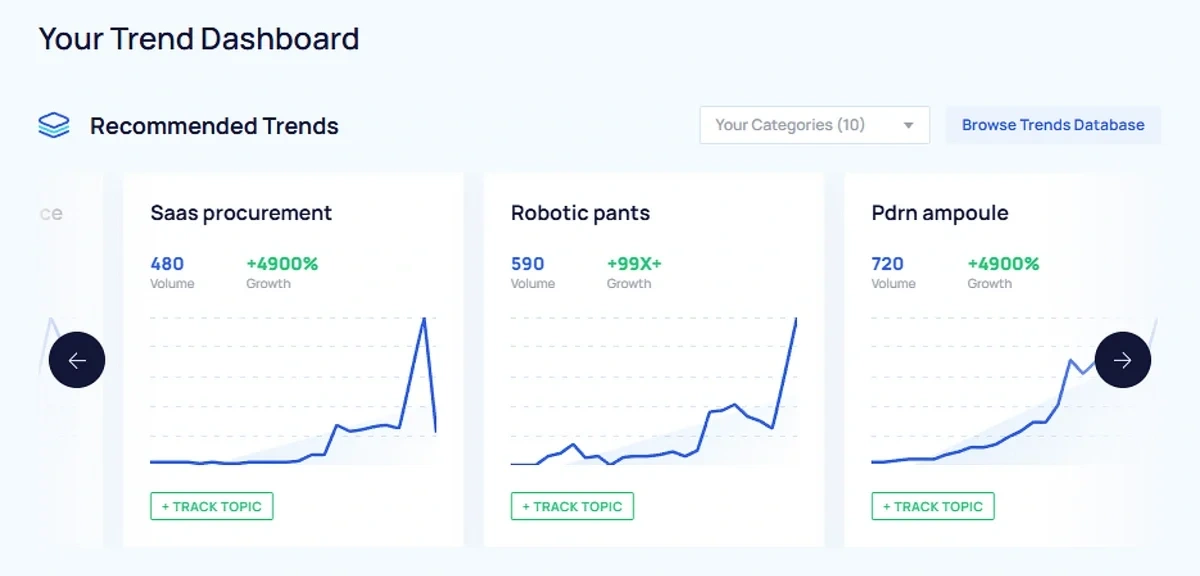
These are trends experiencing significant growth and may represent opportunities for you to expand your brand awareness. If you’re tracking any trends (more on that in a bit), the recommendations shown here are pulled from the same category or categories as the trends you’re watching.
You can also set your preferred category using the Categories dropdown so this section displays the trends that are the most relevant to you.
If you want to explore more topics, click the Browse Trends Database.
Exploding Topics’ Trends Database holds over one million topics, products, and startups curated by a proprietary algorithm and updated daily. Search for topics you’re interested in, or browse by category.
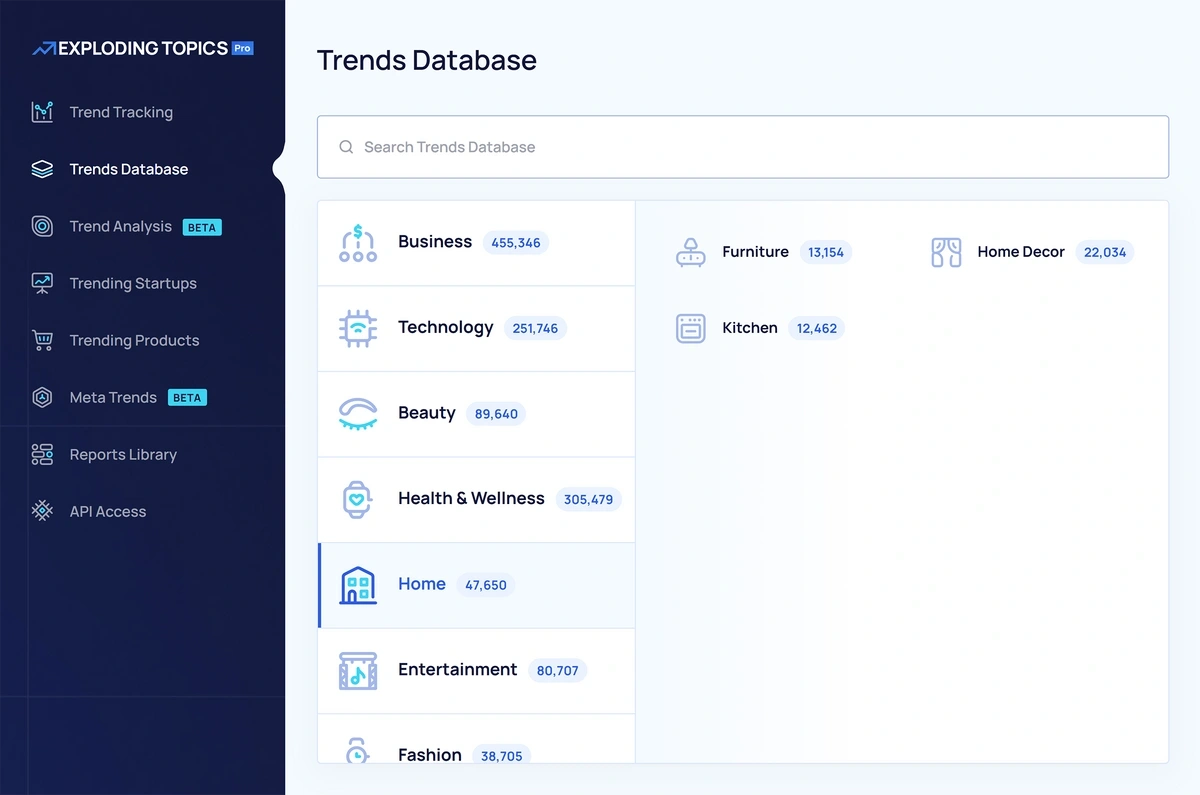
Using the filters, you can further narrow your results by timeframe, growth, type, and volatility.
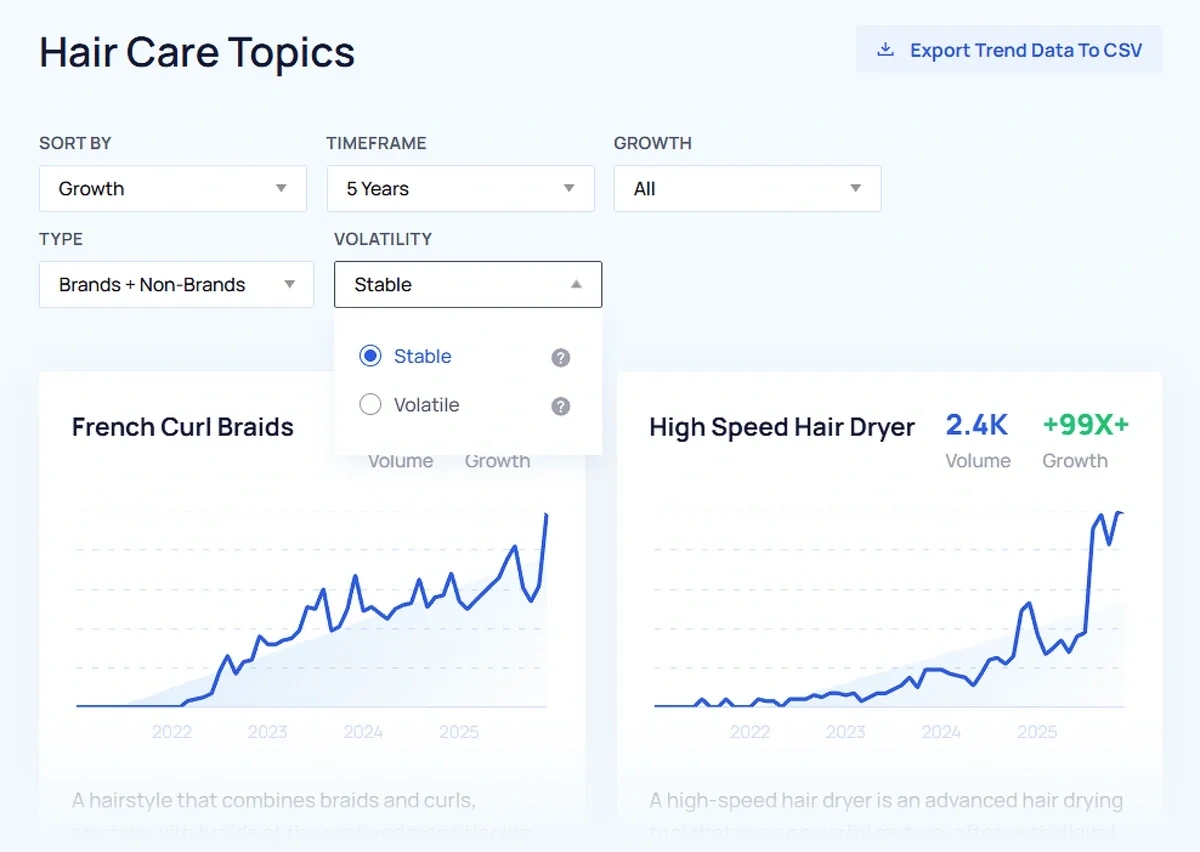
Each listing in the database shows the trend’s Google search volume and growth. Clicking on a trend shows additional information, including its activity by social media channel and its search growth forecast.
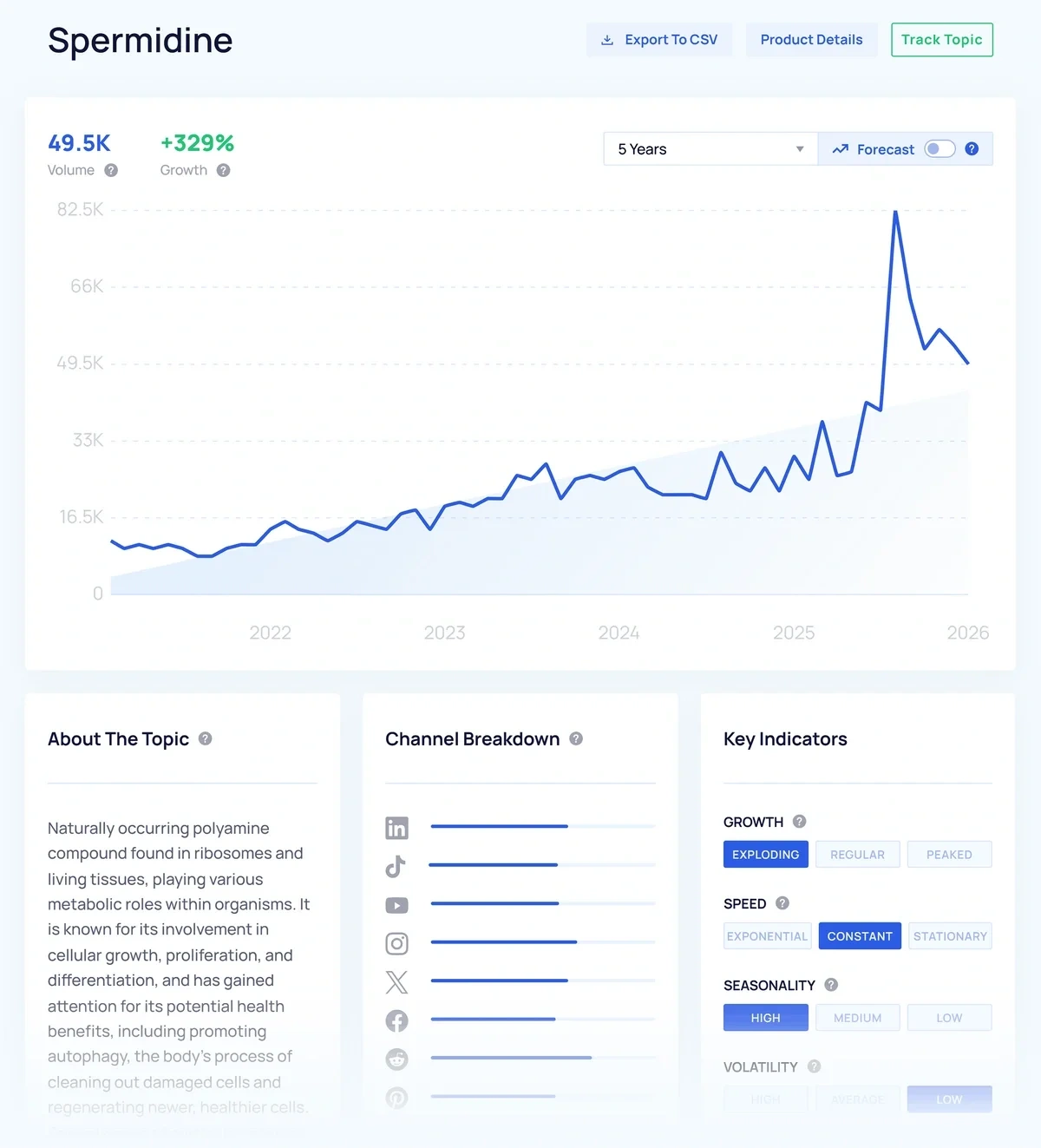
Lastly, you can export trends from the database to a CSV file. This is useful if you want to compare trends or build a strategy that incorporates multiple trends to maximize your brand’s visibility.
Monitor Trends You’re Tracking
Exploding Topics enables you to track trends over time. This is useful if the topic is highly relevant to your niche and you want to monitor it, or if you’ve spotted a topic that’s starting to gain momentum and you want to watch it for growth.
In order to see trends in this section of the dashboard, you need to have first created a project and added topics to it. You can do this by going to the Trend Tracking tool and clicking the Create A Project button.
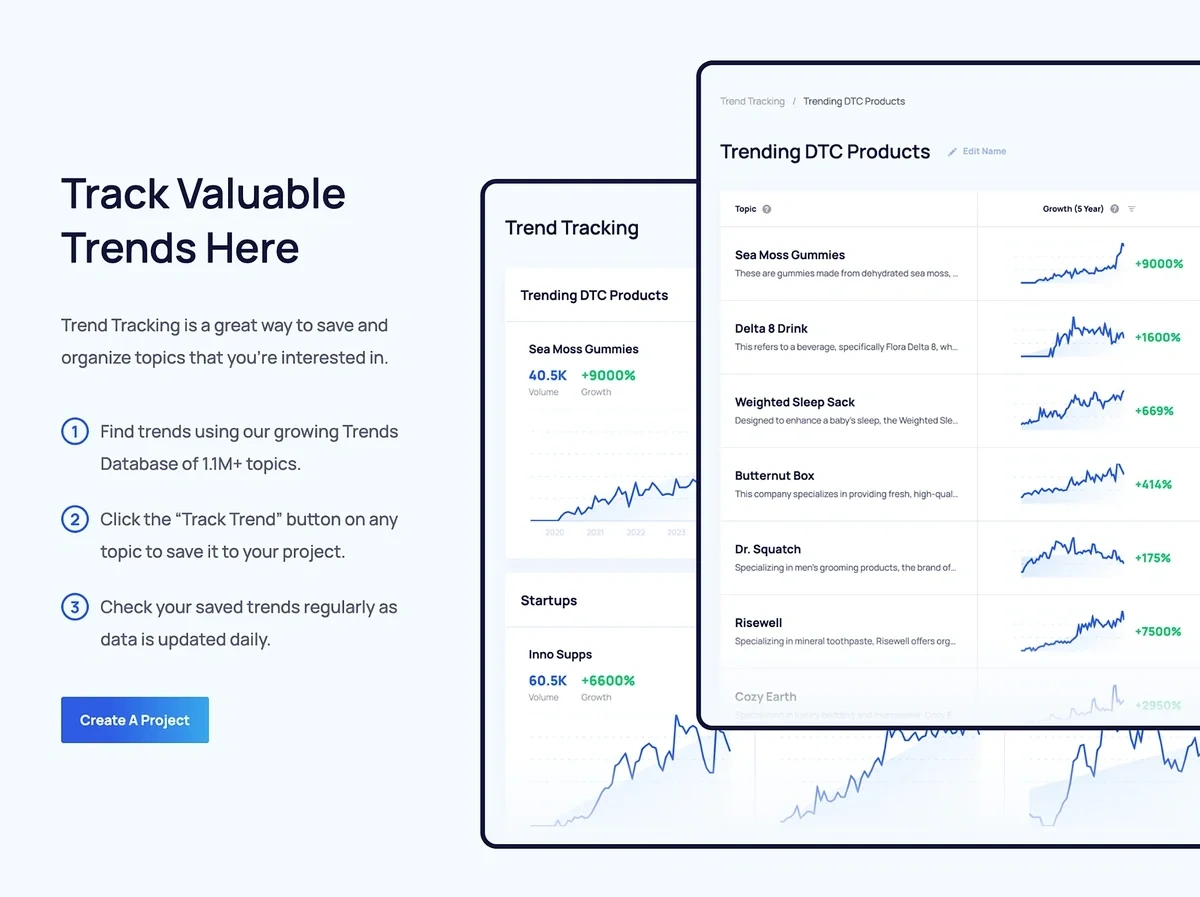
Then click the Add Topics button to search for topics in the Trends Database to track.
Click the Track Topic button and select your project from the list to start tracking.
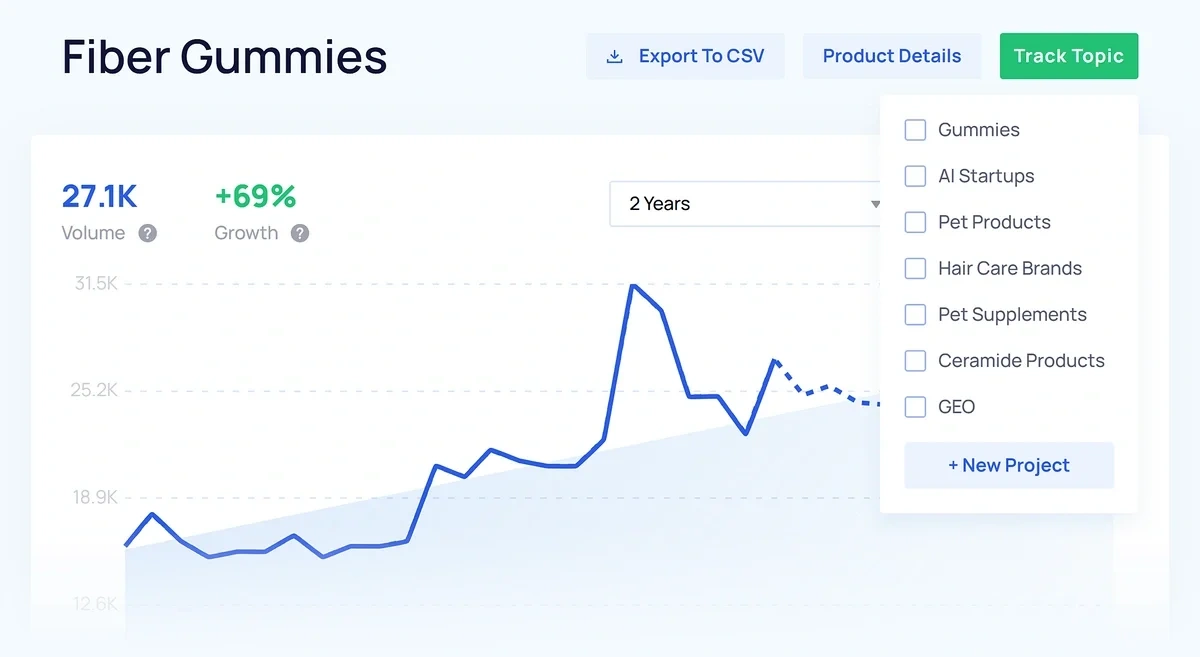
You can organize trends into multiple projects. This is perfect for planning marketing campaigns or tracking topics in different subcategories.
You can see your projects in the Trend Tracking tool, or on the dashboard. If you have multiple projects, you can use the dropdown to filter trends by project.

To see all the trends you’re tracking across projects, click the View All Projects button.
Spot Trending Products to Sell on Your E-Commerce Site
Researching trending products helps with product ideation, competitor analysis, and finding gaps in your existing offers.
Exploding Topics shows trending products on your dashboard and enables you to easily track them for ongoing monitoring.
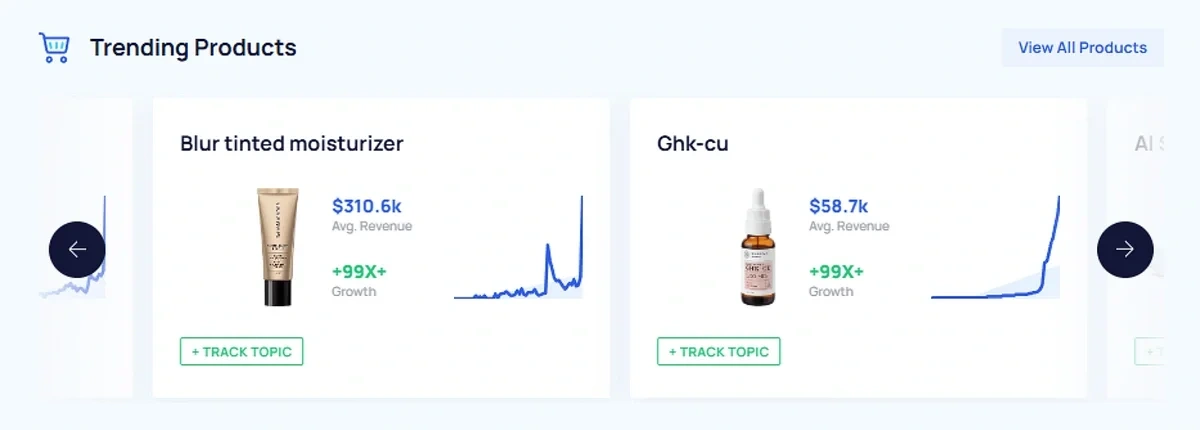
Click on View All Products to search all the products in Exploding Topics’ database and filter them by category, growth metrics, sales potential, and more.
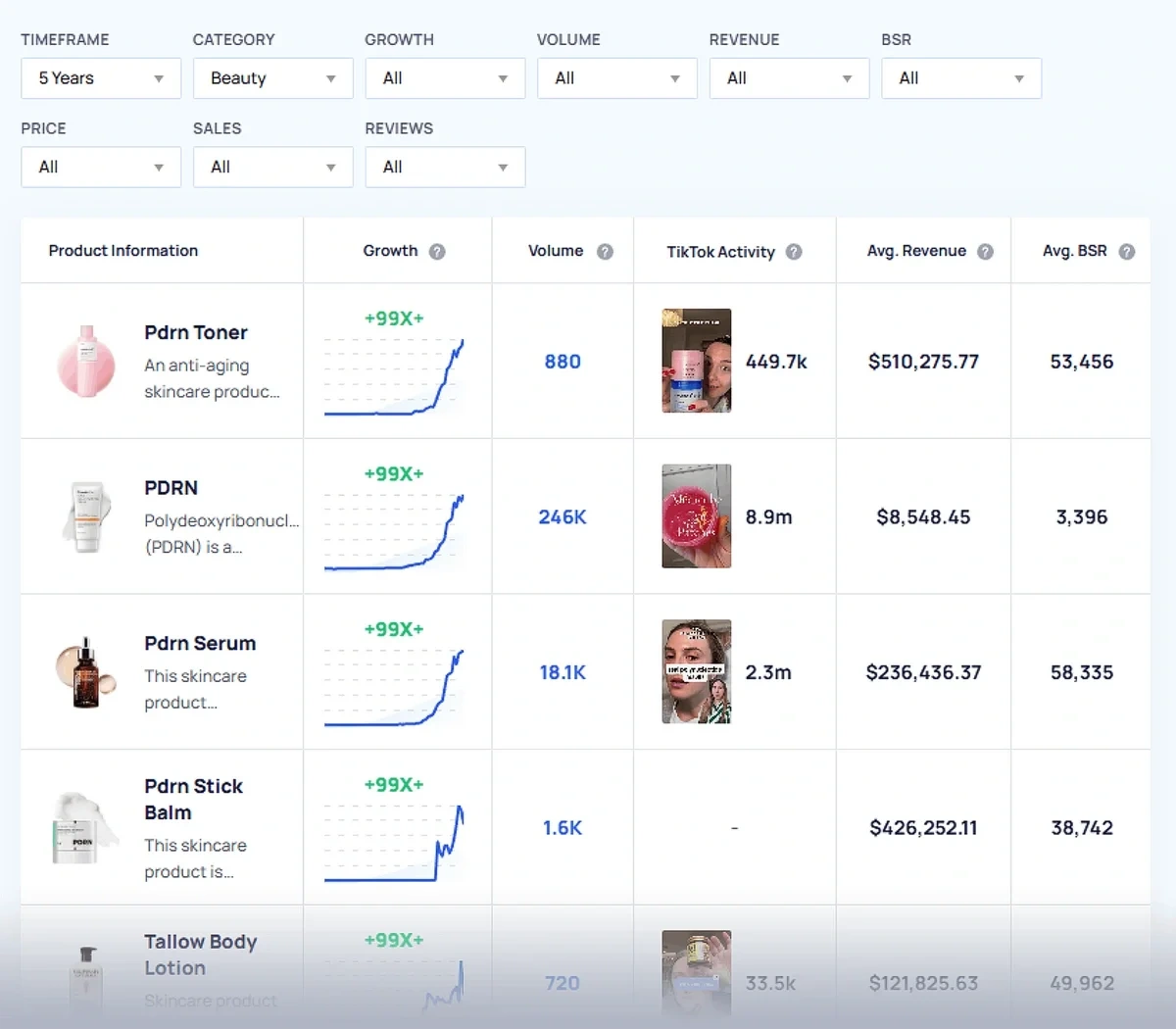
You can also export relevant products to a CSV file to analyze outside of Exploding Topics.
Use TikTok Insights to Understand Your Audience
TikTok has become an important space for trends of all kinds to emerge and expand. The pull of influencers on the platform makes it great for generating buzz, and its e-commerce capabilities enable sellers to boost revenue and build awareness for their products, too.
TikTok’s cultural significance makes it an important data source for Exploding Topics as well as a crucial factor in trend analysis. The TikTok Insights add-on lets you see key metrics right in the app.
In your dashboard, you’ll see the total TikTok views and posts for some of the top trends analyzed by Exploding Topics.
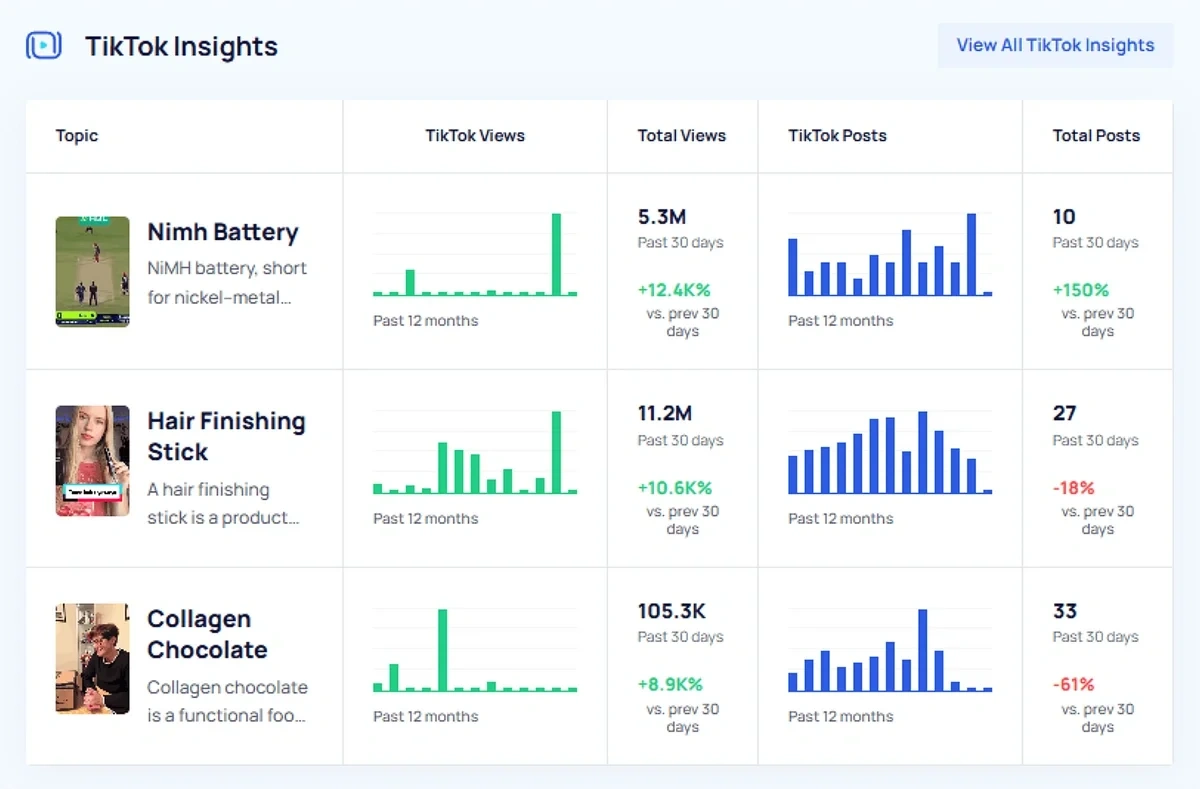
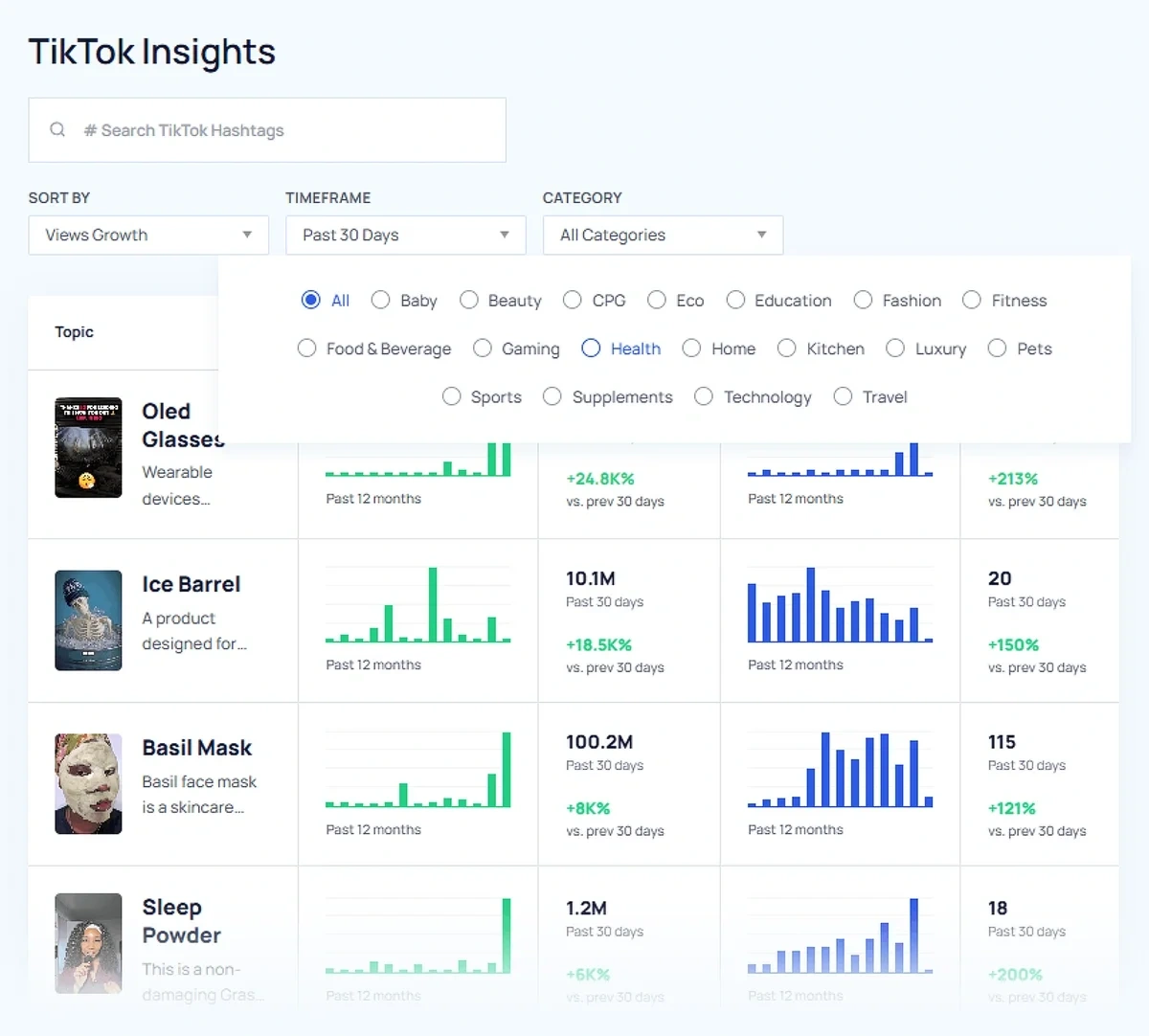
Click View All Insights to see more finds from TikTok. Search for specific hashtags related to your niche, or narrow the results by growth, timeframe, or category.
Scope Out Trending Startups to Invest in
Looking into trending startups is useful for finding emerging competitors as well as scoping out potential investments.
The Exploding Topics dashboard includes a section for trending startups. You can quickly add any of them to a project for further monitoring by clicking the Track Topic button.
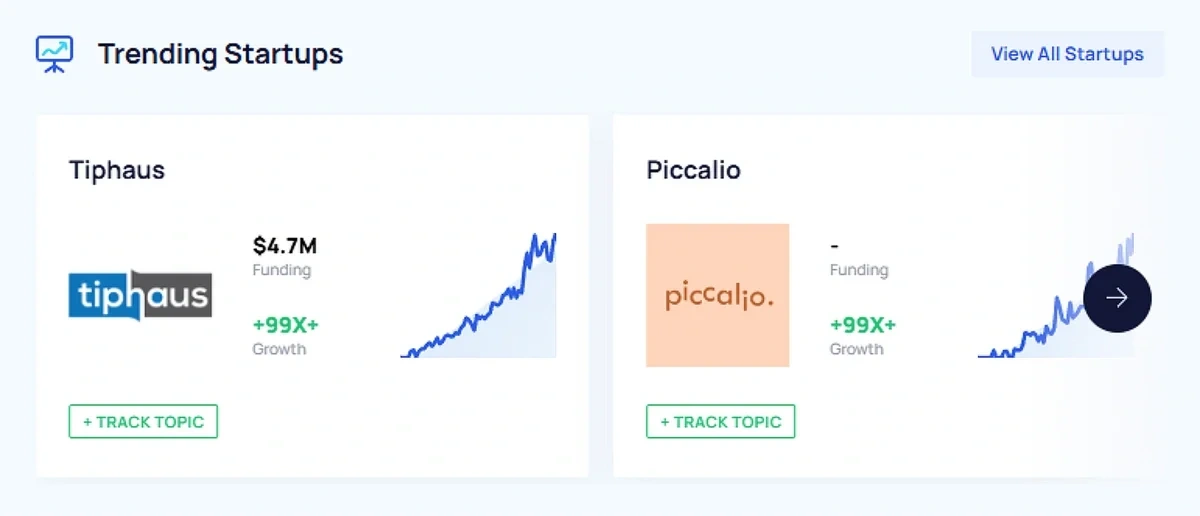
Or, click View All Startups to refine your search. Use the filters to view startups by category, growth, funding, number of employees, and/or location.
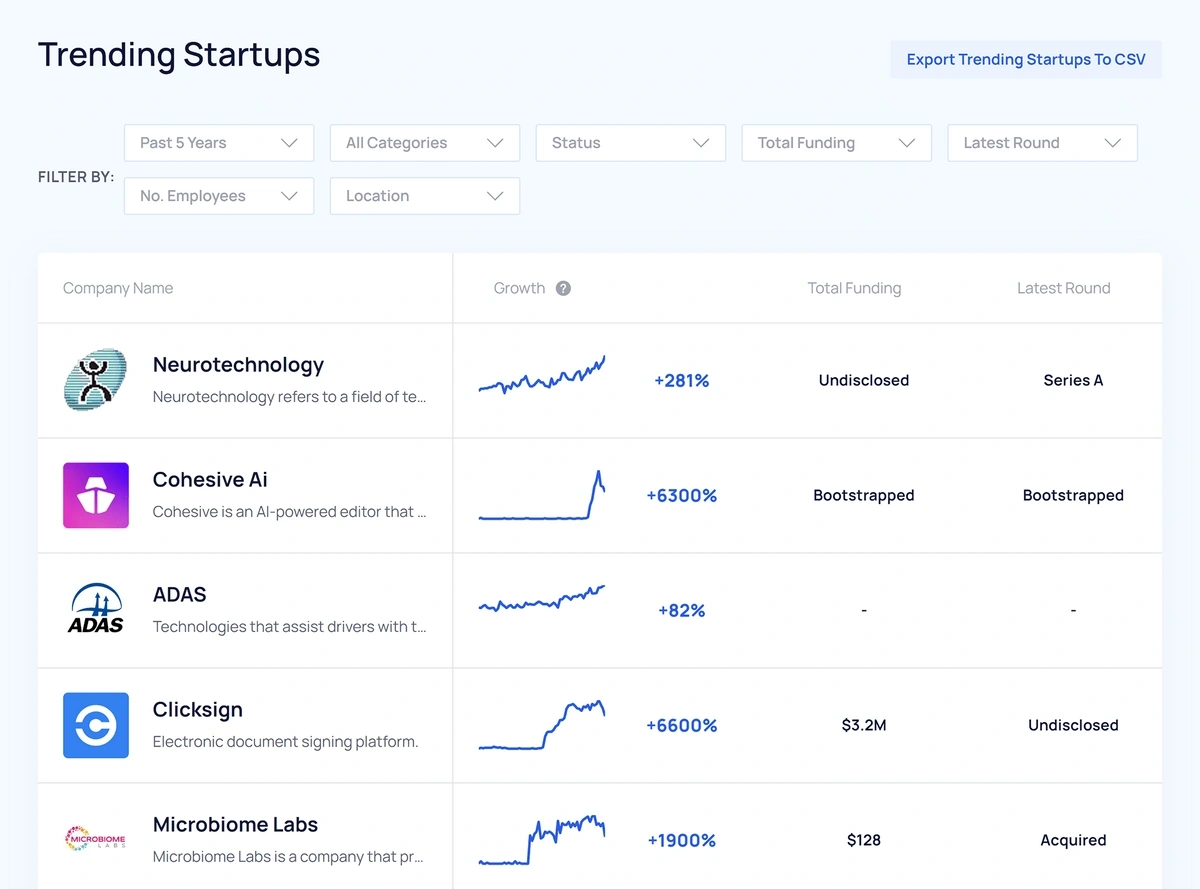
If you want to do some further analysis, you can export the startups matching your criteria to a CSV file.
Access Exploding Topics’ Latest Trend Reports
Exploding Topics Pro users receive a weekly trend report newsletter that includes analysis of startups and products with high growth potential.
In your Exploding Topics dashboard, you’ll see links to the most recent reports with some of the featured trends listed.
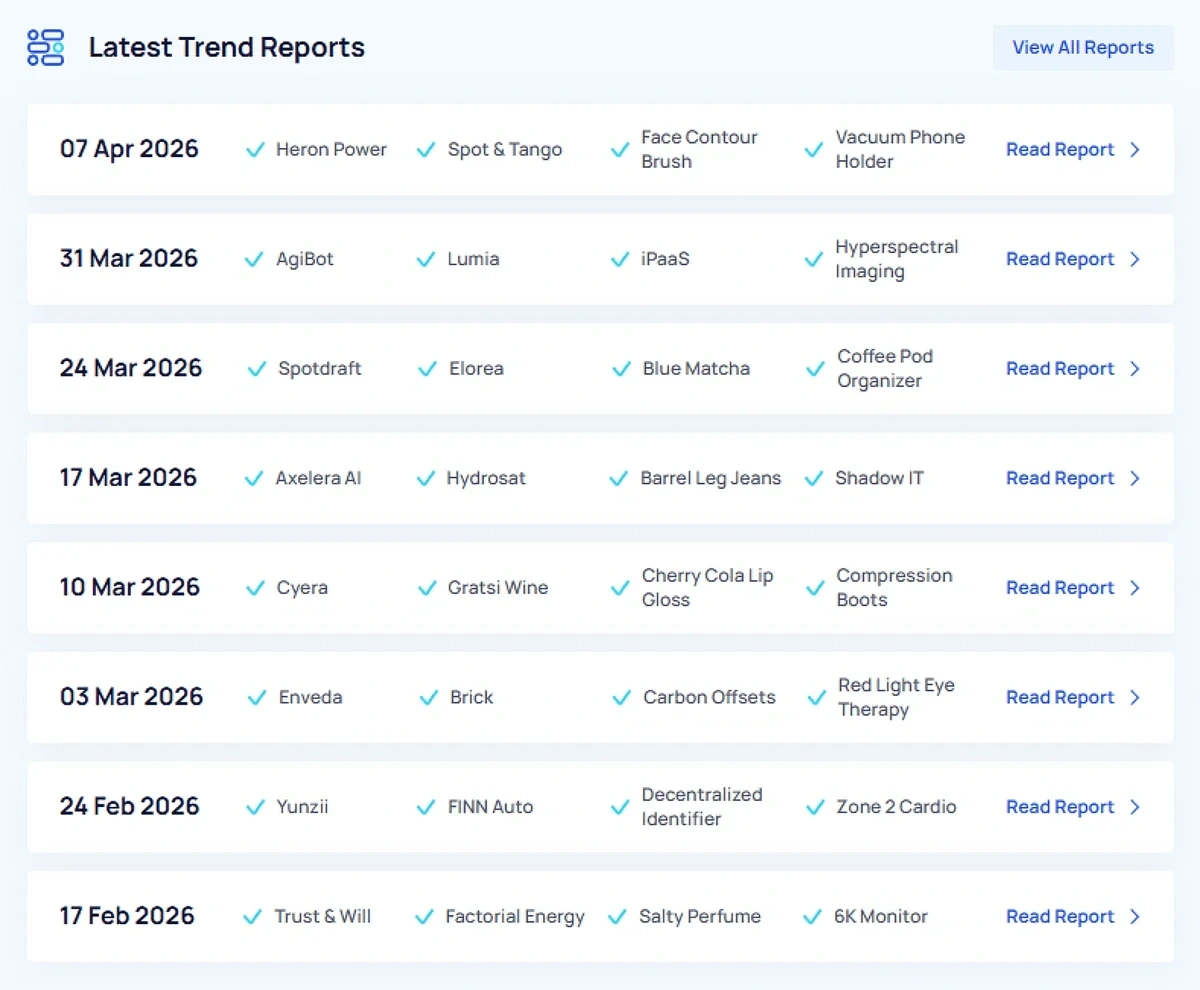
If one of the listed items catches your attention, you can read the full report for trend analysis written by Exploding Topics experts, including why the topic is trending and related trends to watch.
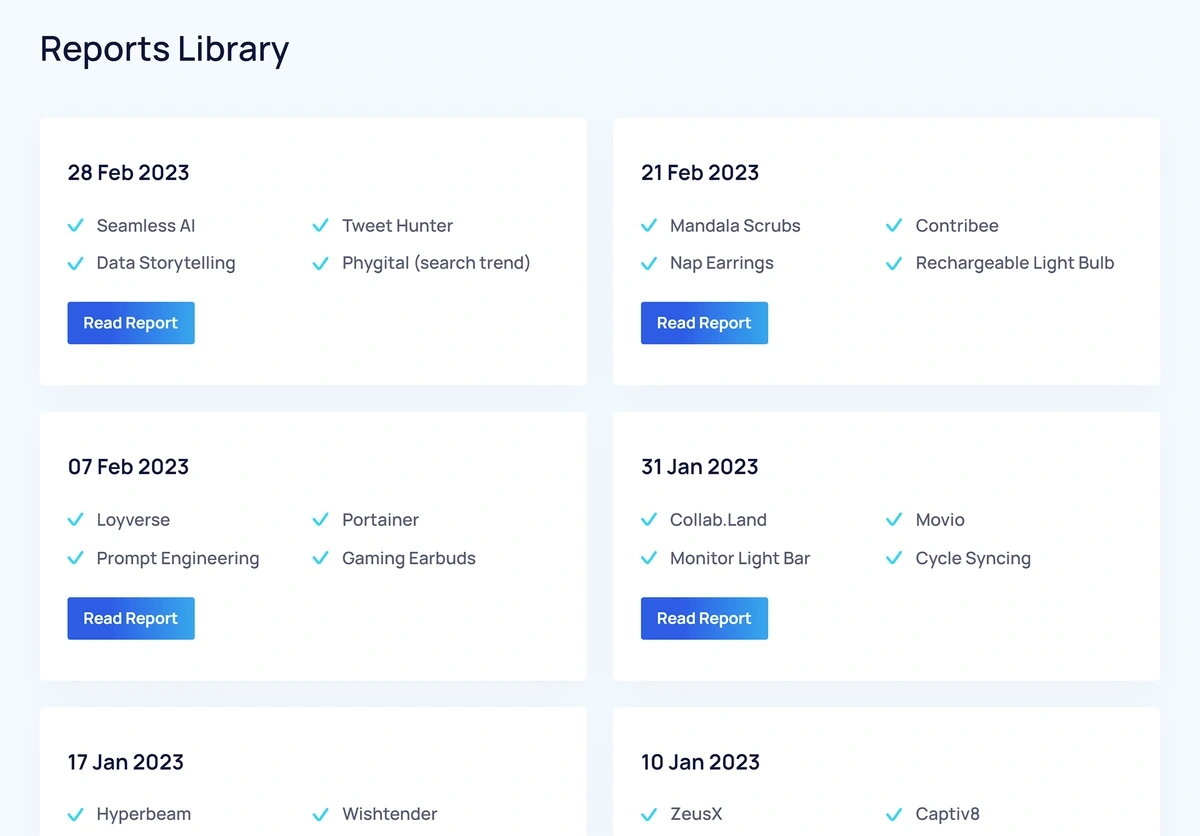
Viewing old reports is useful if you want to compare past emerging trends with their current growth. The View All Reports button takes you to Exploding Topics’ full report library.
Dig Deeper by Researching Popular Meta Trends
The experts at Exploding Topics analyze the trends identified by its algorithm to create topic clusters by making connections between “macro trends” and “micro trends.”
Micro trends include specific products, brands, ideas, or concepts. These trends are narrow, like “rice water face wash” or “carbon credit trading.”
Macro trends, or meta trends, are broader trend categories that encompass multiple micro trends. Analyzing meta trends helps highlight opportunities to cross-reference micro trends and multiply your growth.
The Exploding Topics dashboard includes a section for popular meta trends, where you can see some of these top-level trends.
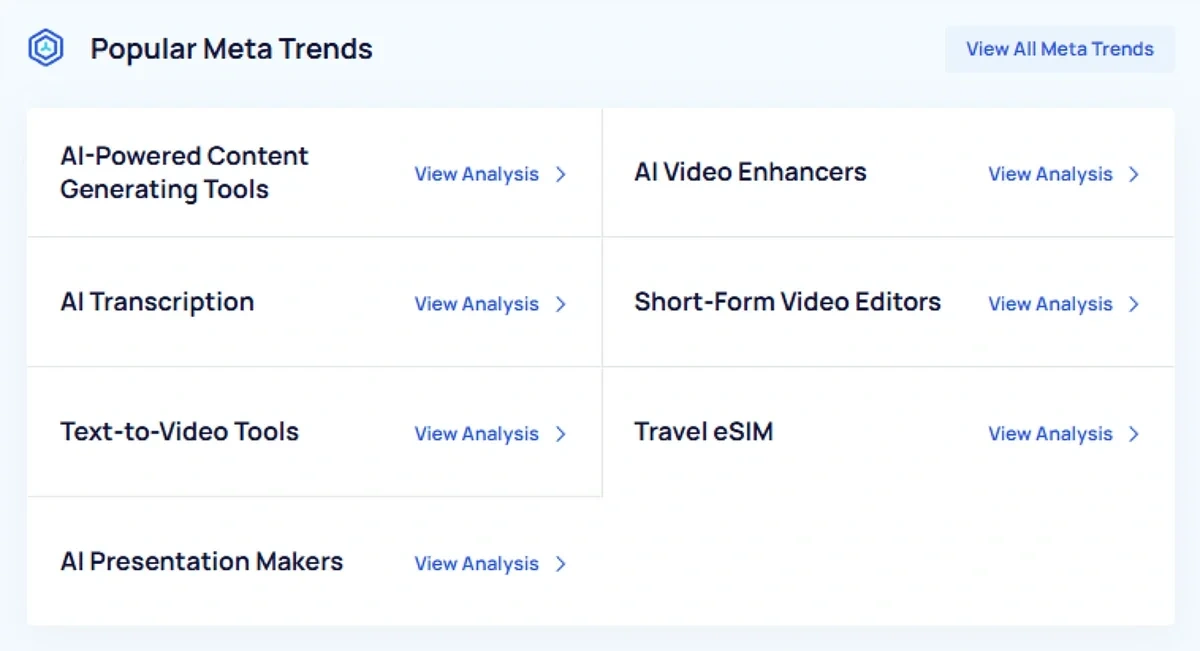
Click View Analysis for more detailed information about a meta trend displayed in the dashboard, or View All Meta Trends to explore all the macro trends Exploding Topics has identified.
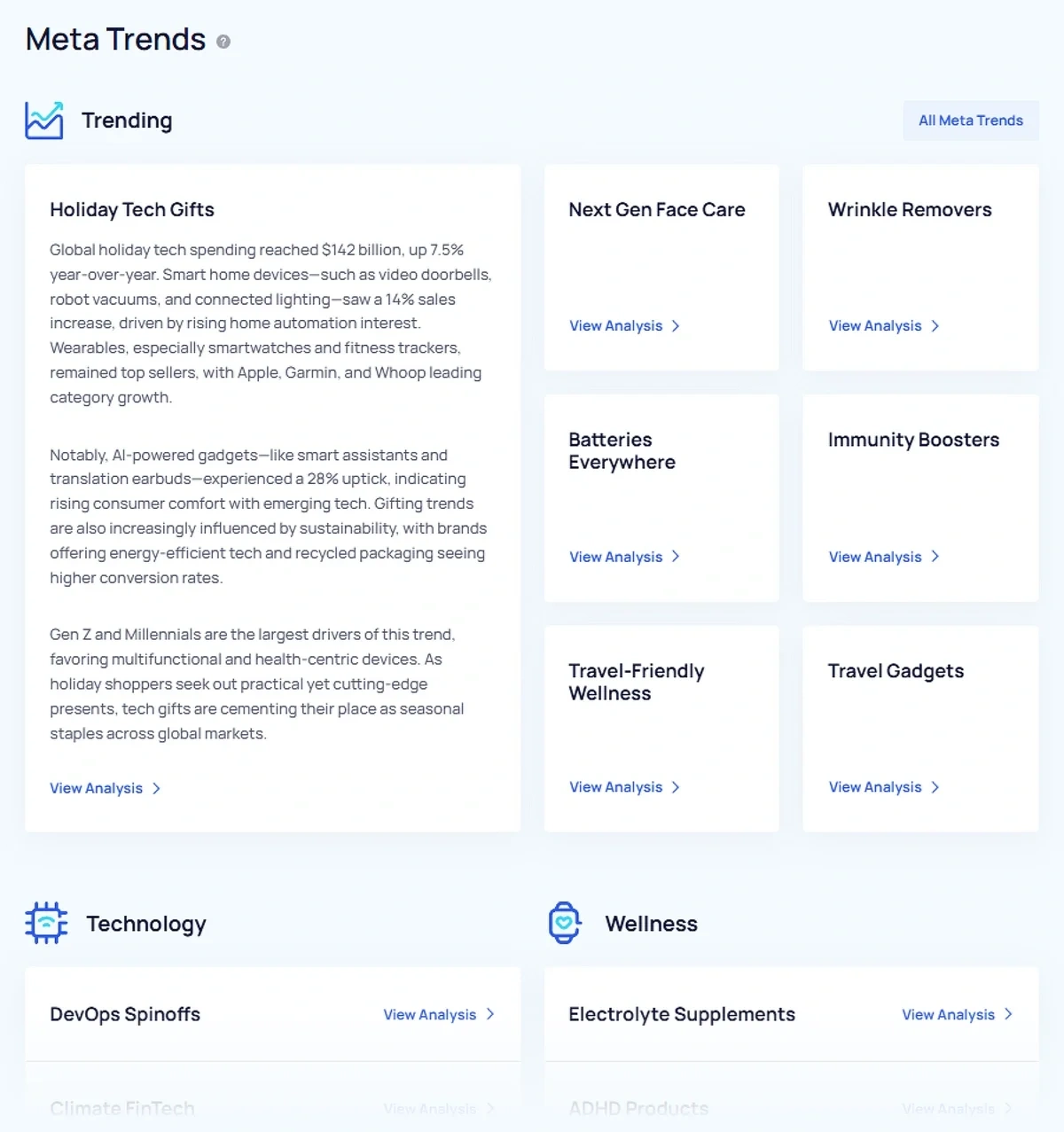
The Meta Trends Library is divided by category to help you find relevant subjects. When you click on a meta trend, you’ll see a diagram of related micro trends.
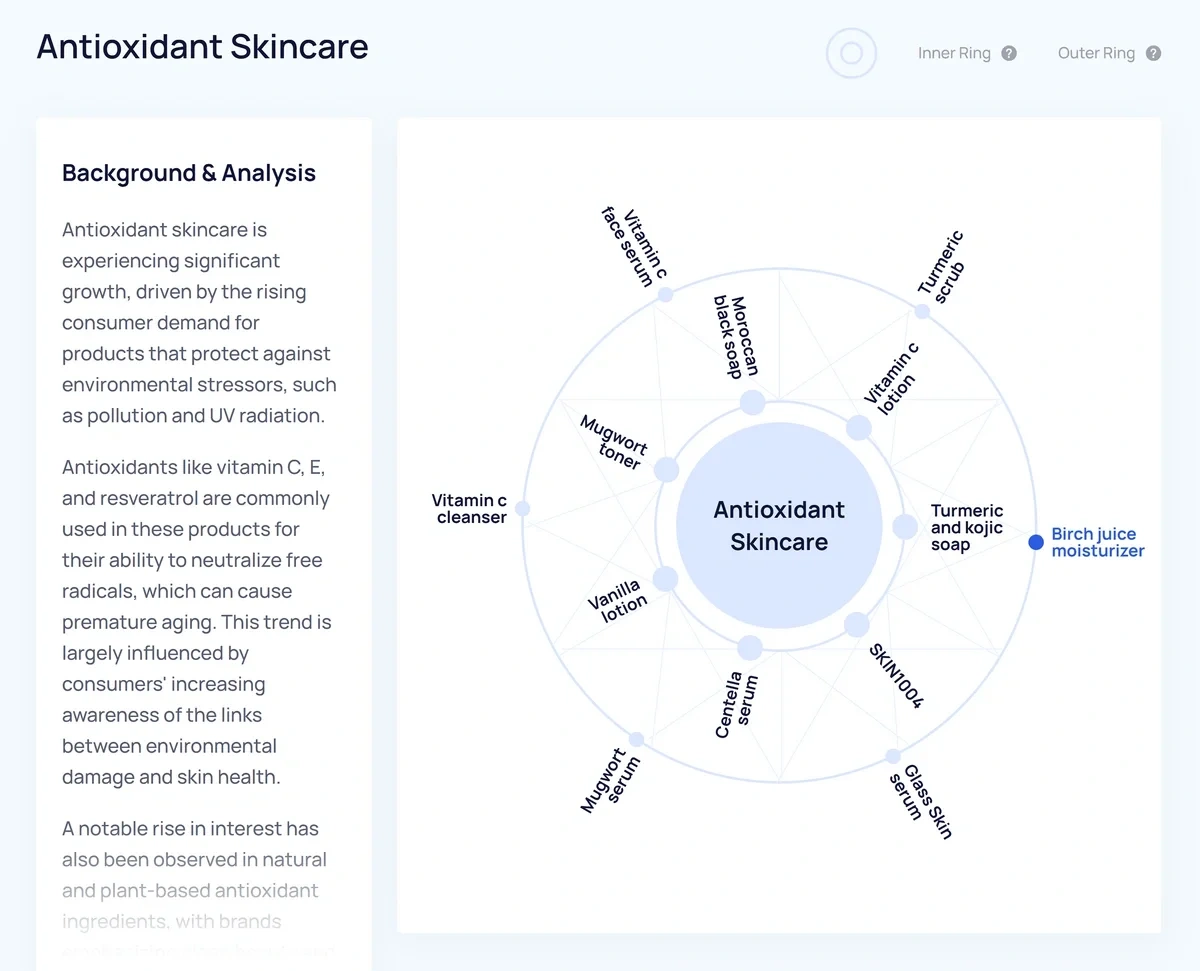
The inner ring closest to the meta trend are micro trends that are directly related to the meta trend, while the outer ring is made up of trends that are relevant to the meta trend, but don’t necessarily fall directly under it.
Detailed context about the significance of the meta trend and why it’s on the rise is provided under Background & Analysis, and if available, related meta trends are listed as well.
Using Exploding Topics for Trend Analysis
Now that we’ve concluded our tour of the Exploding Topics dashboard, I’ll show you a brief workflow for analyzing trends with Exploding Topics.
First, we need to find a promising topic. I’m going to use the Trends Database and search in the Technology category.
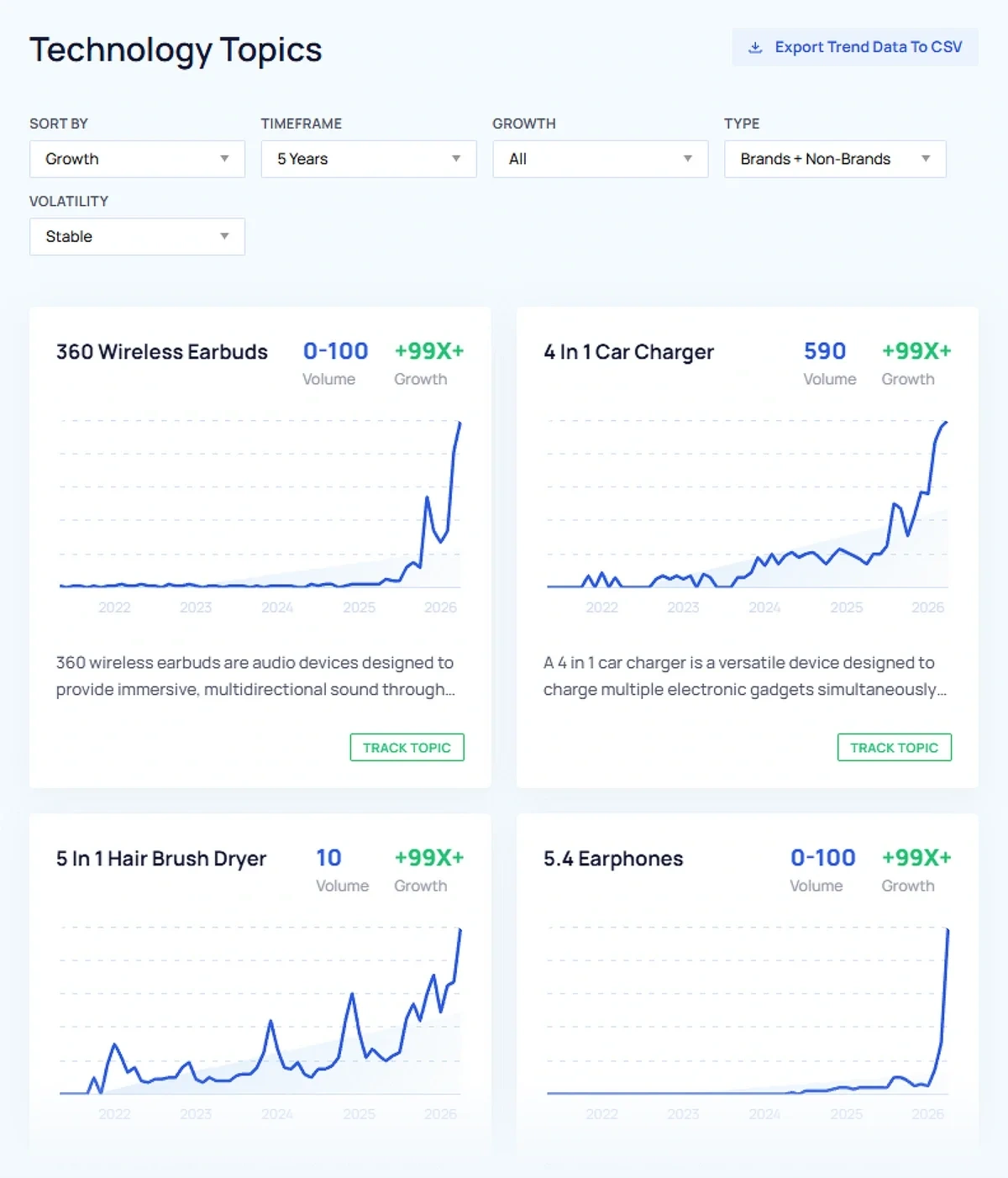
Using the filters, I’ll look for topics experiencing regular growth over the past five years. These topics have sustained interest, but haven’t peaked yet. They’re also not exploding, which means they should be less competitive than other trends.
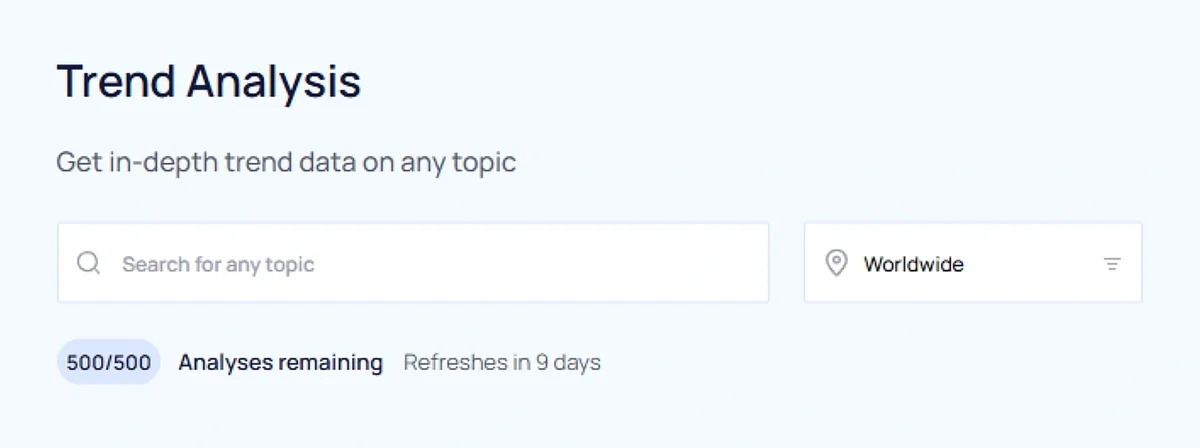
If you have a specific topic in mind, you can use Exploding Topics’ Trend Analysis tool to gather data about it, even if it’s not in the Trends Database yet.
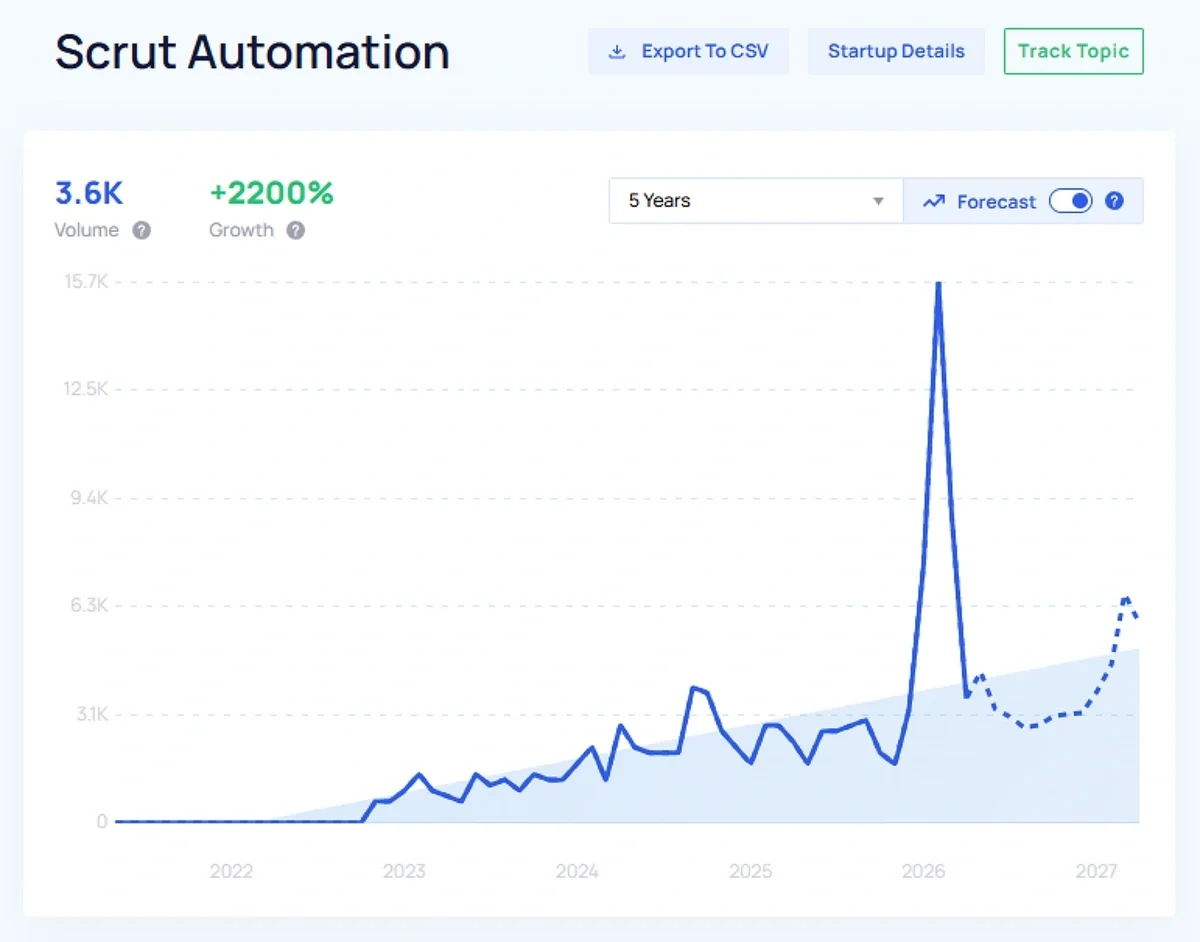
Once I’ve selected a topic, the first thing I look at is the trend forecast. For this topic, Exploding Topics has projected it will peak a few months from now. That gives me time to take advantage of its current growth before interest starts declining.
Next, I can read a bit of background information about the topic to make sure it aligns with my niche.
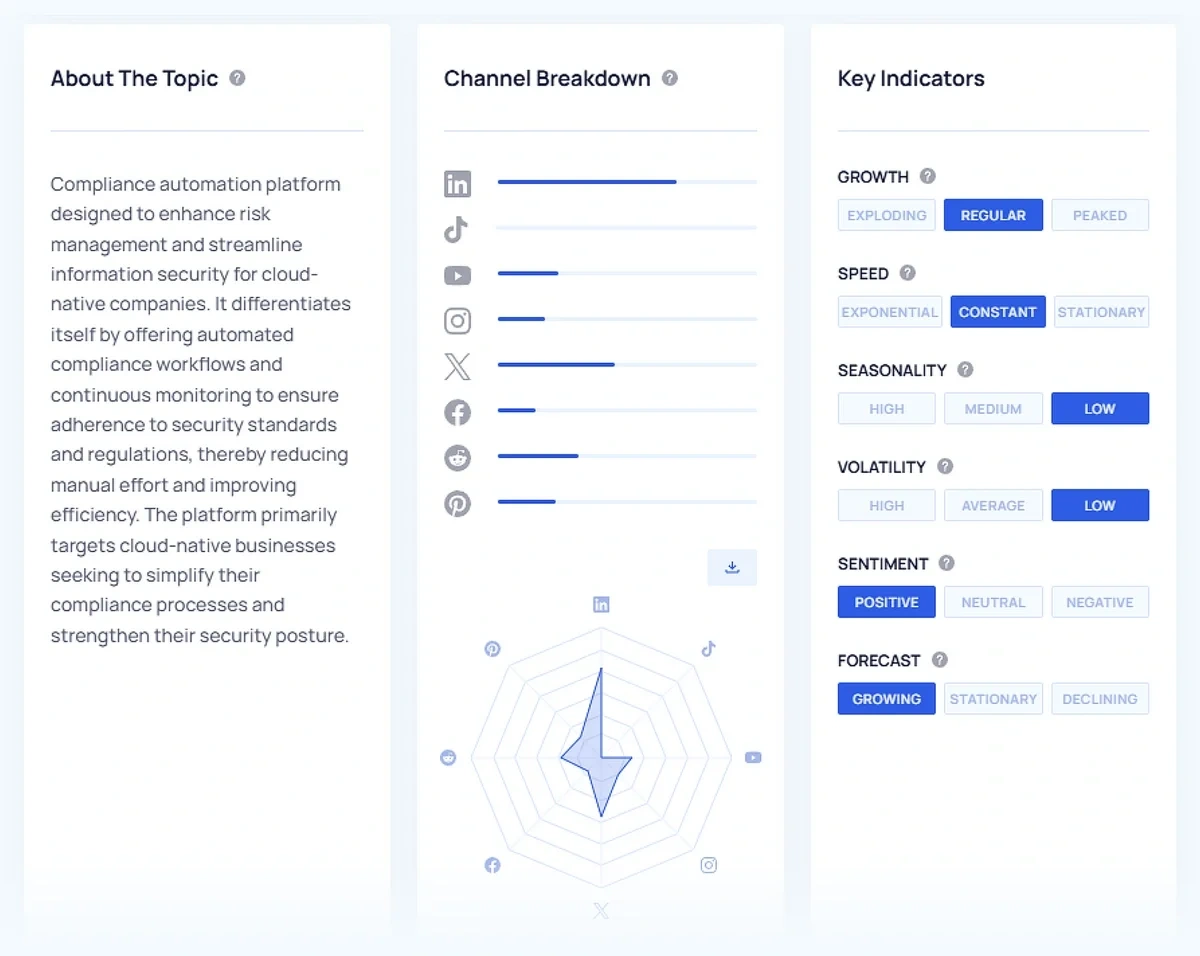
The channel breakdown is extremely helpful. This tells me that “Scrut Automation” is most popular on LinkedIn, so I’ll want to create some posts about it to share there. I can then allocate my remaining resources to other channels based on how much potential I think they have.
Since there’s no traction on TikTok, I’d want to weigh the potential of being an early advocate for the product on that platform against the risk of not finding any engagement there.
The Key Indicators section verifies what I already knew about this topic being fairly reliable. The related topics listed give me some ideas for how to work this topic into a larger content strategy.
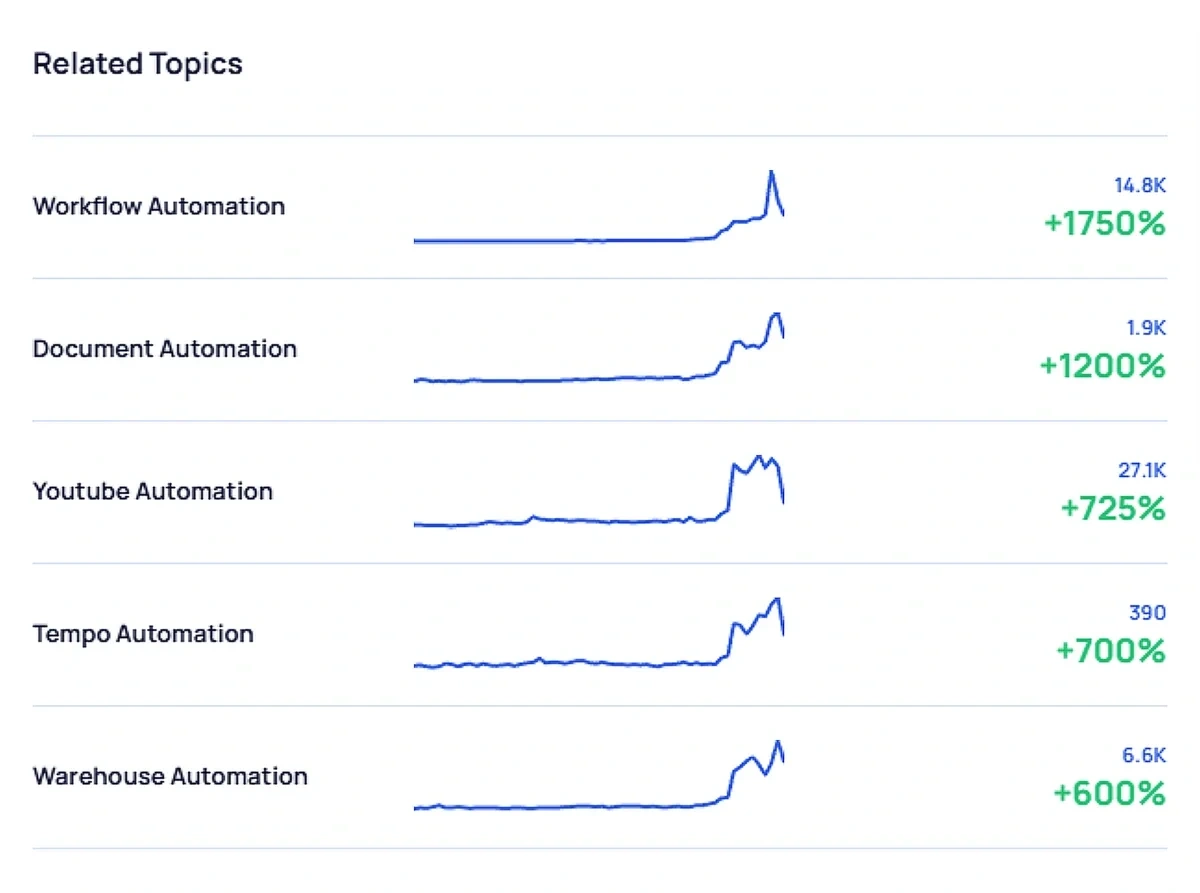
Taking all of this information together, I can determine:
- This topic will likely provide me with evergreen content, but it probably won’t have an immediate return on investment.
- I can pair this topic with the exploding “Workflow Automation” related topic and create content that capitalizes on its growth spike while reaping the longer term benefits of “Scrut Automation.”
- Apart from my own blog, I want to focus on creating content about Scrut Automation for LinkedIn and YouTube, which are better suited to my evergreen content strategy than platforms like X.
This was a short and simple example, but it gives you an idea of the kind of insights you can get from Exploding Topics to inform your own strategy.
Become an Exploding Topics Power User
This guide has everything you need to get started with Exploding Topics. Once you get your feet under you, you can start learning how to level up your trend forecasting.
A feature I didn’t cover here is the Exploding Topics API, which gives you the power and flexibility to bring Exploding Topics data to you. Automate your content workflow, set up trend alerts, or even create detailed data visualization to help you understand your growth potential.
All you need is an Exploding Topics Business Plan and the API add-on to start experimenting. Get access to current trend data that predicts consumer interest instead of reacting to it so you can be on the forefront of your industry’s growth curve.
Stop Guessing, Start Growing 🚀
Use real-time topic data to create content that resonates and brings results.
Exploding Topics is owned by Semrush. Our mission is to provide accurate data and expert insights on emerging trends. Unless otherwise noted, this page’s content was written by either an employee or a paid contractor of Semrush Inc.
Share
Newsletter Signup
By clicking “Subscribe” you agree to Semrush Privacy Policy and consent to Semrush using your contact data for newsletter purposes
Written By


Molly is a technical content writer with a passion for making technology easy for anyone to understand. She specializes in content... Read more