Exploding Topics
Remineralizing Gum search volume grew from under 100 to 27,100 monthly searches between February 2024 and January 2026.
Remineralizing gum
+5100%
GLP 1 Supplement search volume grew from 5,920 to 74,000 monthly searches between February 2024 and January 2026.
GLP 1 supplement
+1150%
Soursop Bitters search volume grew from 9,900 to 110,000 monthly searches between March 2024 and February 2026.
Soursop bitters
+1011%



Get Advanced Insights on Any Topic
Discover Trends 12+ Months Before Everyone Else
How We Find Trends Before They Take Off
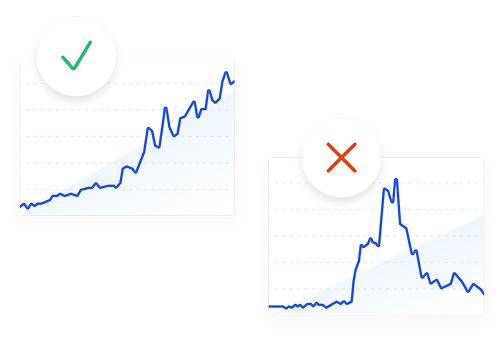
Exploding Topics’ advanced algorithm monitors millions of unstructured data points to spot trends early on.
Keyword Research
Performance Tracking
Competitor Intelligence
Fix Your Site’s SEO Issues in 30 Seconds
Find technical issues blocking search visibility. Get prioritized, actionable fixes in seconds.
Powered by data from
Latest Blog Posts
Featured Case Studies
See what's trending before everyone else
Each week, we'll send you our best Exploding Topics. Plus, expert insight and analysis.

Glimpse vs Exploding Topics
Glimpse is a layer on top of Google Trends: install the browser extension and Google's relative index turns into absolute search volumes. Exploding Topics is a standalone database with its own sources, its own analysts, and reports on products and startups alongside the trends.
Exploding Topics
- Works in any browser with nothing to install
- Data from search, social, media, and forums
- Dedicated reports for trending products and startups
Start a 7-day free trial of Exploding Topics Pro
Glimpse
- - Needs a browser extension
- - Primarily reliant on Google Trends
- - No product reports or startup data
Exploding Topics Pro is trusted by 1,200+ teams worldwide.
Google Trends data
An overlay, or a database of its own
Where the data comes from
More than one signal behind each trend
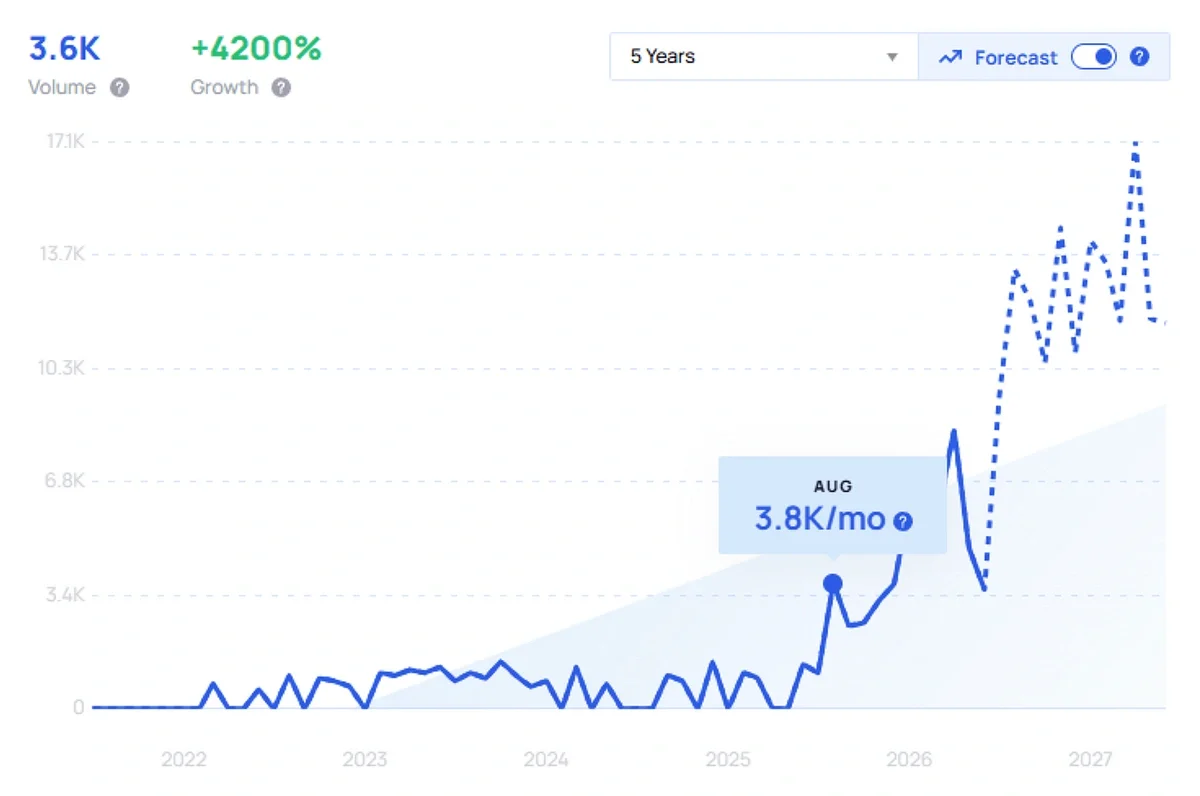
Exploding Topics collects its data from search engines, social platforms, podcasts, media outlets, blogs, and forums. Machine learning identifies the growth pattern and human analysts verify it, strip out fads, and add context. You get search volume, up to 15 years of history, a forecast for the year ahead, seasonality signals, and a breakdown of which channels are carrying a topic.
Products and startups
Reports built for a specific job
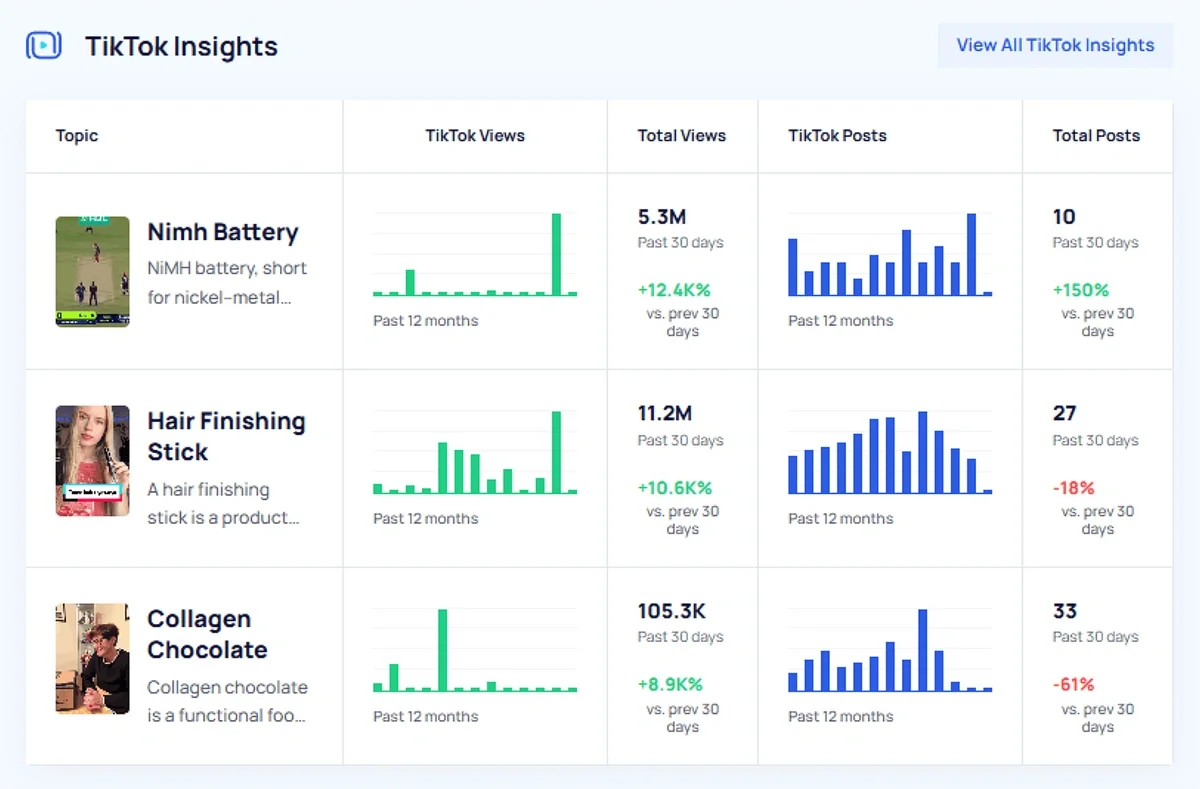
Trending Products pulls together search, social, and sales data for items on Amazon and TikTok Shop in one view, with a TikTok Insights add-on for deeper social commerce data. Trending Startups covers funding, valuations, and headcount for companies growing within numerous searchable verticals. Meta Trends link individual topics into larger shifts, and API access opens all of it to your own tools.
Where Glimpse leads
Google Trends, enriched
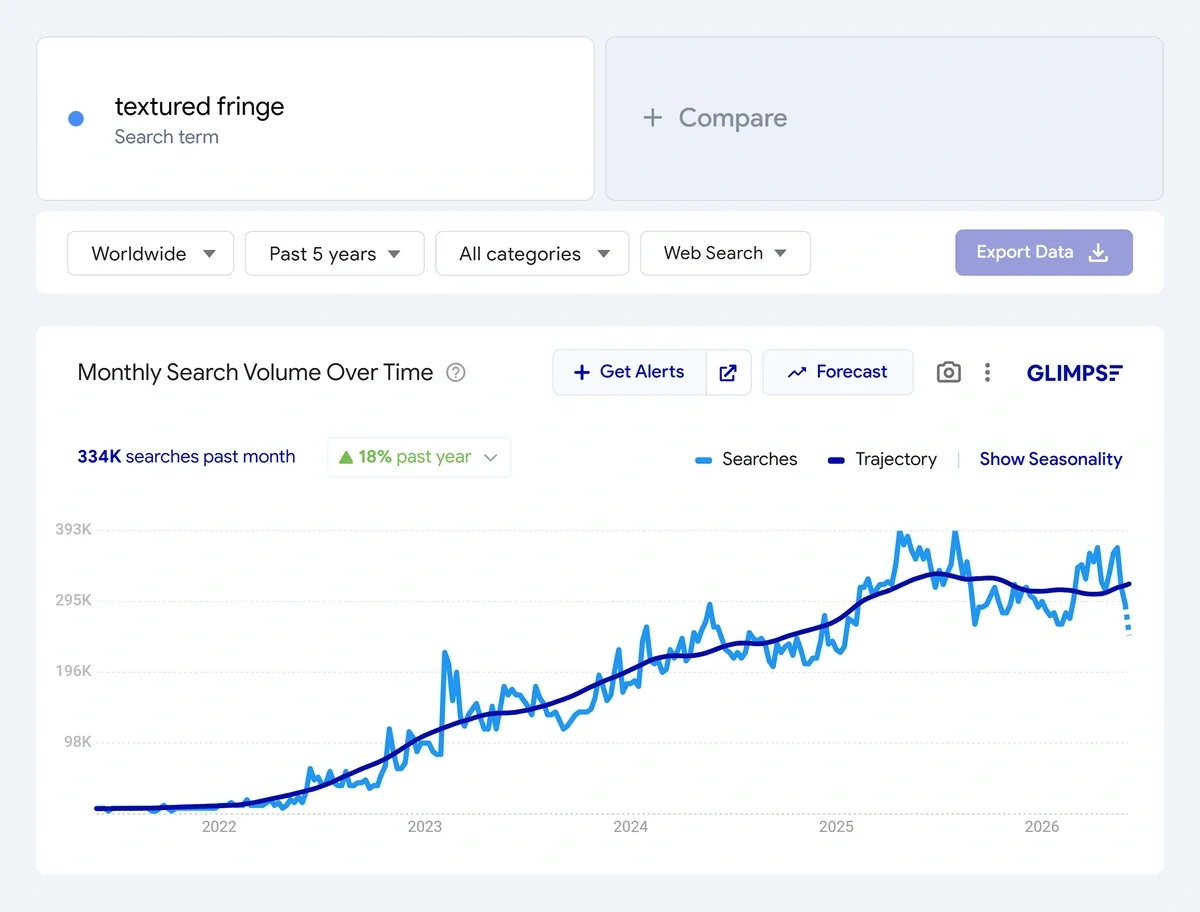
Glimpse turns the 0 to 100 Google Trends index into absolute search volumes by country, adds year-over-year growth, month-by-month seasonality, topic and location maps, and a search-type filter so you can isolate image or shopping queries. If your workflow already lives inside Google Trends, then Glimpse slots in without changing anything.
At a glance
Glimpse vs Exploding Topics
Glimpse
Trend Tool
Exploding Topics
★ Our pick
How you use it
Chromium extension overlaying Google Trends
Web app, no extension needed
Trend data sources
Primarily Google Trends, some social and E-commerce data
Social channels, search, podcasts, traditional media, blogs
Search metrics
Monthly volume, split by search type (e.g. Images)
Average monthly search volume
Product trends
No products reports, shopping-query filter only
Trending Products database with search, social, and sales data
Other features
Seasonality, topic maps, location maps
Trending Startups, Meta Trends, seasonality signals
Database access on a paid plan
Limited
Full database
Starting price
$71/mo (billed annually)
$39/mo
Paid plans
$71 / $240 per month, quote-only enterprise tier
$39 / $99 / $249 per month
Free plan / trial
Free plan, no trial
7-day free trial
How We Find Trends
We track topics across the internet to identify under-the-radar trends before they go mainstream.
Analyze
Our trend identification process begins with a comprehensive data collection from a variety of online sources.

- Social media platforms
- Search engines
- Online forums and communities
- News articles and blogs
- E-commerce websites
- Podcasts
Identify
Our proprietary machine learning models are designed to detect the absolute earliest signs of an emerging trend.
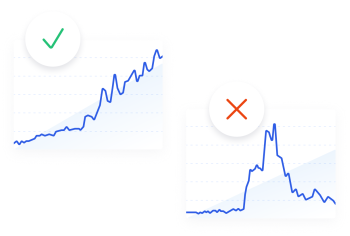
- Analyze historical data to identify growth patterns
- Predict future trends based on current data trajectories
- Detect sudden spikes in interest or activity around specific topics
Curate
While our algorithms are powerful, human expertise is crucial for contextual understanding, ensuring quality topics.
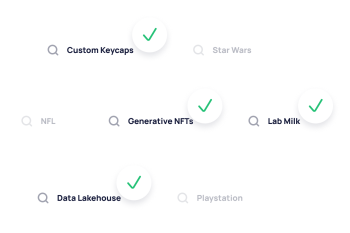
- Review the top-scoring trends identified by our models
- Validate the authenticity and relevance of these trends
- Filter out fads (movies, TV shows, celebrity gossip, etc.)
- Provide qualitative insights to complement quantitative data
FAQ
Everything you need to know about using our features and getting the most out of them.
What is Glimpse?
Glimpse is a browser extension and web app built on top of Google Trends. It converts Google's relative 0 to 100 index into absolute search volumes by country and adds growth rates, seasonality, forecasts, and related keyword data.
Is Glimpse free?
Glimpse is partly free. The extension is free to install and the free plan allows up to 10 searches a month, which makes it an evaluation tier rather than a working one. There is no separate free trial.
How much does Glimpse cost?
Glimpse starts from $71 per month when billed annually. The Pro tier comes with 100 lookups per month, 25 tracked keywords, and People Also Search data. A $240 Expert tier comes with expanded limits, and there's a quote-only Enterprise plan too.
How much does Exploding Topics cost?
Exploding Topics Pro is priced at $39, $99, and $249 per month, with the entry Entrepreneur plan starting at $39/mo. There is also a limited free plan that covers basic site access and the newsletter.
Does Exploding Topics have a free trial?
Yes, Exploding Topics Pro includes a 7-day free trial, and a limited free plan is available alongside it.
Where does Glimpse get its data?
Glimpse builds directly on Google Trends, so its figures track Google's, with some social channel signals layered on top. Exploding Topics collects independently from search, social, podcasts, media outlets, blogs, and forums, then has analysts verify what the models find.
Exploding Topics vs. Glimpse: In-Depth Comparison for 2026

 Add Exploding Topics on GoogleAdd Exploding Topics as your preferred source to see more of our stories on Google.
I've been using Exploding Topics in my marketing work for a long time — well before I ever started contributing to this blog. I've always found Exploding Topics to be a reliable wealth of information and a pioneer in the world of trend spotting.
But there are other trend spotting websites on the market, too, and I wanted to see how some of them stack up against my longtime favorite. In this guide, I'll walk you through the features you can find in Exploding Topics vs. Glimpse — and give you my opinion on which tool is better based on different uses.
Should You Use Exploding Topics or Glimpse for Trend Discovery?
Let's cut to the chase: after reviewing both Exploding Topics and Glimpse at length, I think that Exploding Topics is the best trend tracking tool for most people. Here's why:
- Exploding Topics' emerging trend data comes from multiple sources, including both online searches and traditional media
- The company curates not only lists of trending topics, but products and startups as well — along with data that's relevant to both e-commerce and investor audiences
- Exploding Topics works in any web browser and you don't have to install any Chrome extensions to use the tool.
- All paid Exploding Topics users get access to the full trend database, while Glimpse limits the number of trends per category that some of its paid users can see.
- Exploding Topics costs less and gives you more data access
- Exploding Topics is part of Semrush, so if you decide you need to do deep keyword research, you can easily add on a Semrush plan and get all of your information in one spot
I also think that Exploding Topics makes it easier to spot trends for a very specific job or role, too. Glimpse makes you search through the entire trend list to find products, brands, or companies. When you use Exploding Topics, you can jump right to specific reports that give you essential data. For example:
- E-commerce business owners can keep tabs on popular items across Amazon and TikTok shop using the Trending Products report
- Investors and entrepreneurs can explore other companies' structure and valuation using the Trending Startups report
- Marketers can explore how trends connect to each other using the Meta Trends analysis prepared by Exploding Topics' experts
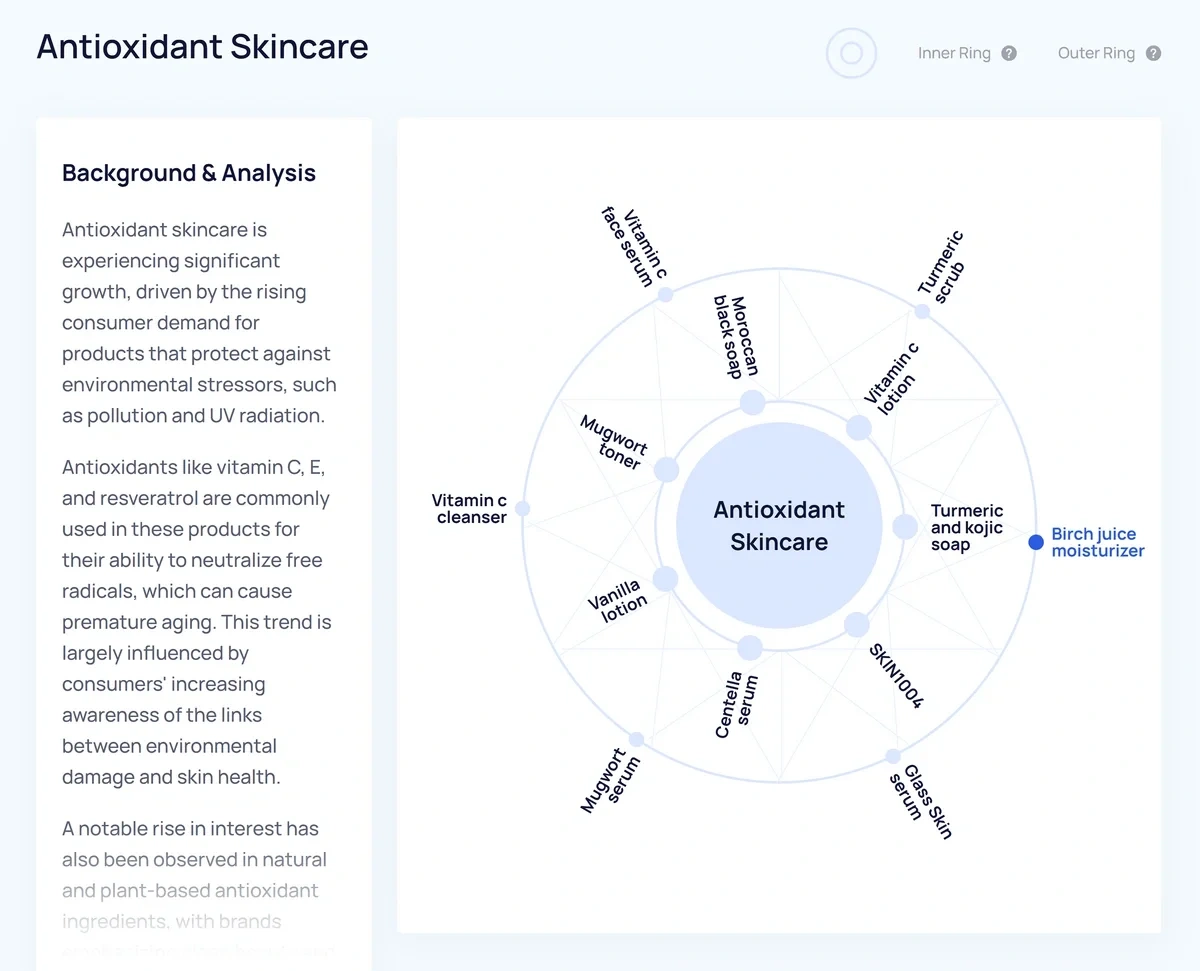
Let's take a closer look at how specific features offered by Exploding Topics and Glimpse compare to each other.
Exploding Topics vs Glimpse: Similarities and Differences
| Exploding Topics | Glimpse | The best option | |
| User interface | Grid-based arrays of products, trend graphs, and other useful data; paid features are accessible through Semrush | A required Chromium browser extension that adds data and overlays to Google Trends pages | Exploding Topics |
| Trend data sources | Social channels, Google search, podcasts, traditional media, blogs, and more | Primarily Google search with some added social platform data | Exploding Topics |
| Search metrics | Shows average Google search volume by month | Shows average Google search volume by month and by search type (images, shopping, etc.) | Glimpse |
| Social buzz | Covers all major social media platforms and maps popularity across channels using two different types of charts | Covers all major social media platforms and maps popularity across channels in one standard chart | Tie |
| Product trends | A Trending Products report shows search, social, and sales data all in one view | No dedicated products report, allows users to filter search volume by Google Shopping queries | Exploding Topics |
| Additional data points and features | Trending startups report, Meta Trends analysis to link topics, key signals including seasonality | Month-by-month seasonality, topic maps, location maps (pulled from Google Trends) | Exploding Topics |
| Price | Paid plans start at $39 per month for unlimited trend database access | Paid plans start at $71 per month for limited trend database access | Exploding Topics |
User Interface
Exploding Topics is an easy-to-use trend spotting platform that lets you access trend data in the way that works best for you.
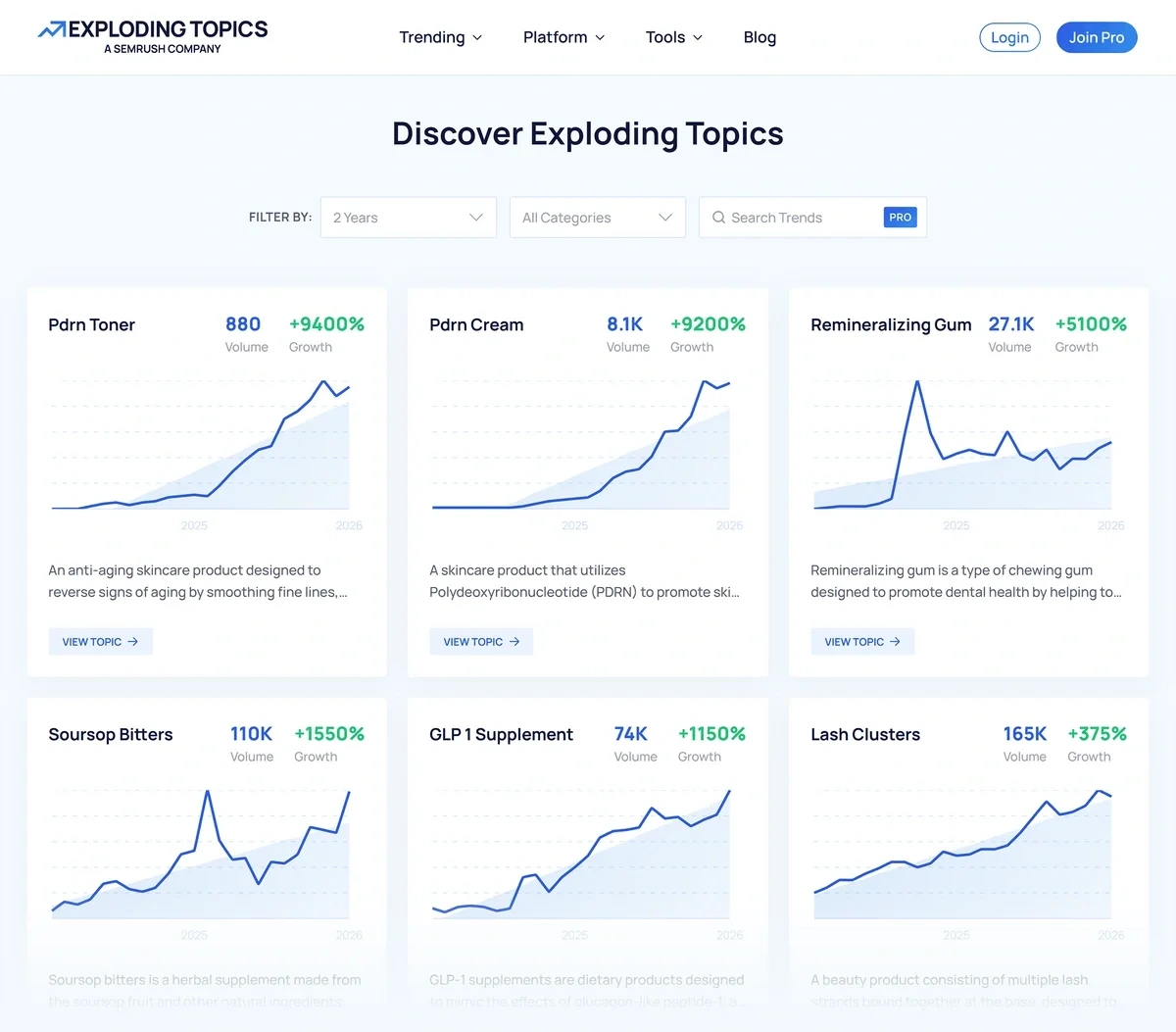
You can explore trends:
- Through the online Trend Database
- By reading prepared trend reports and Meta Trends graphs
- Via a regular trend newsletter
- Through the Exploding Topics API
- By how popular they are on Amazon
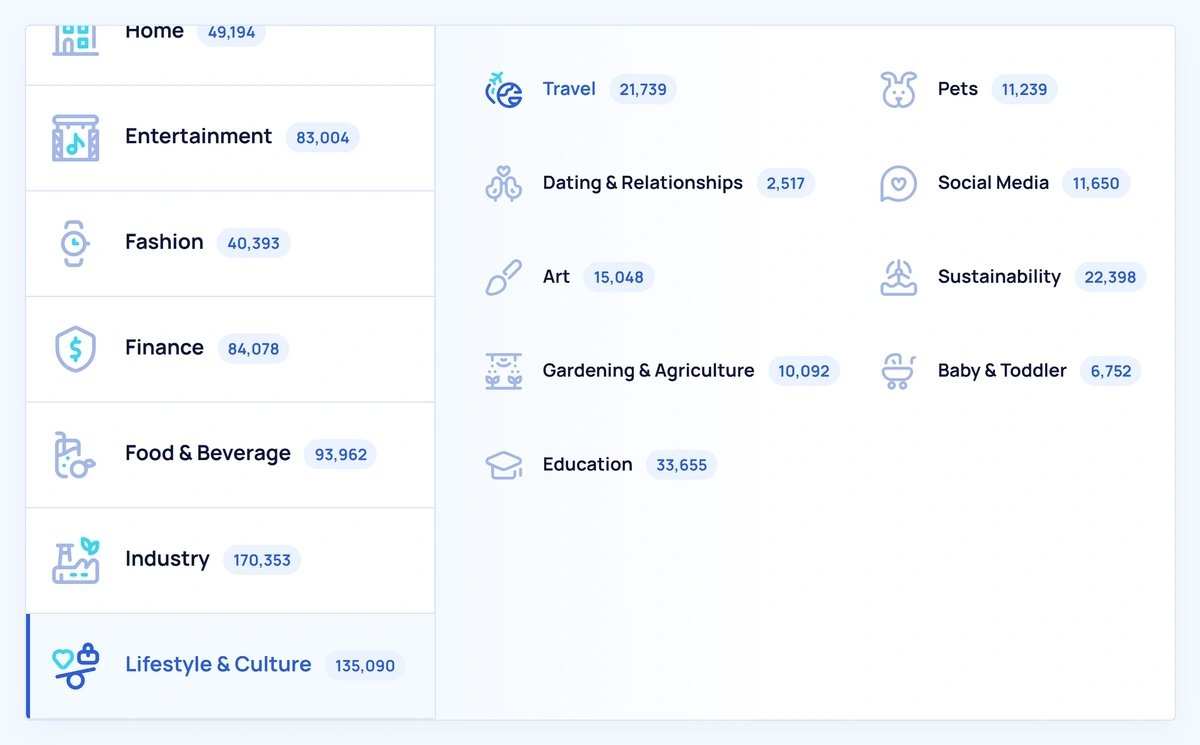
My favorite thing about Exploding Topics is that it lets me quickly look up any interesting topic, trend, or product that I come across. I’m not limited to what’s listed in the newsletter or trend reports.
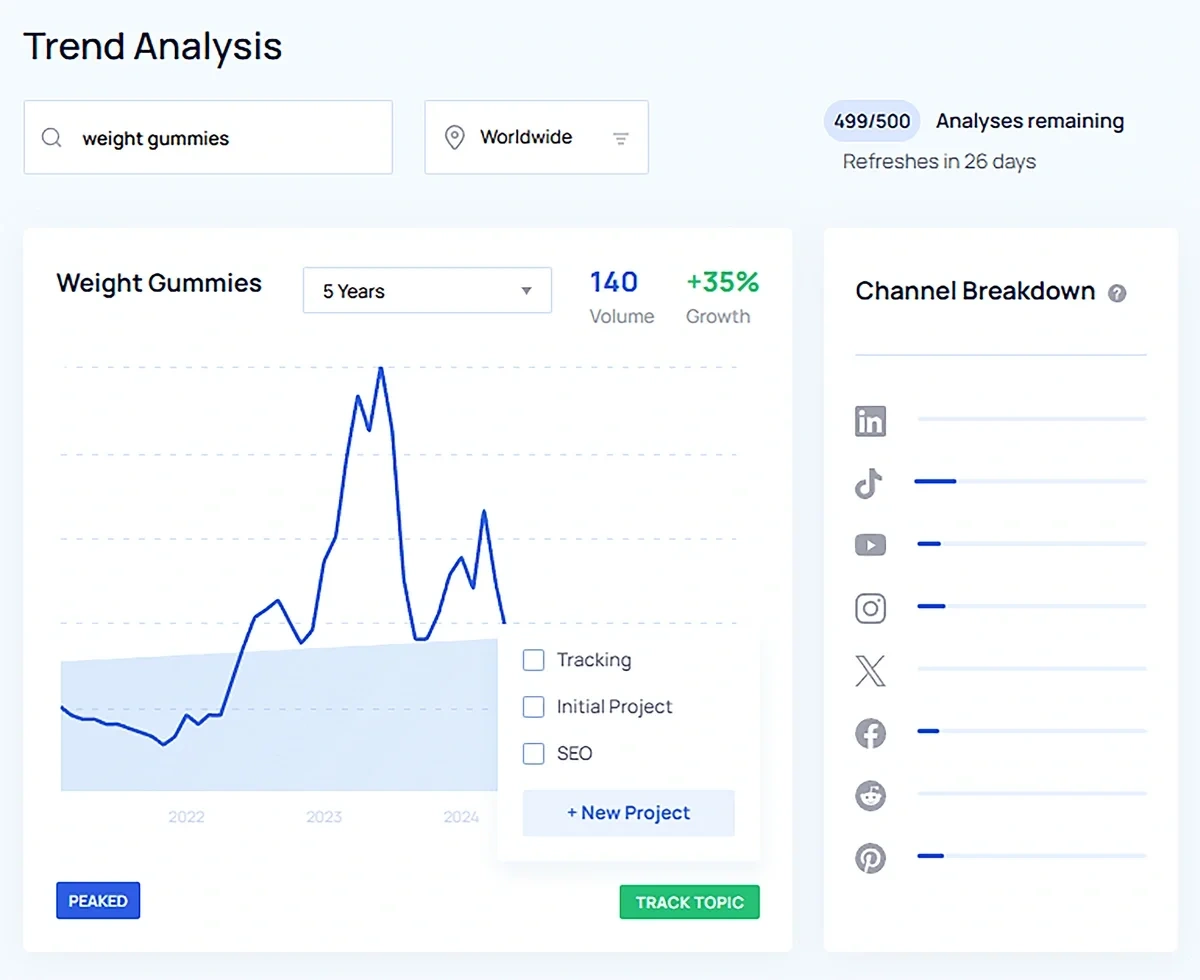
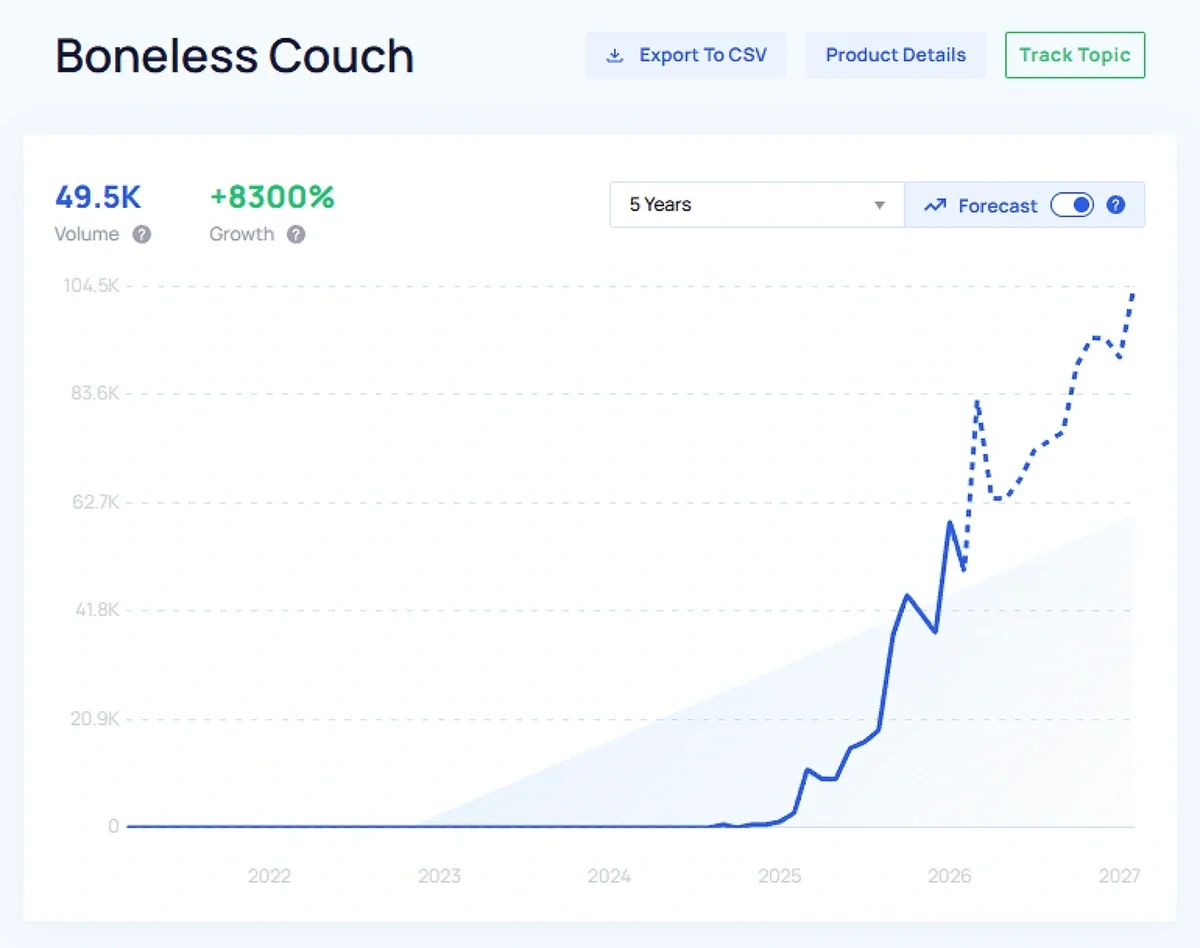
The trend detail pages provided by Exploding Topics are very detailed and include information about trend trajectory on social media channels. You can even turn on trend forecasting to see expected changes in search interest over time.
Glimpse is an Exploding Topics alternative — a browser extension that re-skins Google Trends. When you first log into Glimpse, you'll be prompted to download the extension. This means that you have to use Glimpse in a Chromium-based browser like Google Chrome, Microsoft Edge, or Brave.
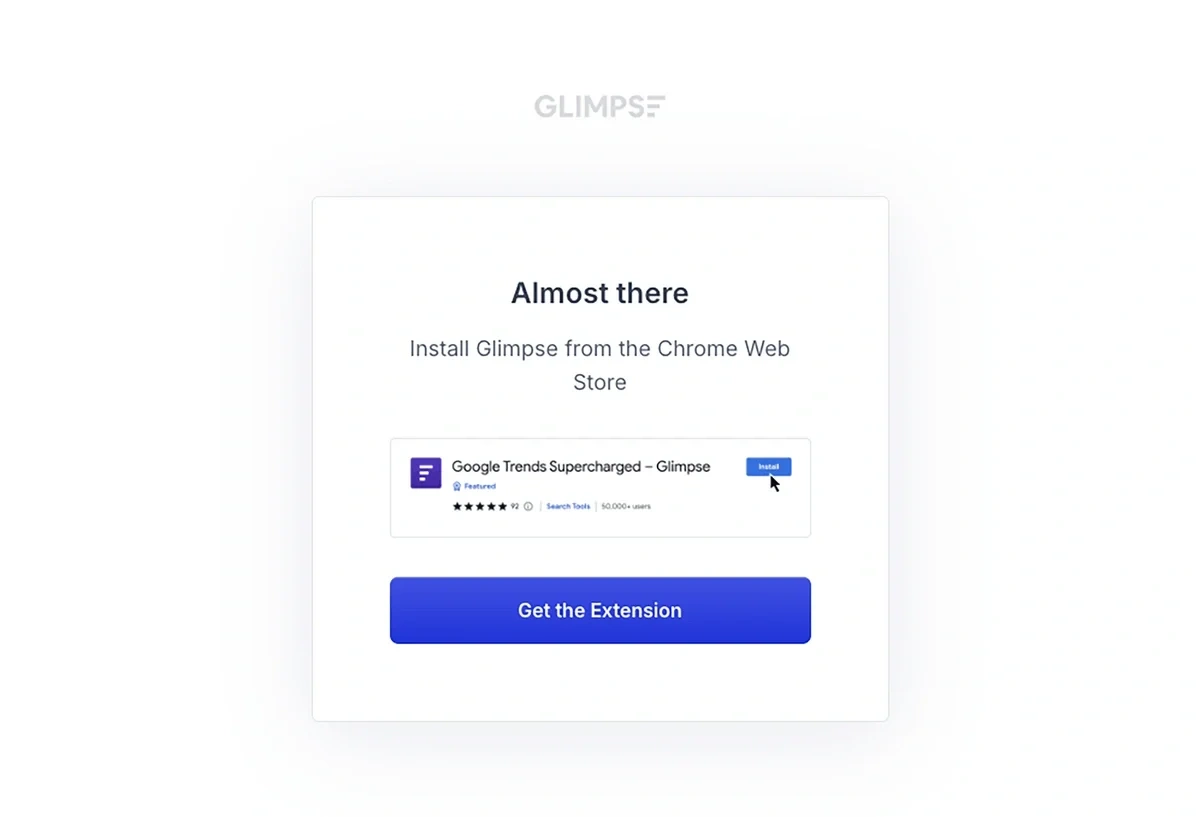
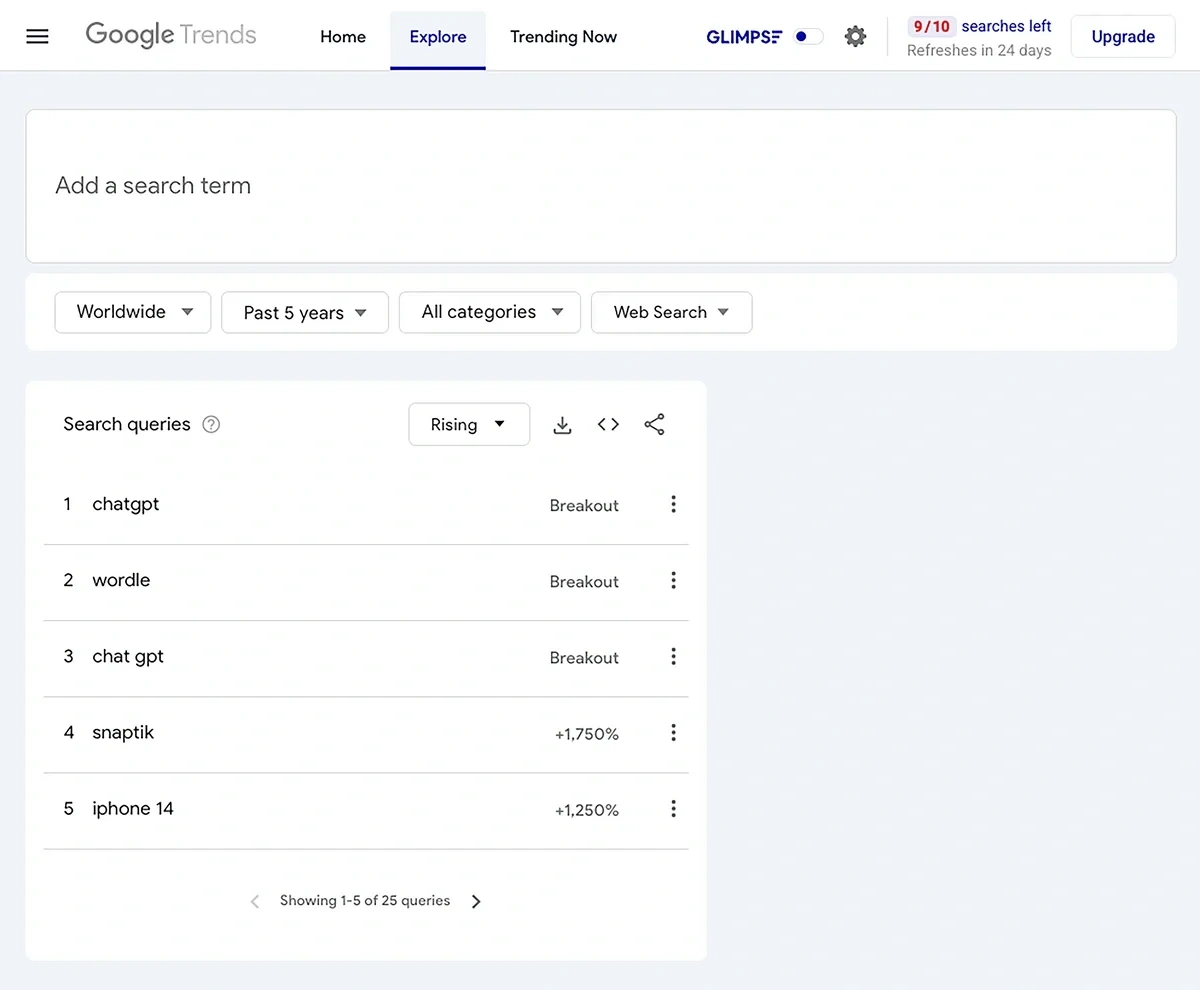
Once the extension is installed, you can proceed to Glimpse — and you'll wind up on a Google Trends page that lets you toggle the Glimpse interface on and off.
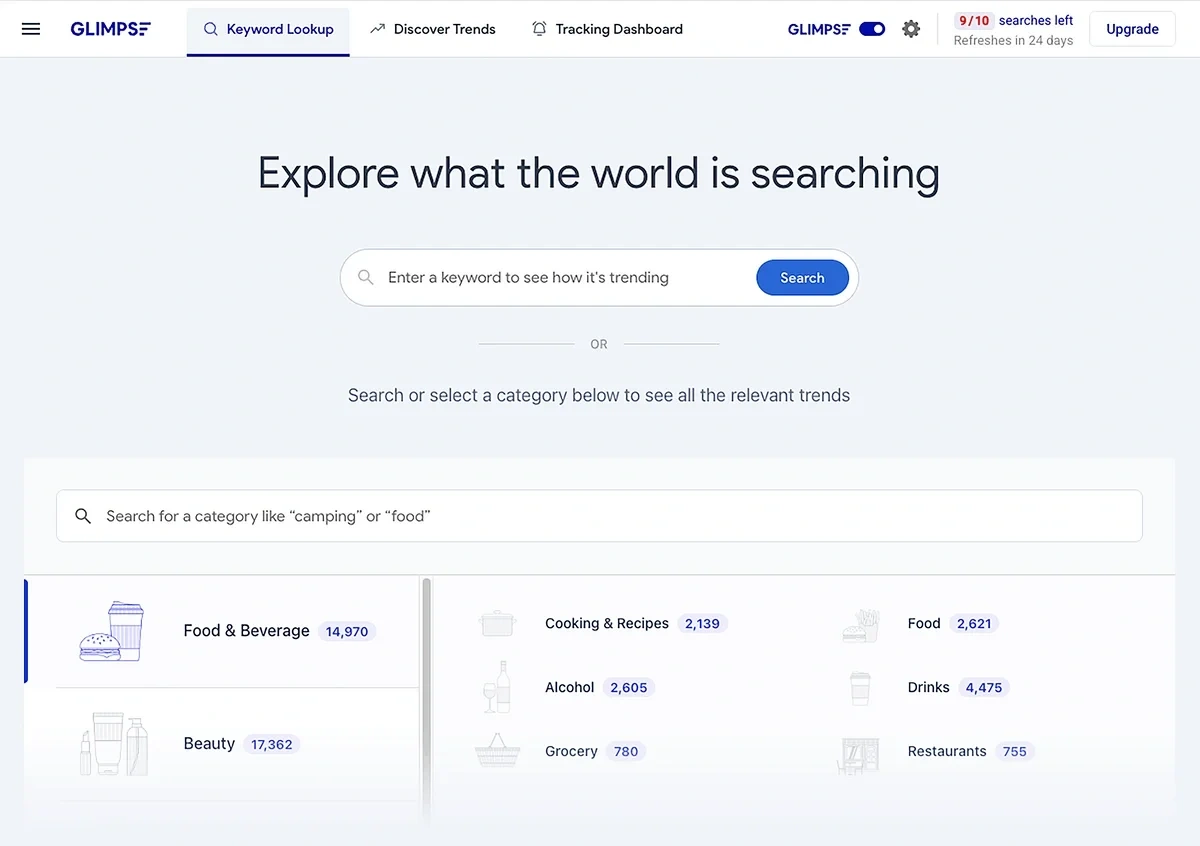
Here's what it looks like with Glimpse turned on:
And with Glimpse turned off:
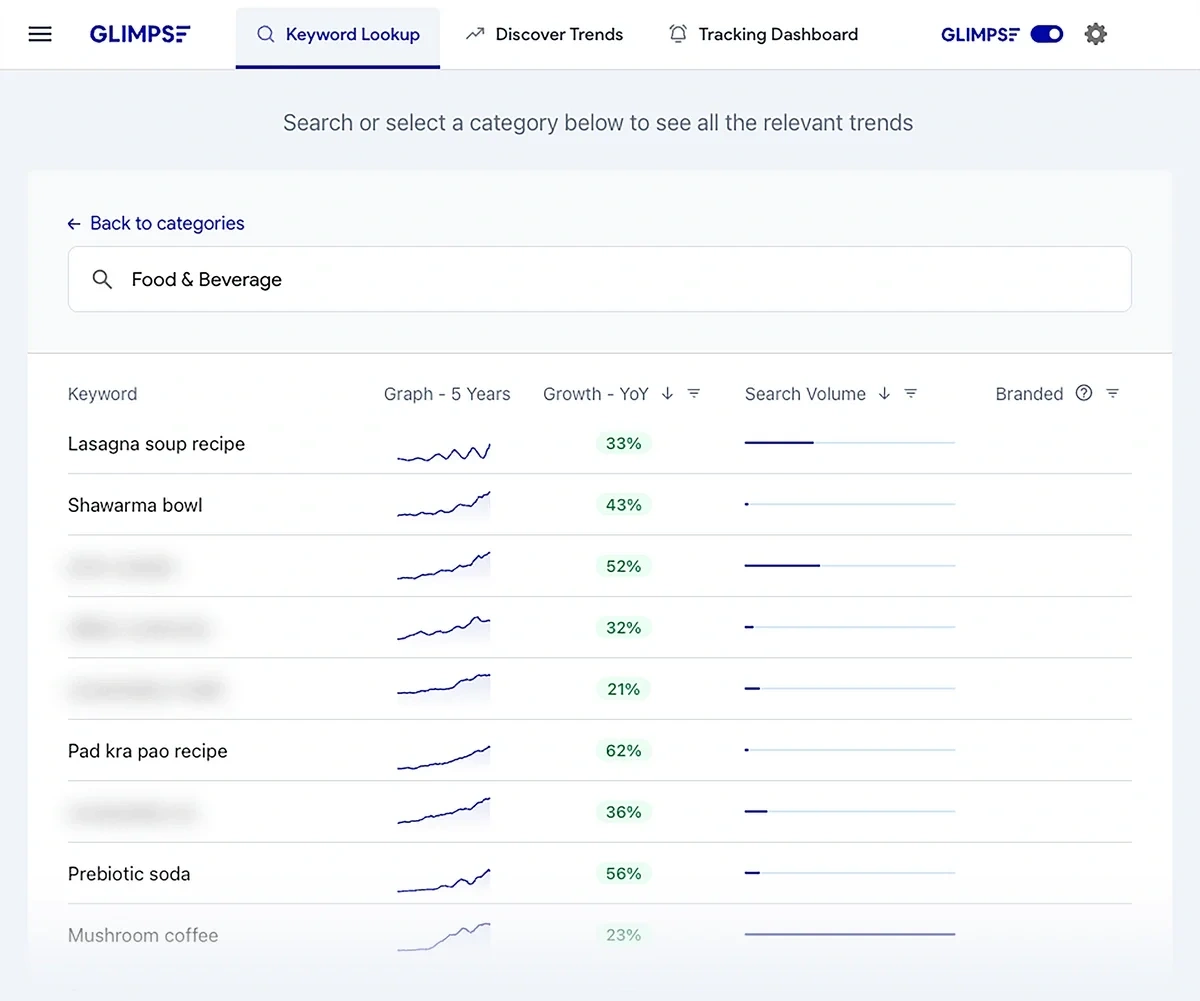
Leaving Glimpse turned on gives you an Exploding-Topics style trend browsing interface, though some of the trends will be blurred based on the type of plan you have.
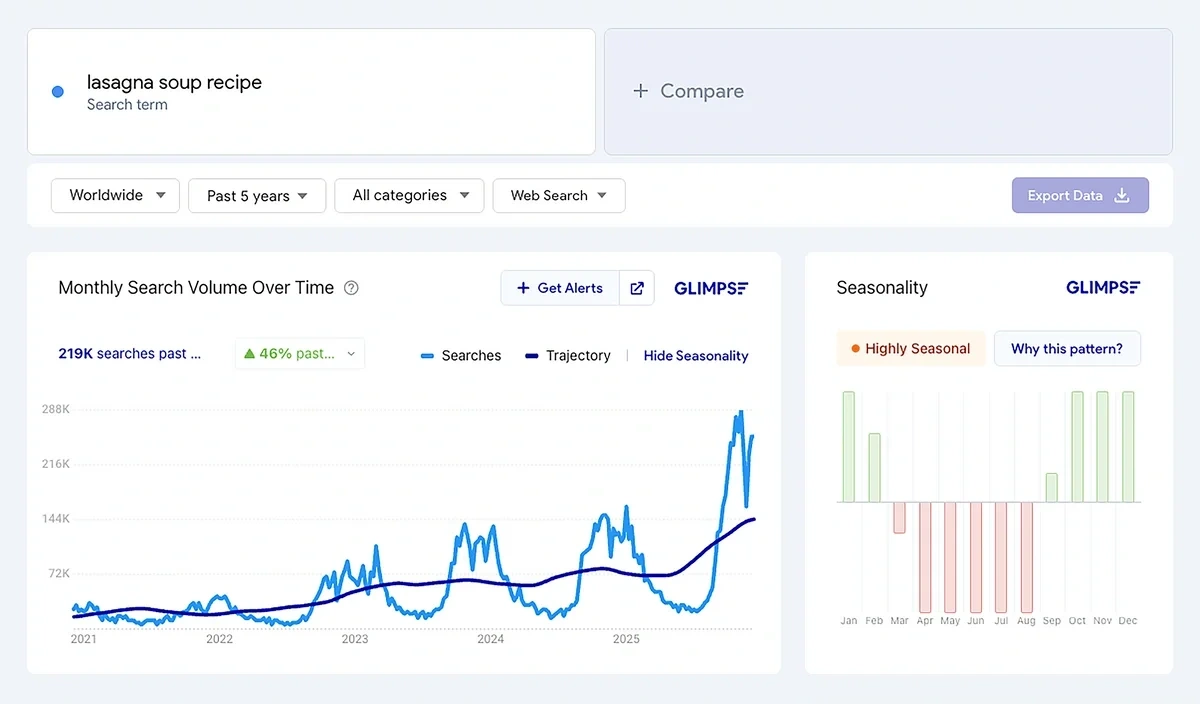
The Glimpse trend detail interface is very Google Trends-esque, though I do like the addition of a seasonality analysis that's broken down by month.
The Verdict: Exploding Topics wins for best user interface. I like that I have multiple options for how I choose to view the data, and I can see lots of trends (and read the newsletters) without logging in. When I do log into my account, I can access Exploding Topics in any browser via Semrush — no extensions required.
Trend Data Sources
Exploding Topics gathers data from a variety of sources, including:
- Social media
- Search engines
- Online forums and communities
- News articles
- Blogs
- E-commerce websites
- Podcasts
They run this quantifiable trend data through their own machine learning models to analyze historical trends, develop forecasts, and spot what's about to explode in popularity. Exploding Topics' methodology isn't entirely computer-driven, though — there are human data analysis experts who review trend findings, filter out fads, and provide qualitative insights.
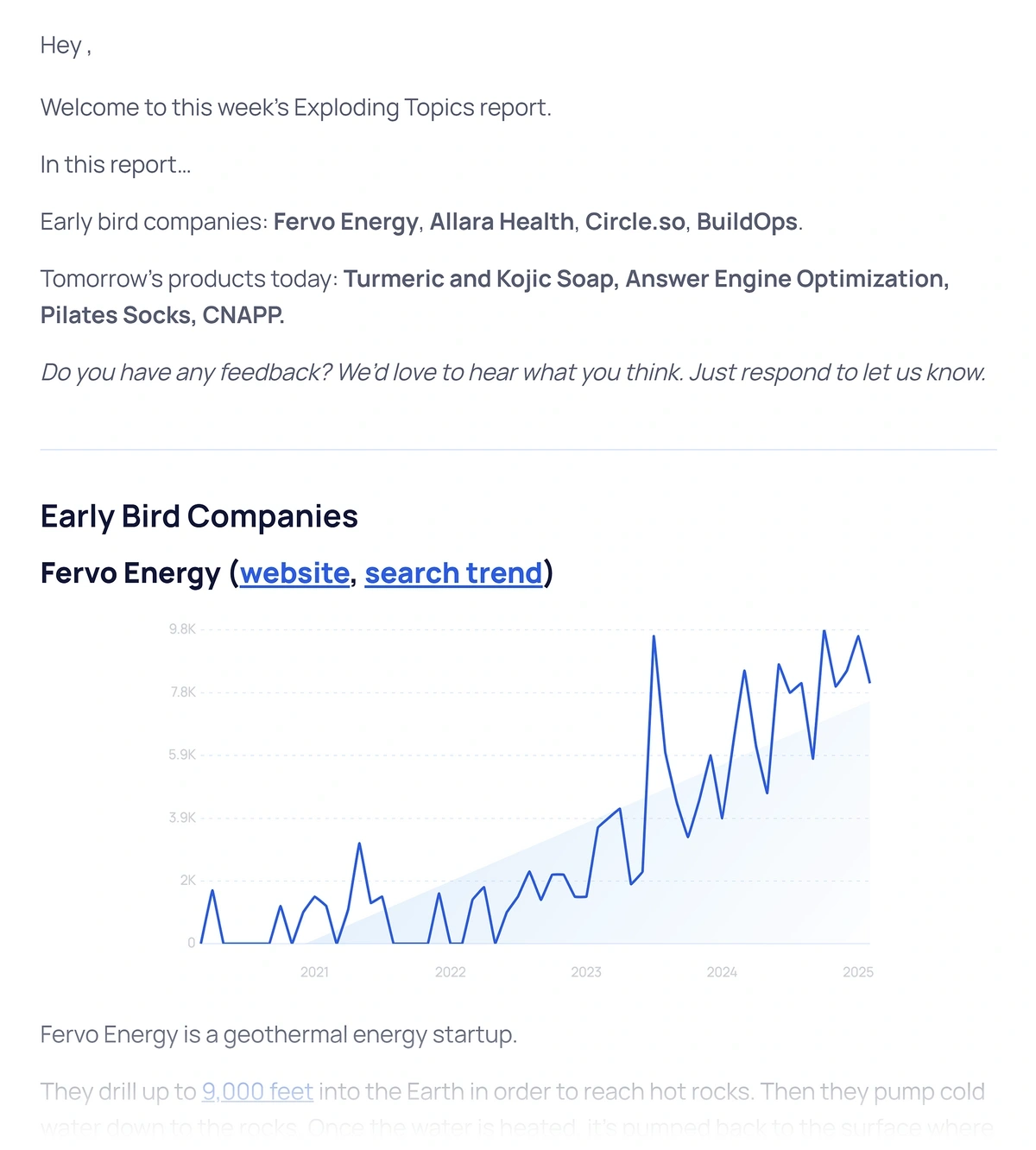
Glimpse pulls a lot of its data from Google Trends but supplements these metrics with information from social media channels and other online sources. Like Exploding Topics, Glimpse reviews their data to remove unnecessary noise and create forecasts.
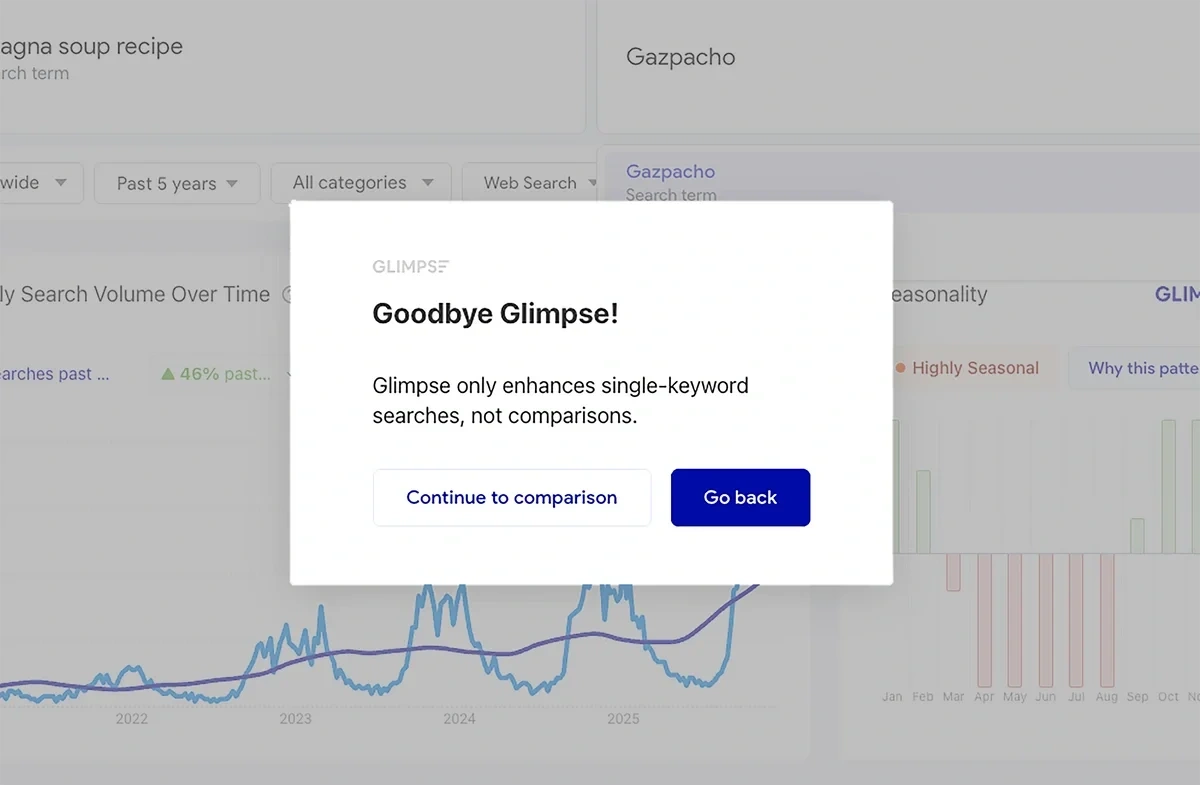
The extra data that Glimpse gathers applies to single trend analysis. If you try to do a trend comparison, you'll be redirected to the standard Google Trends interface.
The Verdict: Exploding Topics' inclusion of TikTok and Amazon sales data gives it the edge here — no matter where you sell or market your products, or what companies you're interested in tracking, Exploding Topics helps you find the right data points.
Search Metrics
Both Exploding Topics and Glimpse also let you see the search volume associated with specific trends.
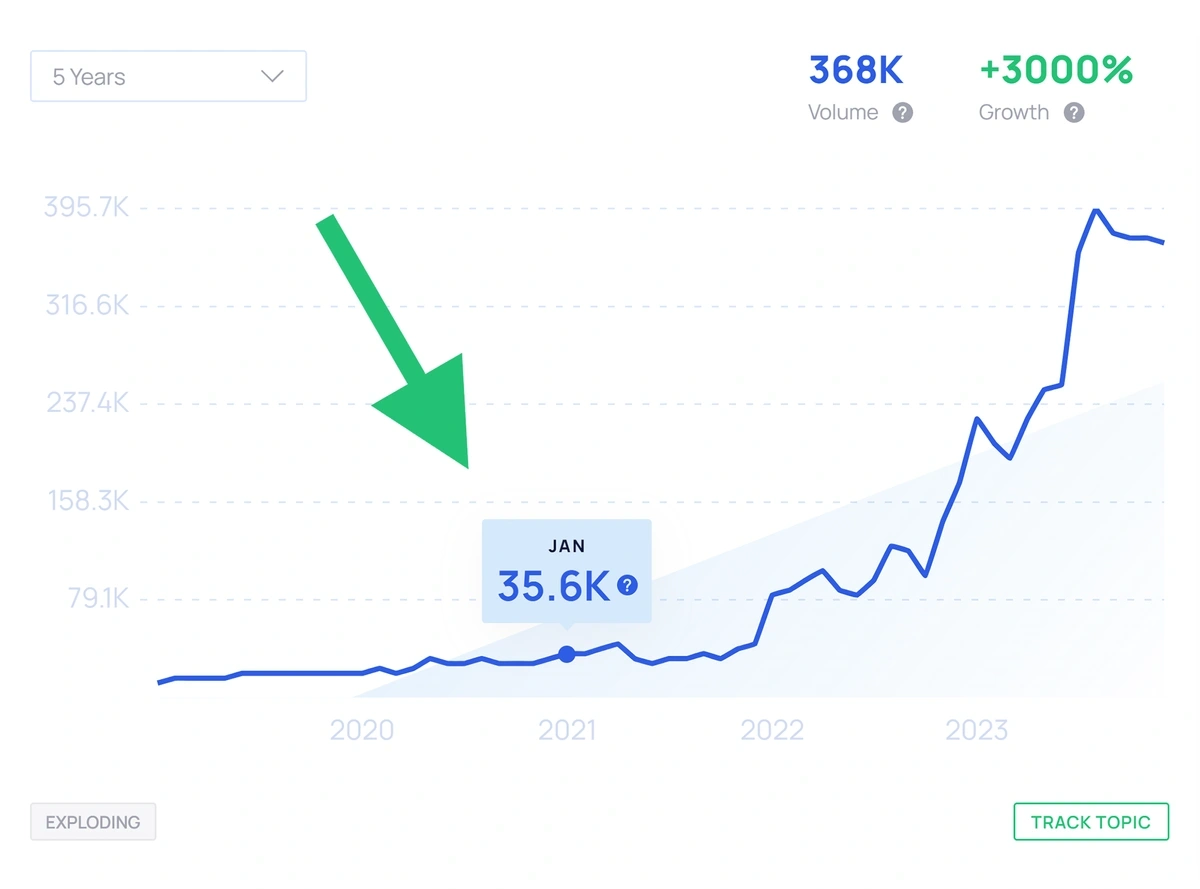
Exploding Topics displays search volume as a single number in the corner of every trend graph, and you can view past search levels by hovering over the points on the line graph.
Glimpse shows you current keyword volume and how much it's changed in recent months. You can also change the graph to show you volume for different types of searches, such as image searches, Google Shopping searches, and more.
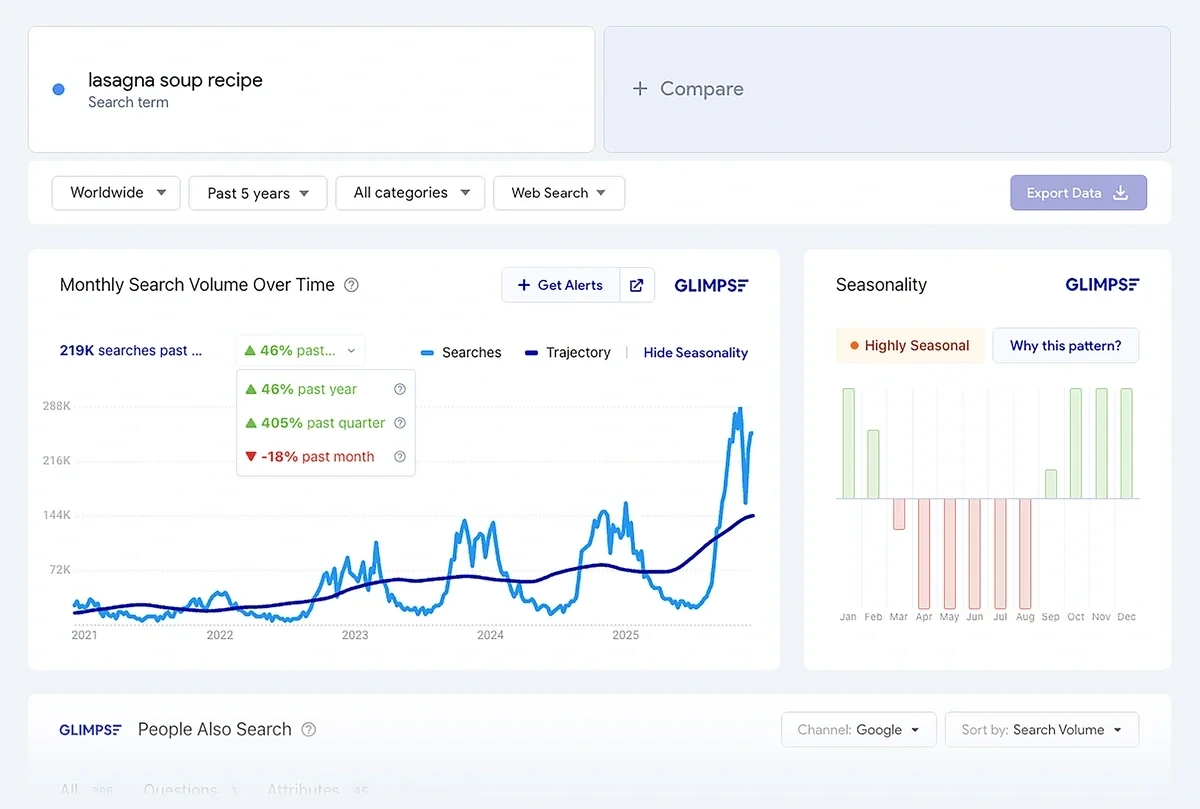
The Verdict: Glimpse offers the most detailed search volume information directly in the trend interface. If you combine Exploding Topics with a Semrush subscription, you can go even deeper into search metrics — but for simple basics presented alongside a trend graph, Glimpse wins.
Estimate how long it will take to rank in Google's top 10
Number of monthly searches for your target keyword
Your website's domain authority score (1-100)
Current position for this keyword (if ranking)
Social Buzz
Of course, Google search isn't the only way that products and topics gain traction — social media trends are a big driver of interest and sales. You can find data about topic performance on social media when using both Exploding Topics and Glimpse.
Exploding Topics illustrates trend popularity across social media channels using two distinct graphs. You can also see a summary of key indicators, including seasonality (though not as detailed in Glimpse) alongside the social network breakdown.
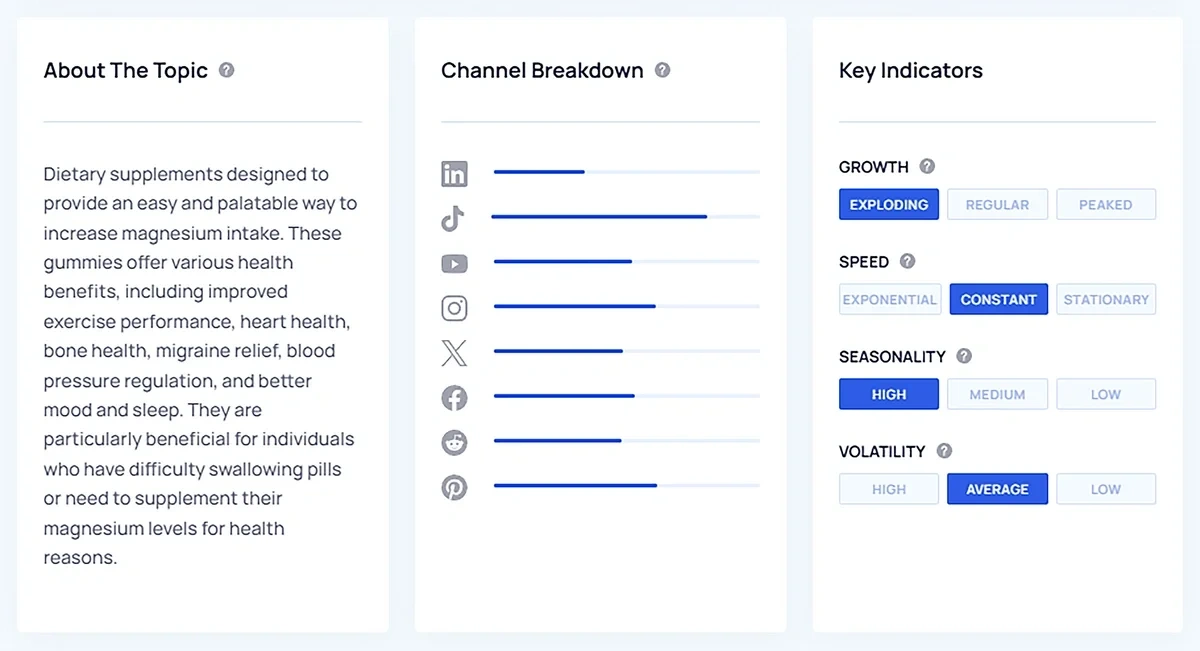
If you're using Exploding Topics to research e-commerce trends, you can see additional insights about TikTok performance as well.
Glimpse shows social channel interest in a similar format to Exploding Topics, with longer bars representing more interest in the topic on a given platform.
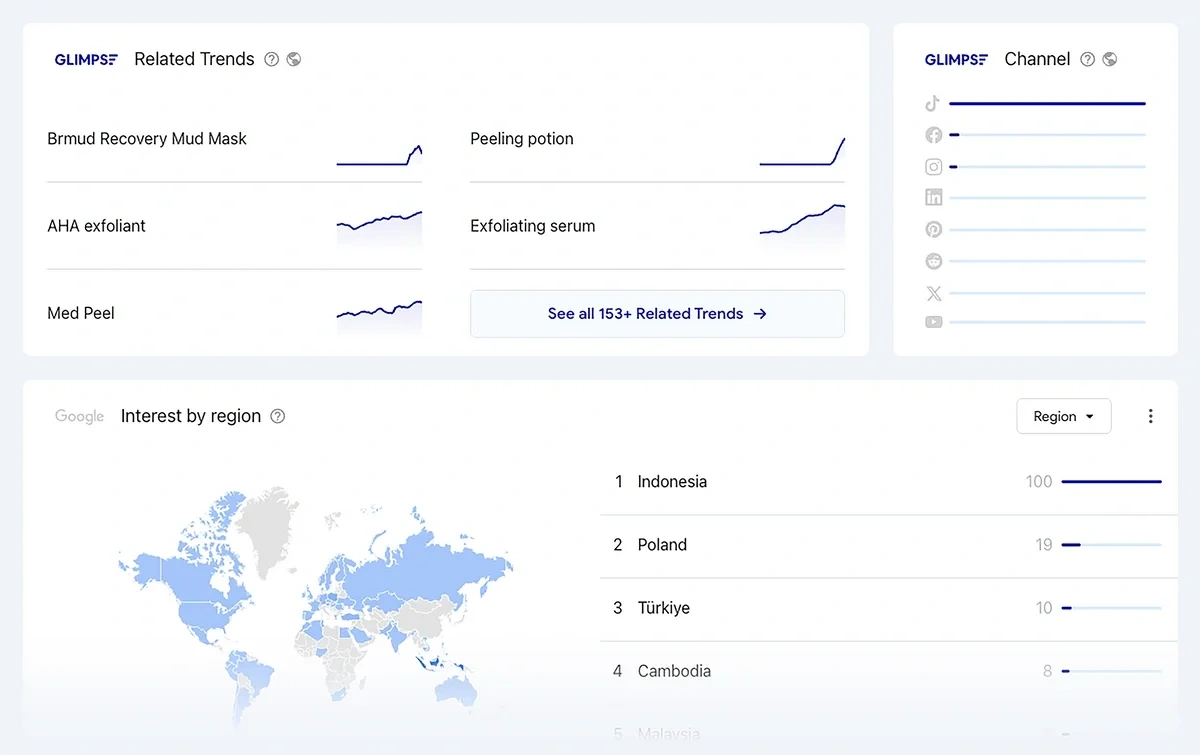
The Verdict: It's a tie. Exploding Topics and Glimpse present social channel data in comparable ways.
Product Trends
Exploding Topics allows you to look up single products, browse brands and products by category, or focus on only sellable goods using the Trending Products database.
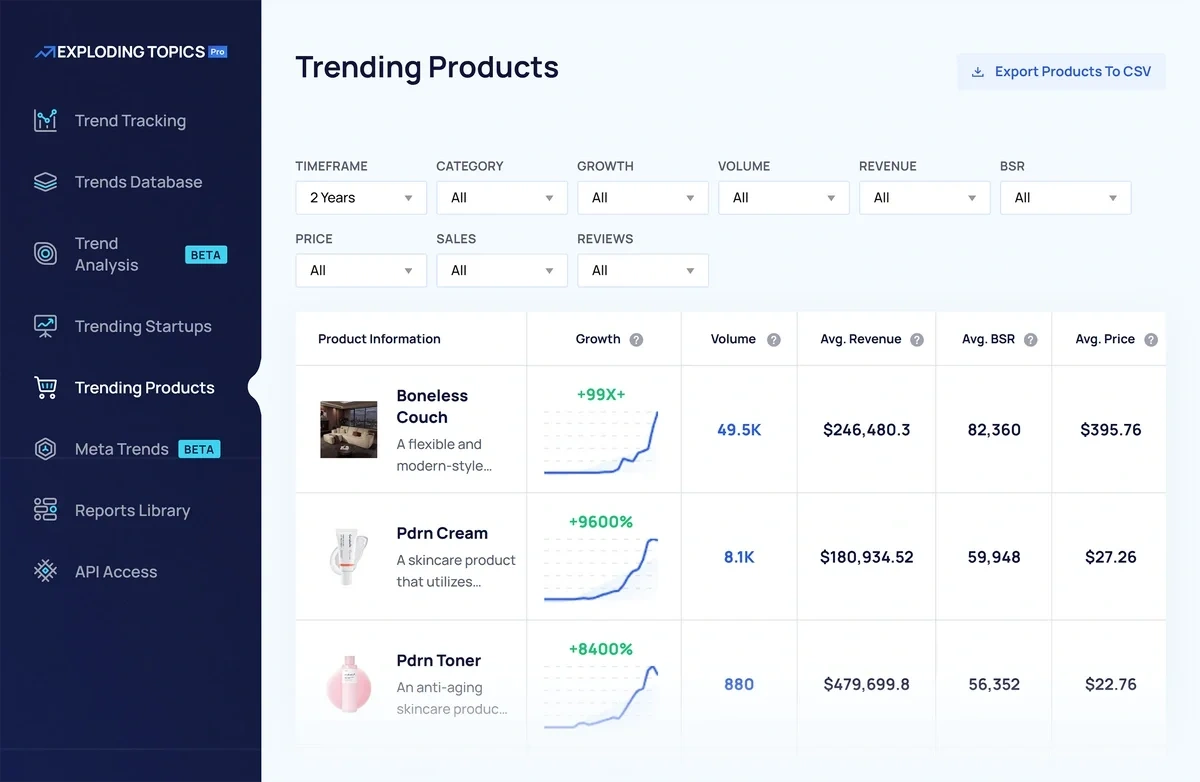
You also can easily click through to see any product detail page and read an expert analysis of what the product is and what trends it's linked to.
I like that Exploding Topics offers this standalone Trending Products report, as it allows me to hone in on product performance across TikTok and Amazon — even if I'm not planning on selling through those platforms, it gives me an idea of what consumers are interested in.
Glimpse doesn't offer dedicated product reports like Exploding Topics. To see e-commerce product trends, you'll need to browse through the trends in your target industry and pick out products from other topics.
Once you find products, you can then adjust the Glimpse trend data page to show you Google Shopping volume instead of overall search volume.
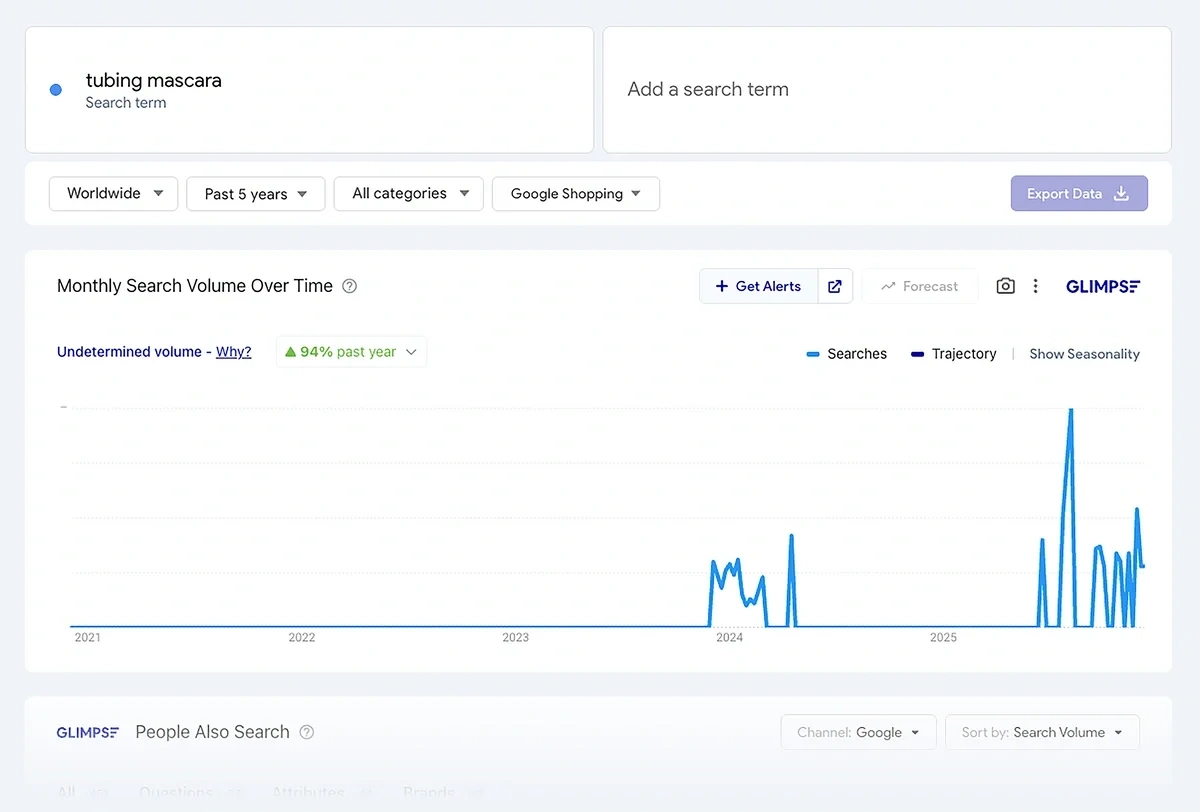
The Verdict: Exploding Topics is the best tool for analyzing e-commerce product trends. Its dedicated product reports with Amazon and TikTok shop data are extremely useful for sellers.
Price
Exploding Topics has a generous free tier that lets you subscribe to newsletters and browse many of the trends on the website for free, no login required. If you want to see full trend detail pages, product reports, Meta Trends graphs, and more, you'll need to subscribe to Exploding Topics Pro. Plans start at $39 per month.
Glimpse allows free users to look up 10 terms per month, though many of the trends in Glimpse's industry list are blurred out until you upgrade. Paid plans start at $71 per month when billed annually.
Here's how the entry-level paid tier on each plan compares; all listed limits reset monthly unless otherwise noted:
| Exploding Topics | Glimpse | |
| Plan name | Entrepreneur | Pro |
| Monthly cost | $39 | $71 (billed annually) |
| Access to the full trend database? | Yes | No — you can only see 12 trends per category |
| Channel popularity breakdowns per trend? | Yes | Yes |
| Number of tracked trends | 100 | 25 |
| Number of on-demand trend searches | 10 | 100 |
| Data exports? | No | Yes, 10 |
| Additional features | Trending products report, Meta Trends analysis reports | People-also-search data, Google Sheets integration, 24 trend alerts |
The Verdict: Exploding Topics Pro gives you the most value for your subscription and lets you see every trend in the database — you aren't limited to just a few trends in every category like Glimpse.
Try the Best Trend Spotting Tool for Free
My advice? Google Trends is already free, and you don't need to pay for an overlay to explore its data further. Instead, sign up for a free seven-day trial of Exploding Topics and get a sense for how they leverage multi-channel data and expert insights to help you identify new trends in your niche.
Stop Guessing, Start Growing 🚀
Use real-time topic data to create content that resonates and brings results.
Exploding Topics is owned by Semrush. Our mission is to provide accurate data and expert insights on emerging trends. Unless otherwise noted, this page’s content was written by either an employee or a paid contractor of Semrush Inc.
Share
Newsletter Signup
By clicking “Subscribe” you agree to Semrush Privacy Policy and consent to Semrush using your contact data for newsletter purposes
Written By


Emily is a freelance content writer at Exploding Topics. A former news correspondent, she has over 15 years' experience creati... Read more